

Want your website to look perfect on every screen? This guide will show you how to use Grigora's responsive design tools to customize your site for mobile, tablet, and desktop with no tech skills required. Say goodbye to broken mobile layouts and hello to a truly responsive website!
Previewing Your Responsive Design
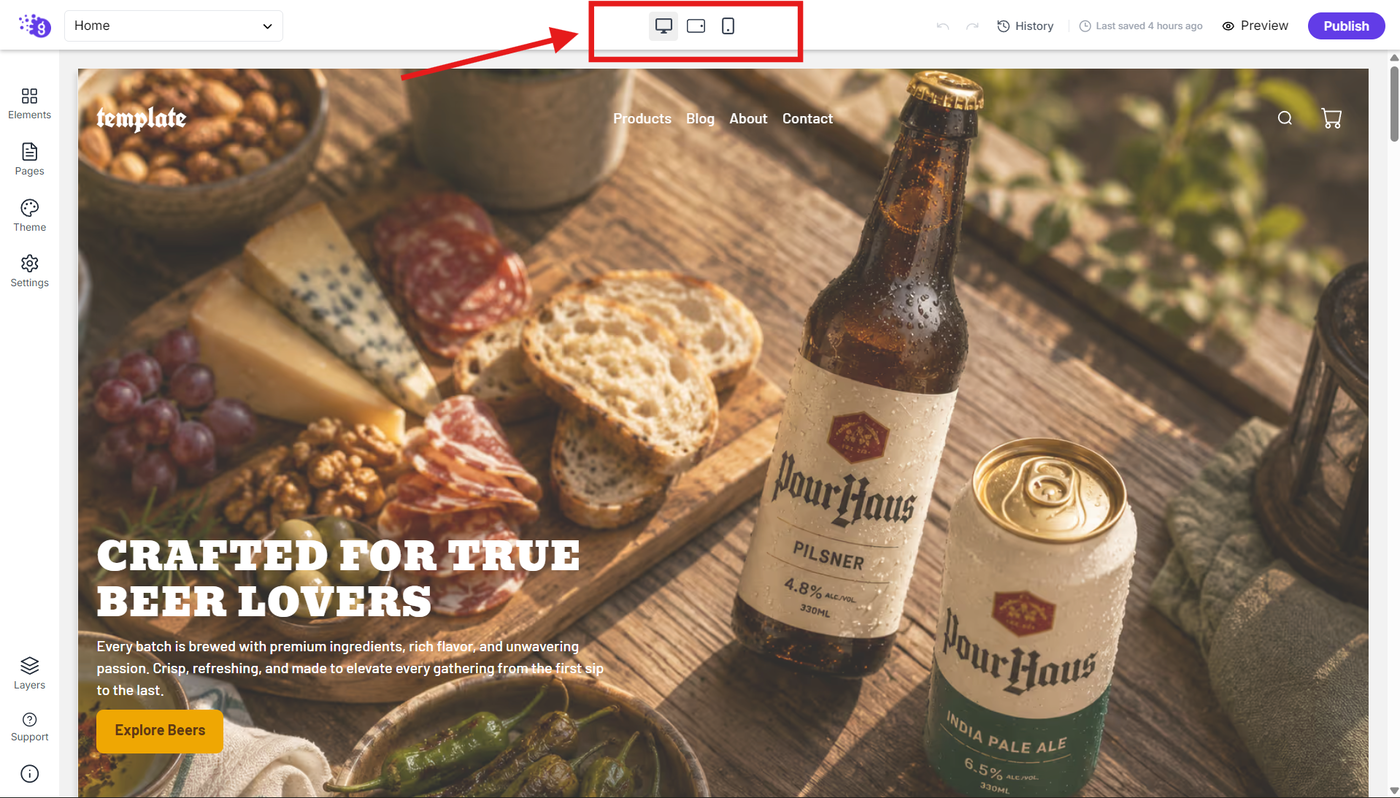
Yes, with this screenshot, I’d make the wording more precise by explicitly referring to the device icons in the top toolbar of the editor:
You can preview your responsive design using the device icons in the top toolbar of the editor. Switch between desktop, tablet, and mobile views to see how your website appears across different screen sizes before publishing.
This real-time preview helps you evaluate your layout on different devices, make responsive design adjustments, and identify potential issues before your website goes live.
Device-Specific Element Customization
You can customize elements differently for each device to ensure optimal presentation across all screen sizes. This granular control allows you to tailor every aspect of your design to each device's unique requirements.
Typography Responsiveness Example
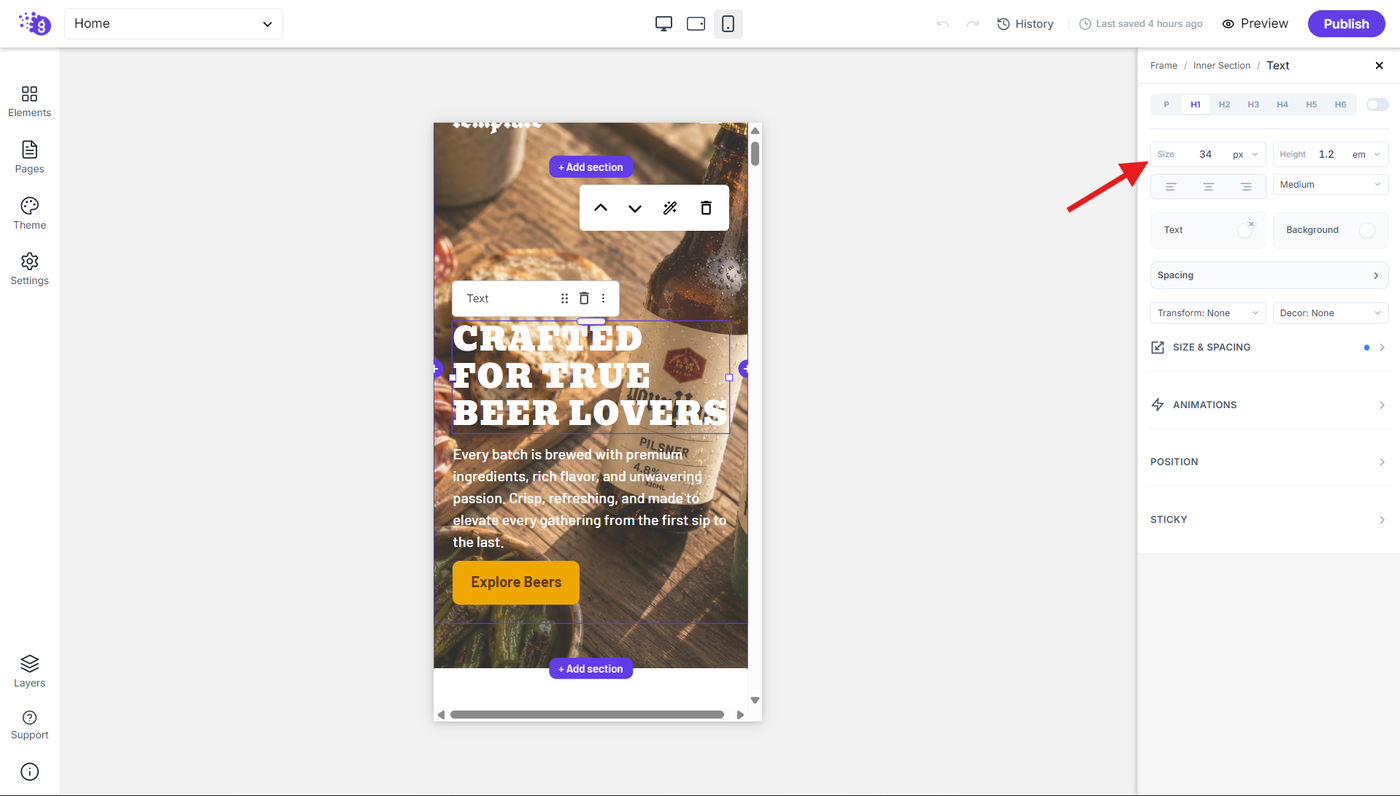
For text blocks, you can set different font sizes:
Desktop: 42 pixel font size for maximum impact and readability
Tablet: 40 pixel font size for balanced visibility on medium screens
Mobile: 34 pixel font size for comfortable reading on small screens
This ensures your text remains readable and appropriately sized on every device, maintaining both visual hierarchy and user experience standards across all platforms.
Universal Responsive Design Application
You can apply this responsive customization to every element in Grigora, including:
Text sizes and spacing for optimal readability
Layout arrangements for better content flow
Element visibility to show/hide content based on device
Padding and margins for appropriate spacing on each screen size
Benefits of Responsive Design
This comprehensive responsive approach ensures:
Clean, clickable elements on all devices
Professional appearance across desktop, tablet, and mobile
Improved user experience with device-optimized layouts
Better engagement through properly sized and positioned content
Best Practices for Responsive Success
Customize layouts and elements for each device to ensure the best user experience by prioritizing content accessibility, maintaining visual hierarchy, and ensuring all interactive elements remain easily usable regardless of screen size.