

Learn how to remove unwanted contact groups from your account. This guide will show you the simple steps to permanently delete a group list that you no longer need.
Accessing Group Management
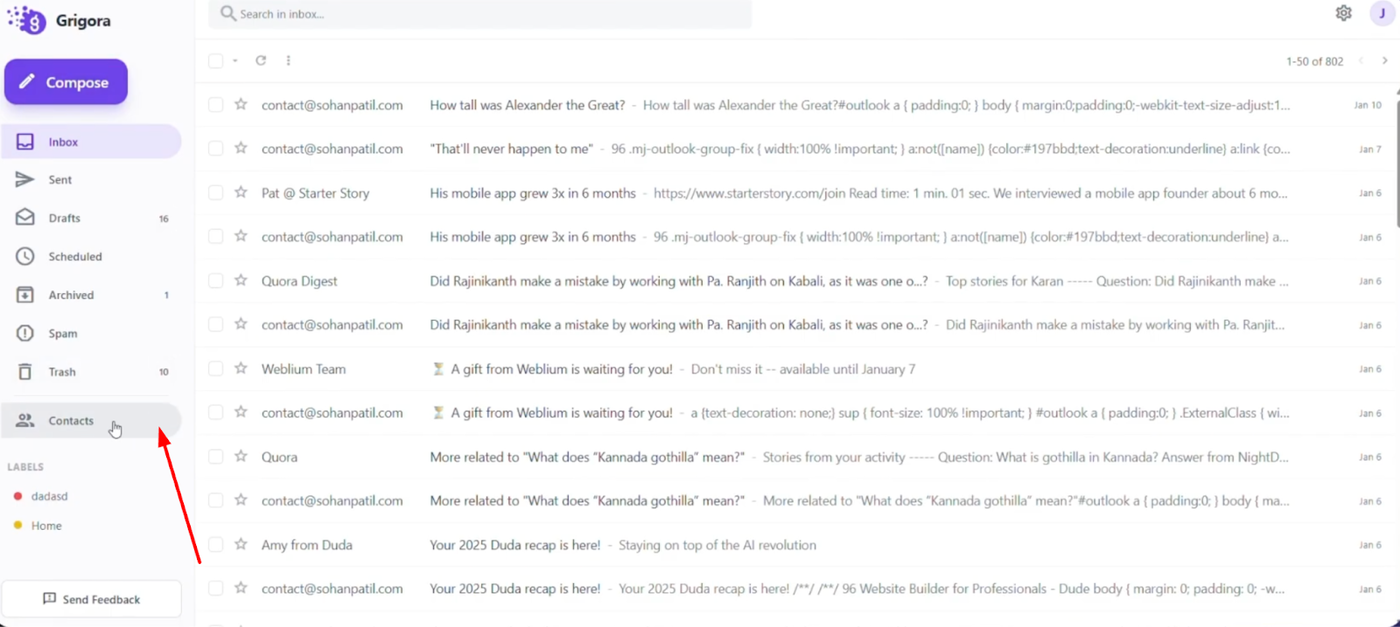
Log into your Grigora Mail account and navigate to the "Contact" section from the left sidebar.
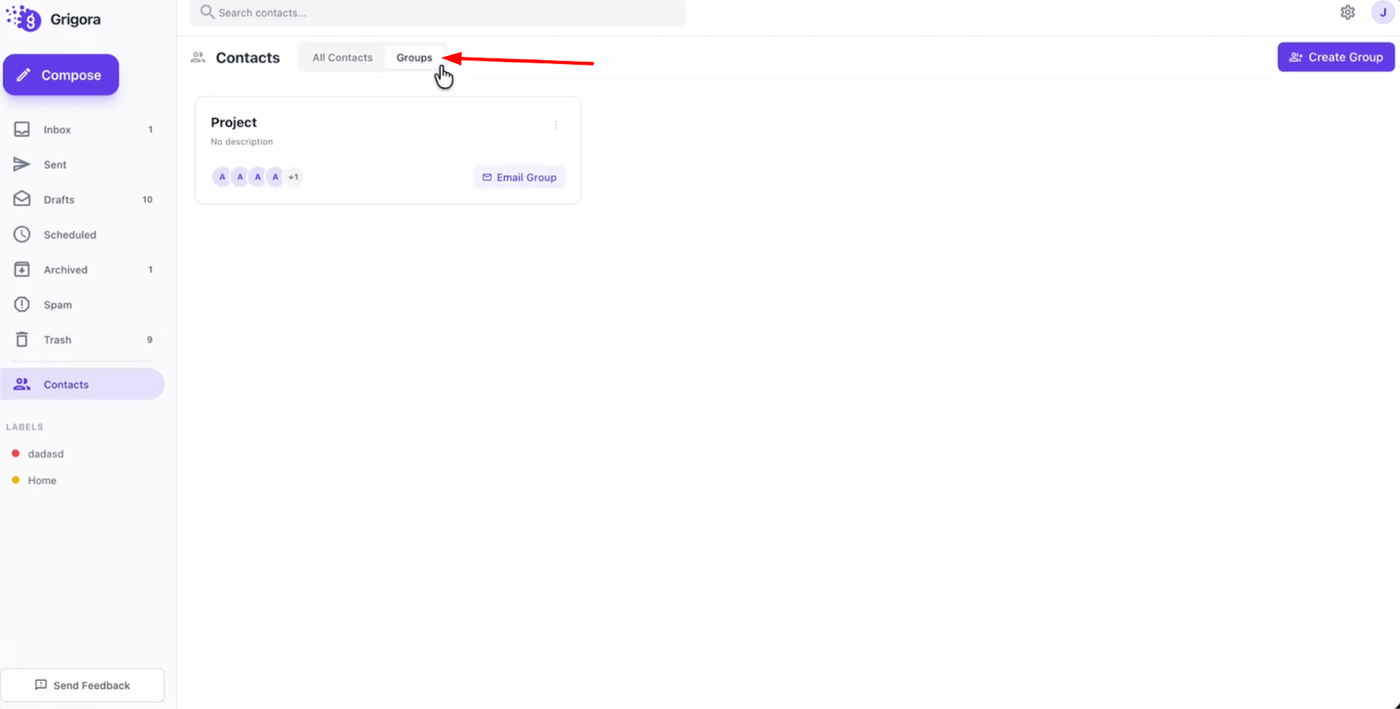
Once on the contacts page, switch to the "Groups" tab to view all your created lists.
Deleting a Group
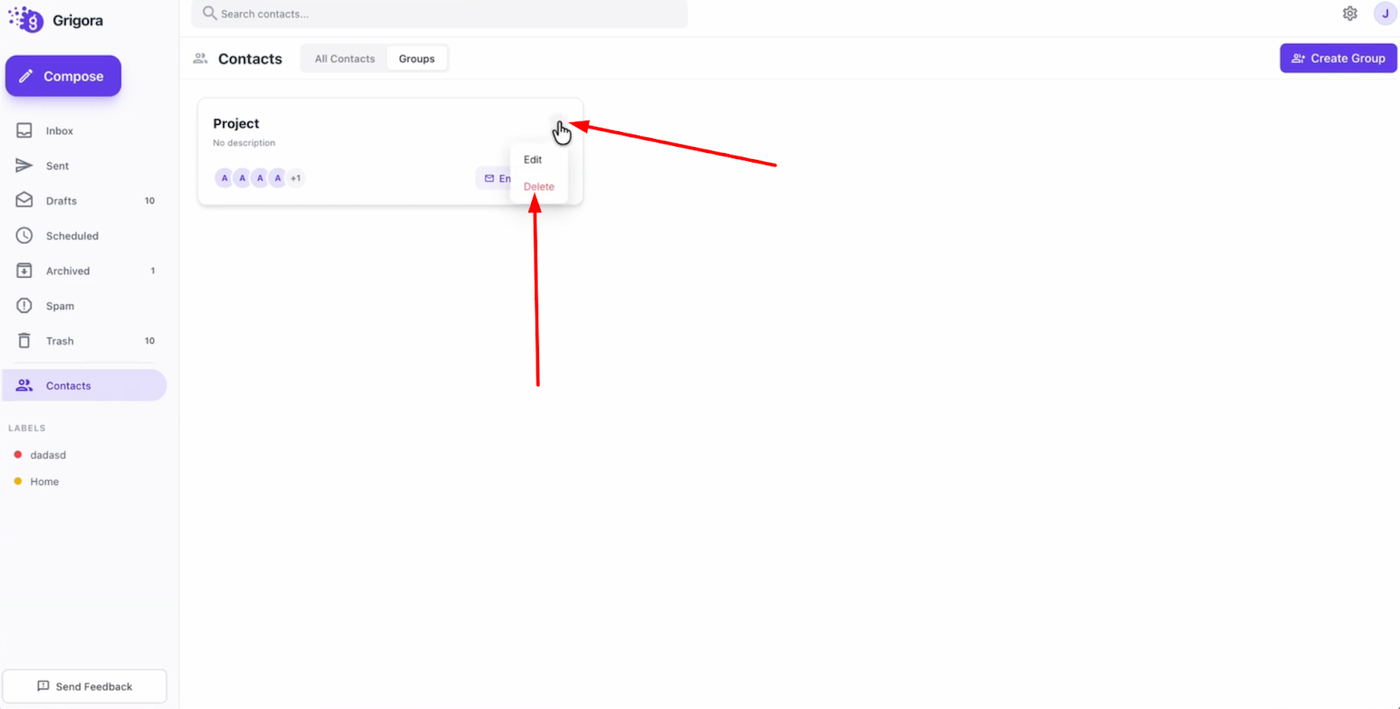
Locate the specific group you want to remove and click on the three dots icon associated with it. From the dropdown menu, select "Delete."
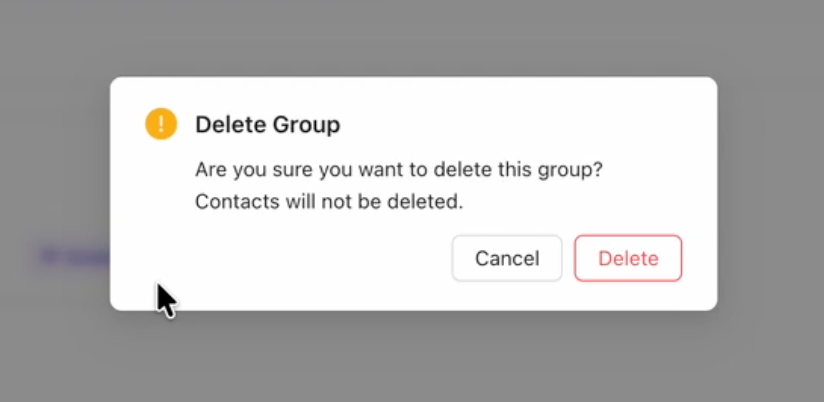
A confirmation pop-up will appear asking you to verify your choice. Click "Delete" again to confirm, and your contact group will be permanently removed from your account.