

Learn how to quickly create clear, engaging subject lines using Grigora Mail’s AI tools. This guide shows you where to find the AI subject helper and how to generate a subject line in just a few clicks while composing an email.
Starting a new email
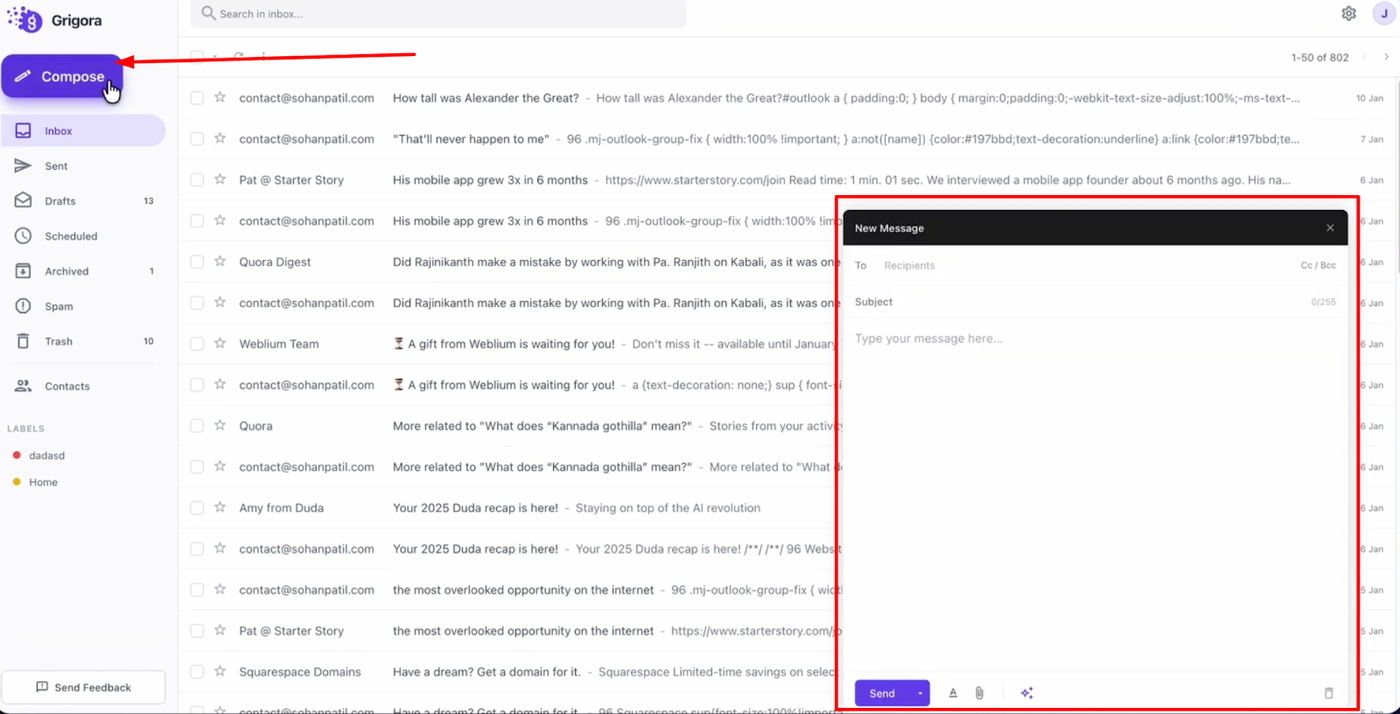
Log in to your Grigora Mail account and click the “Compose” button from the left sidebar to create a new email draft. Locate the “Subject” field in the composer window before writing your message.
Generating a subject line
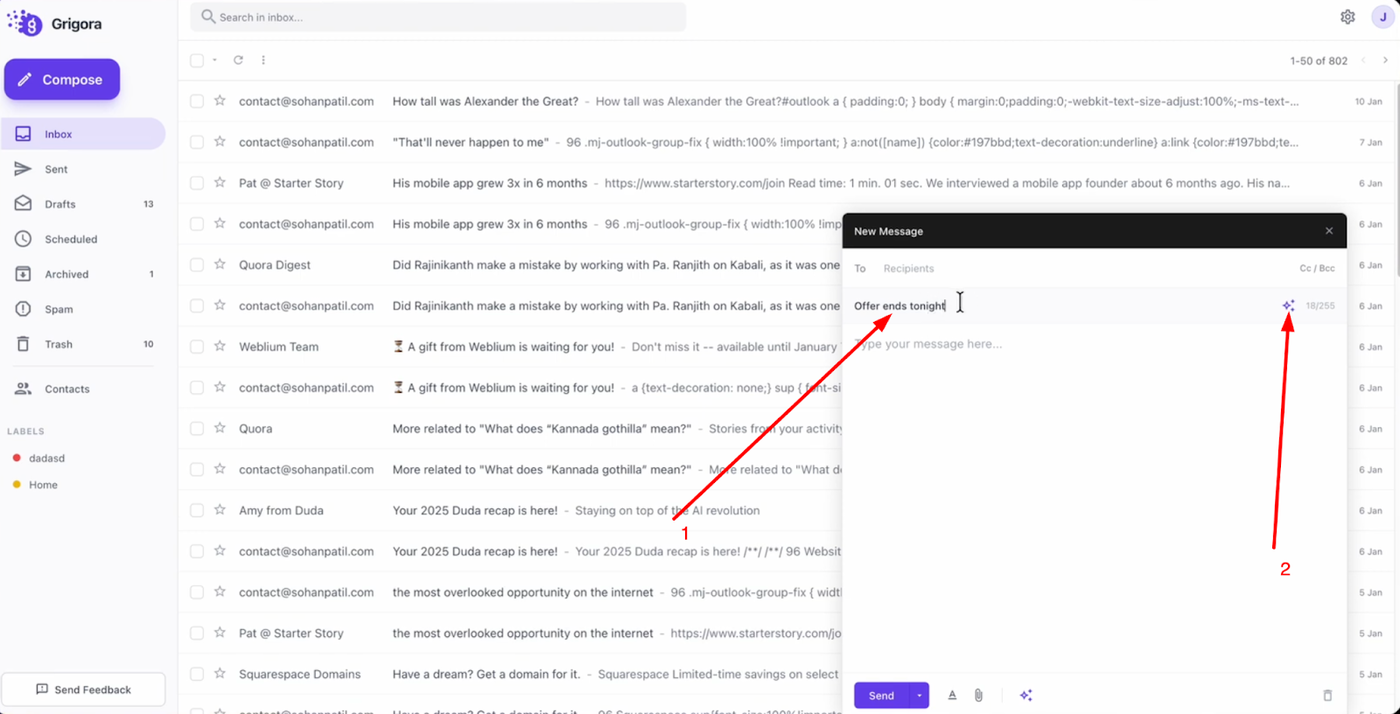
Type a few words related to your email topic in the subject field. On the right side of the subject input box, click the small AI button to generate a suggested subject line.
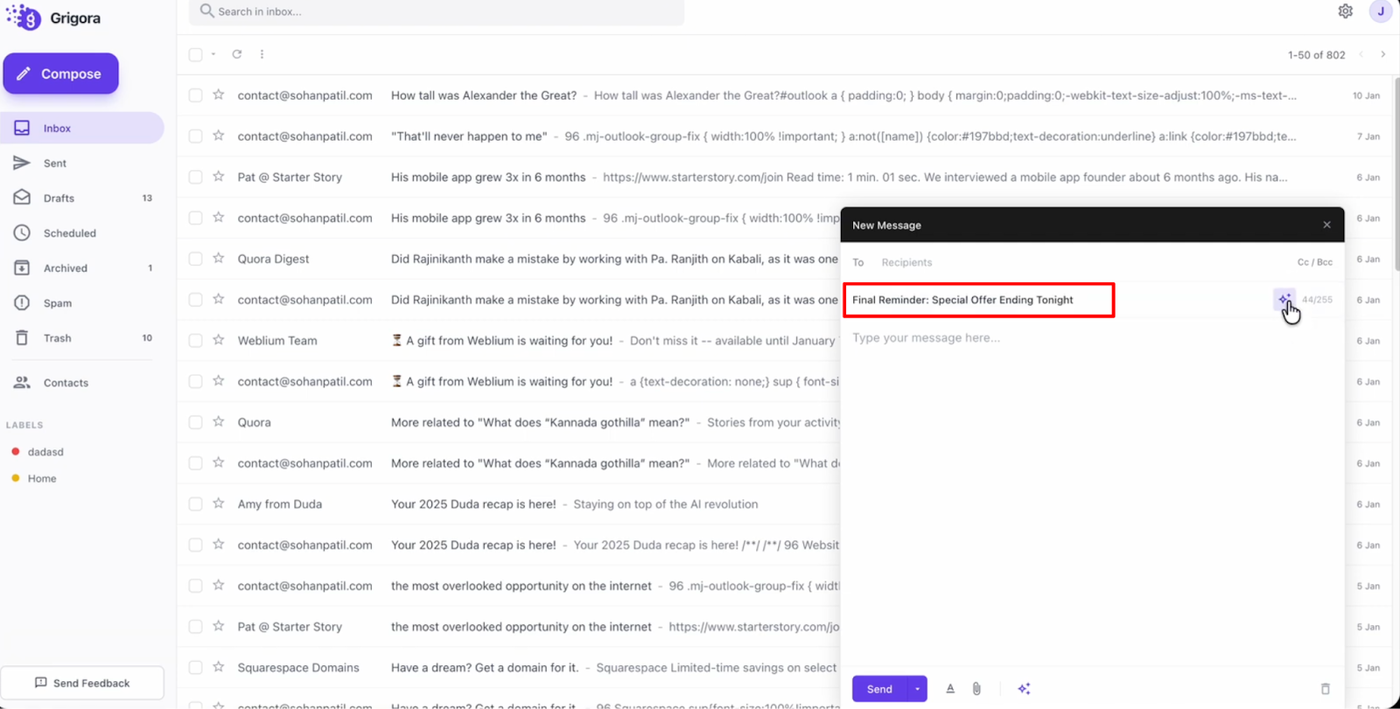
Review the generated subject line and use it in your email before sending. This helps you write stronger subjects faster without manually brainstorming every time.