

Want to move your emails to a more professional platform without losing your history? This guide will show you how to migrate from iCloud Mail to Grigora Mail in just a few steps. You will learn how to export your mailbox from Apple's service and import it directly into Grigora so you can keep your important conversations organized in your new inbox.
Exporting Your iCloud Emails
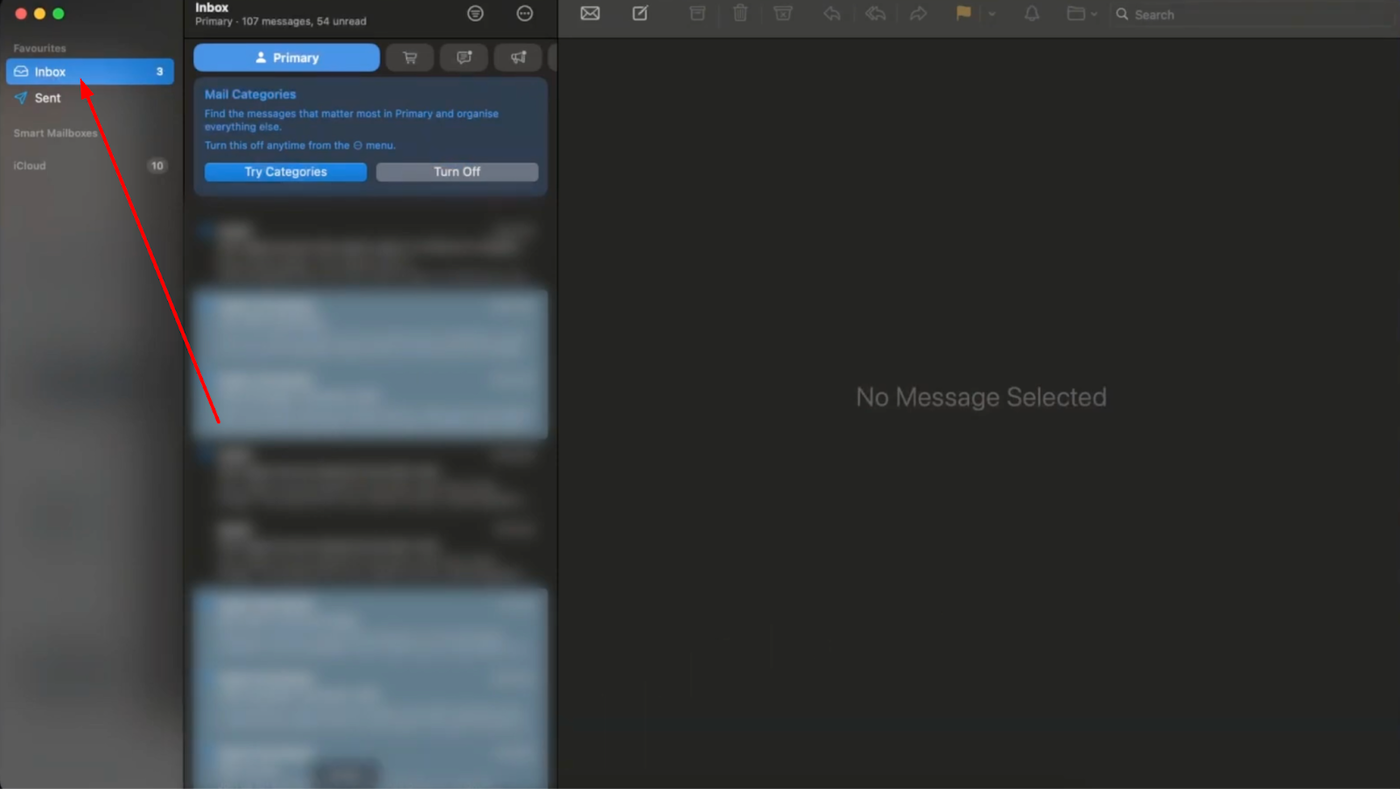
Start by logging into your iCloud Mail account via your web browser. Locate your Inbox in the sidebar menu on the left side of the screen.
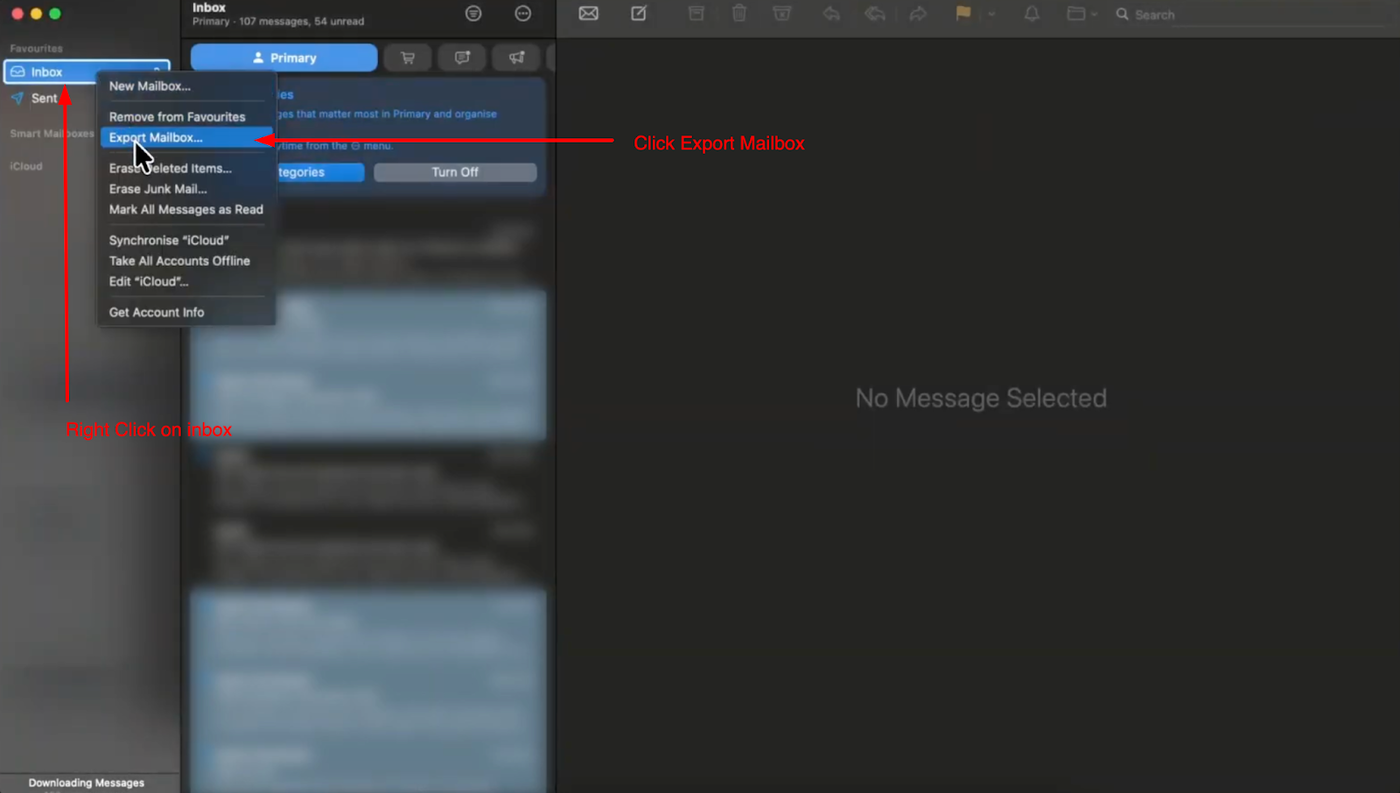
Right-click on the Inbox folder and select "Export Mailbox" from the menu options.
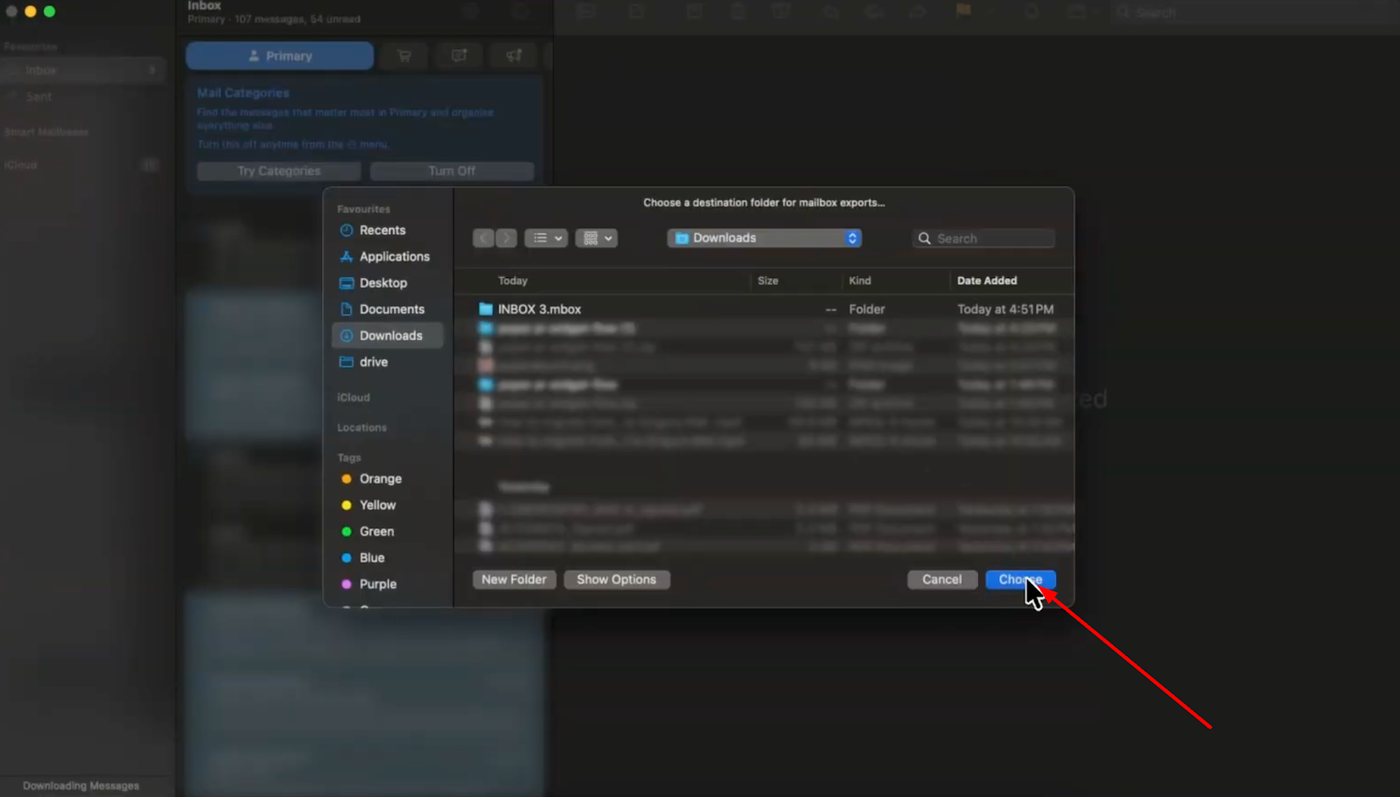
A prompt will appear asking you to save the file; choose a location on your computer and save it. This will download your entire email history as an .mbox file which is ready for transfer.
Note: Extract this mbox file and upload the inner .mbox file
Setting Up Your Grigora Mailbox
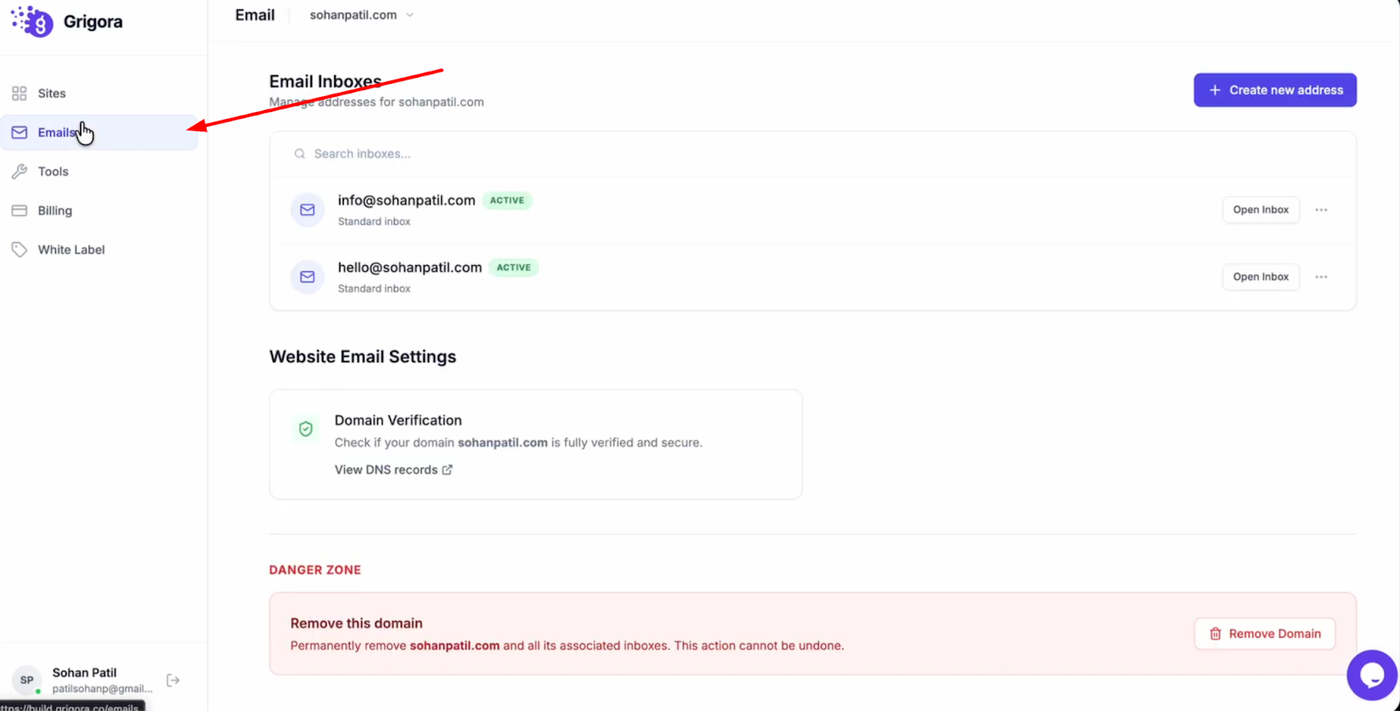
Navigate to the Grigora dashboard and click on "Mails".
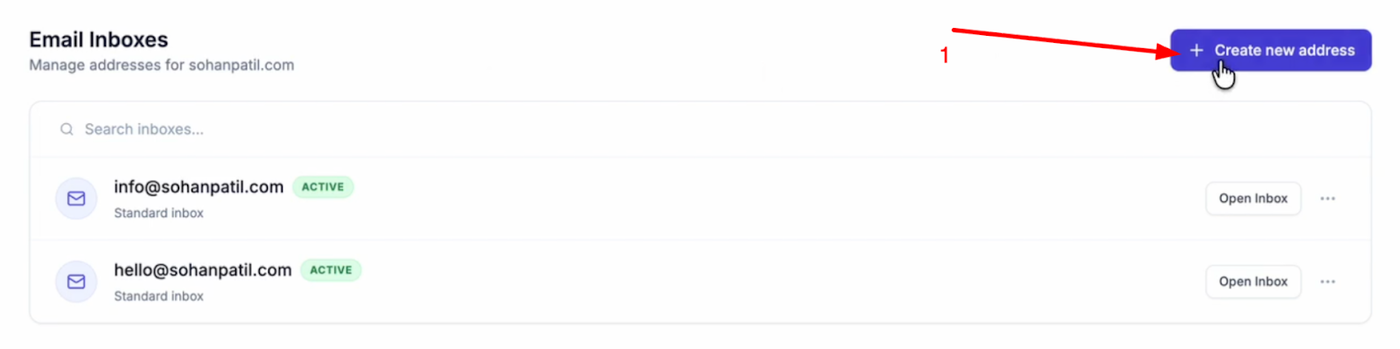
Select "Create New Address".
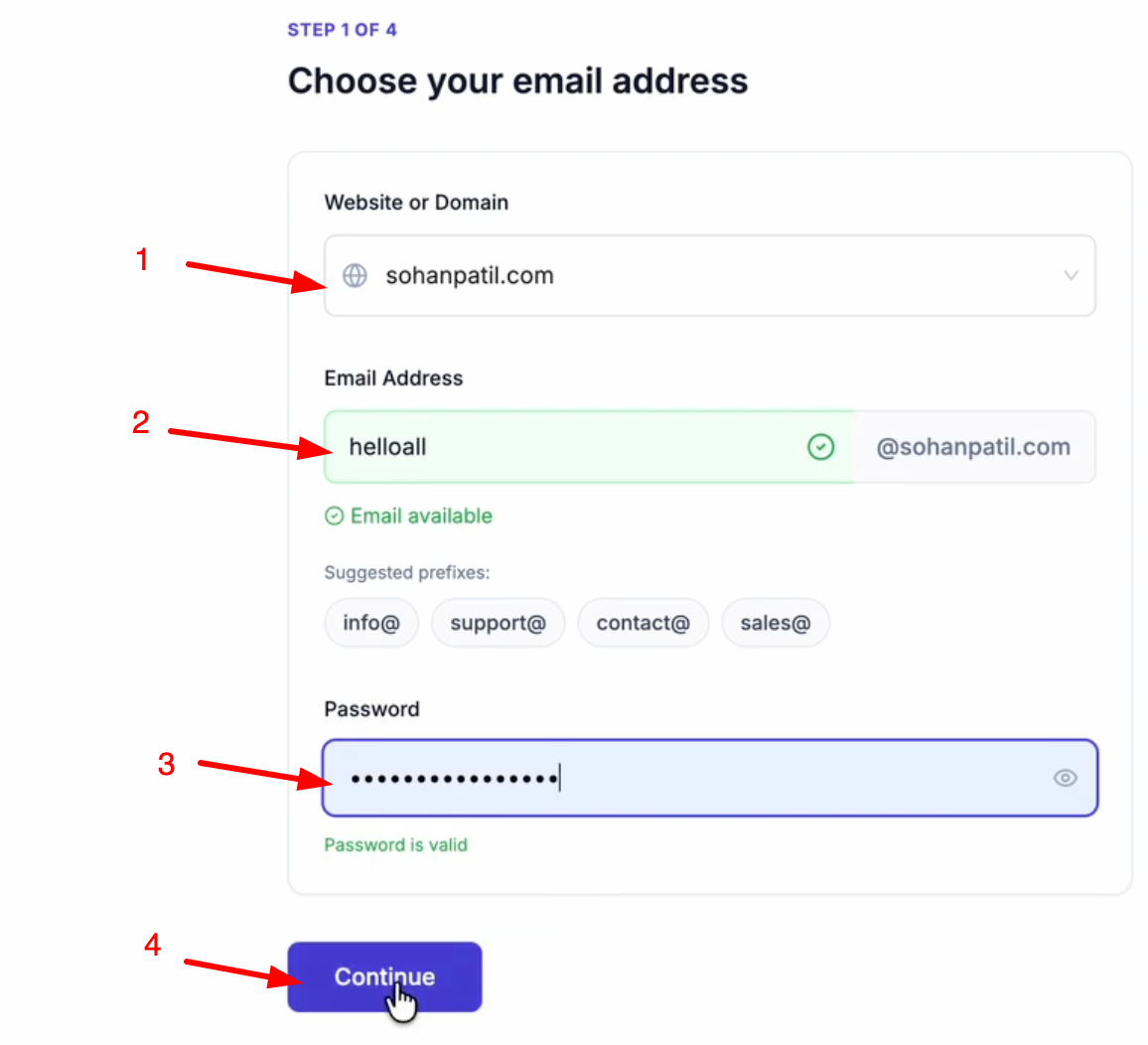
Choose your domain (add it by clicking Add a Website or Domain), and enter your desired email prefix. Create a password for the account and click "Continue".
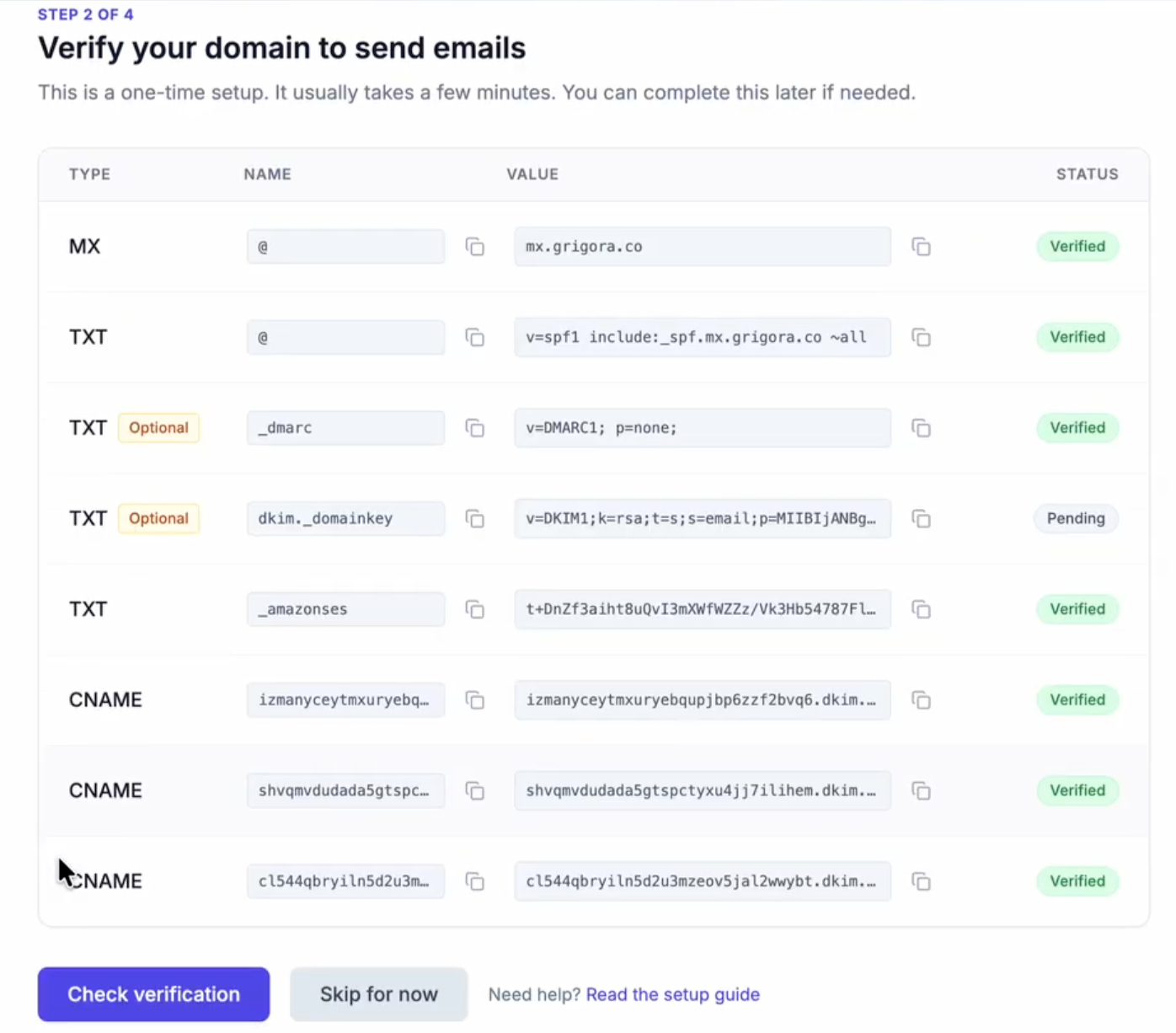
Ensure you have added the required DNS records to your domain manager.
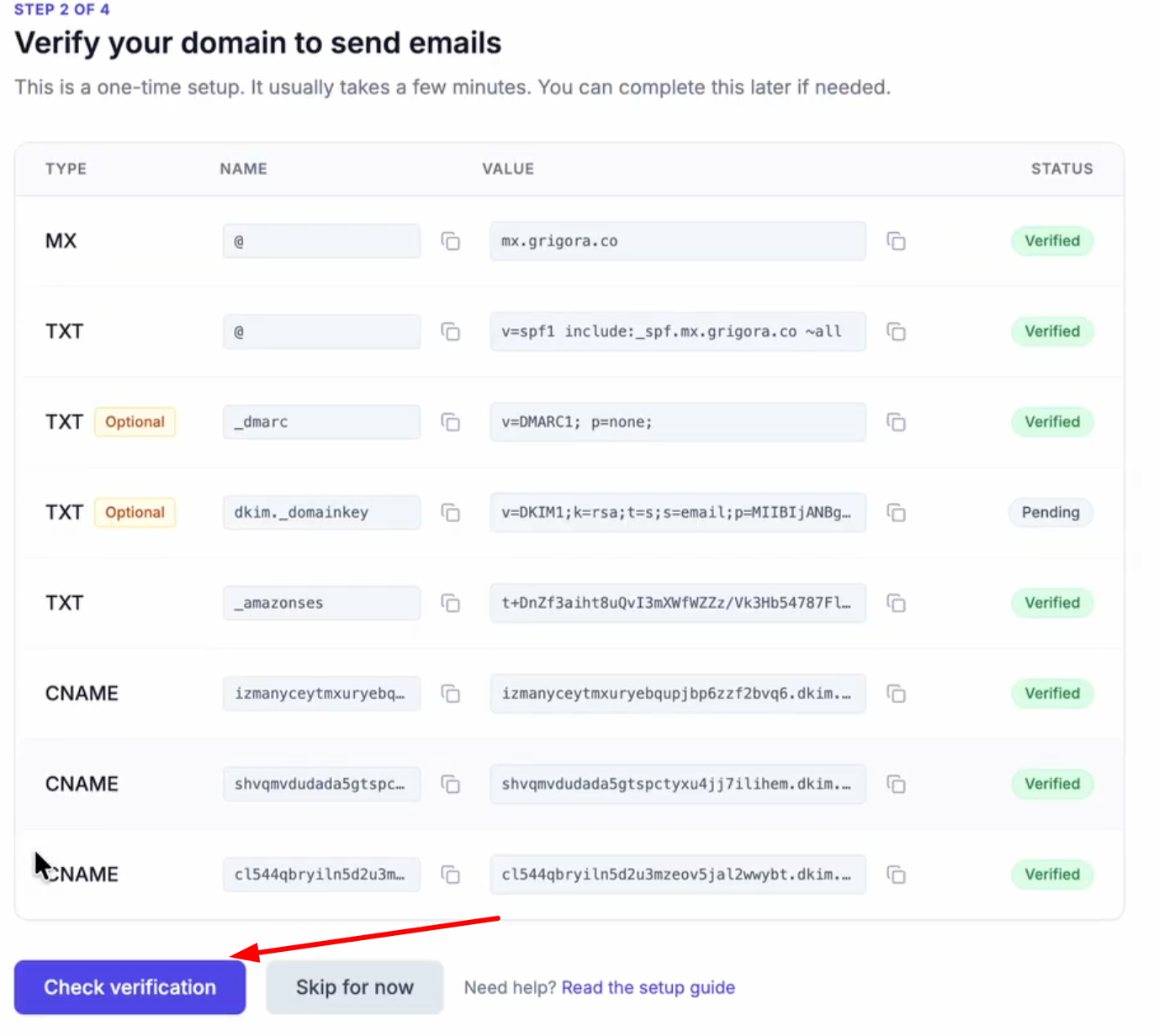
After adding, click Check Verification.
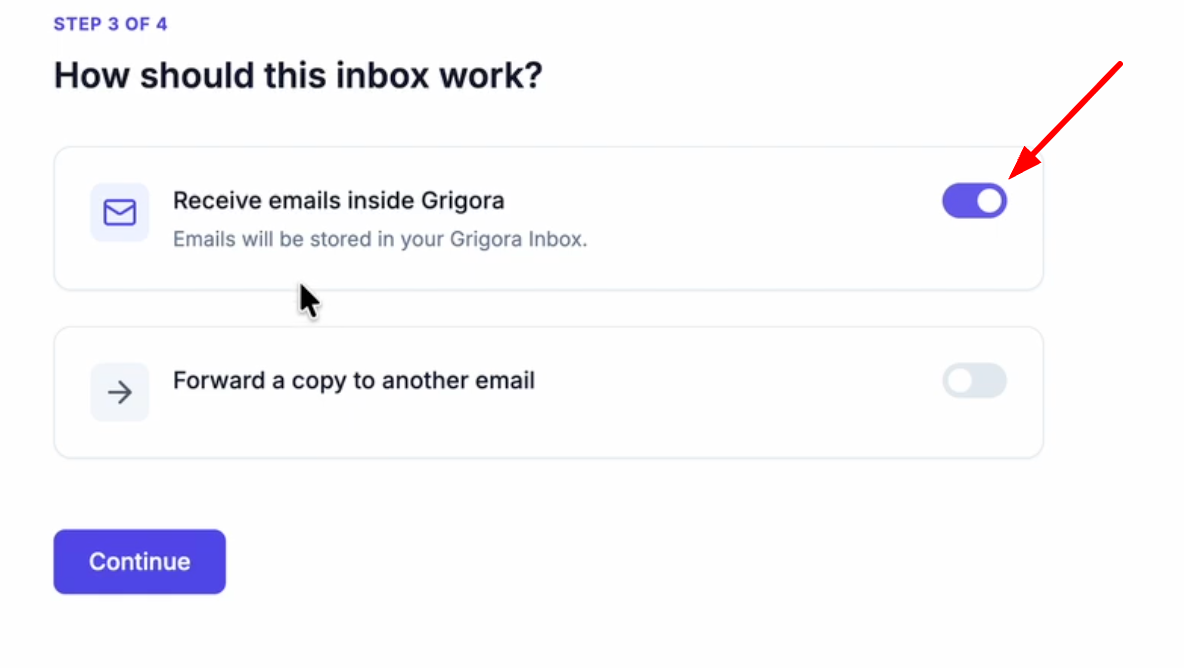
Verify that the "Receive emails inside Grigora" toggle is turned on so emails are stored in your inbox.
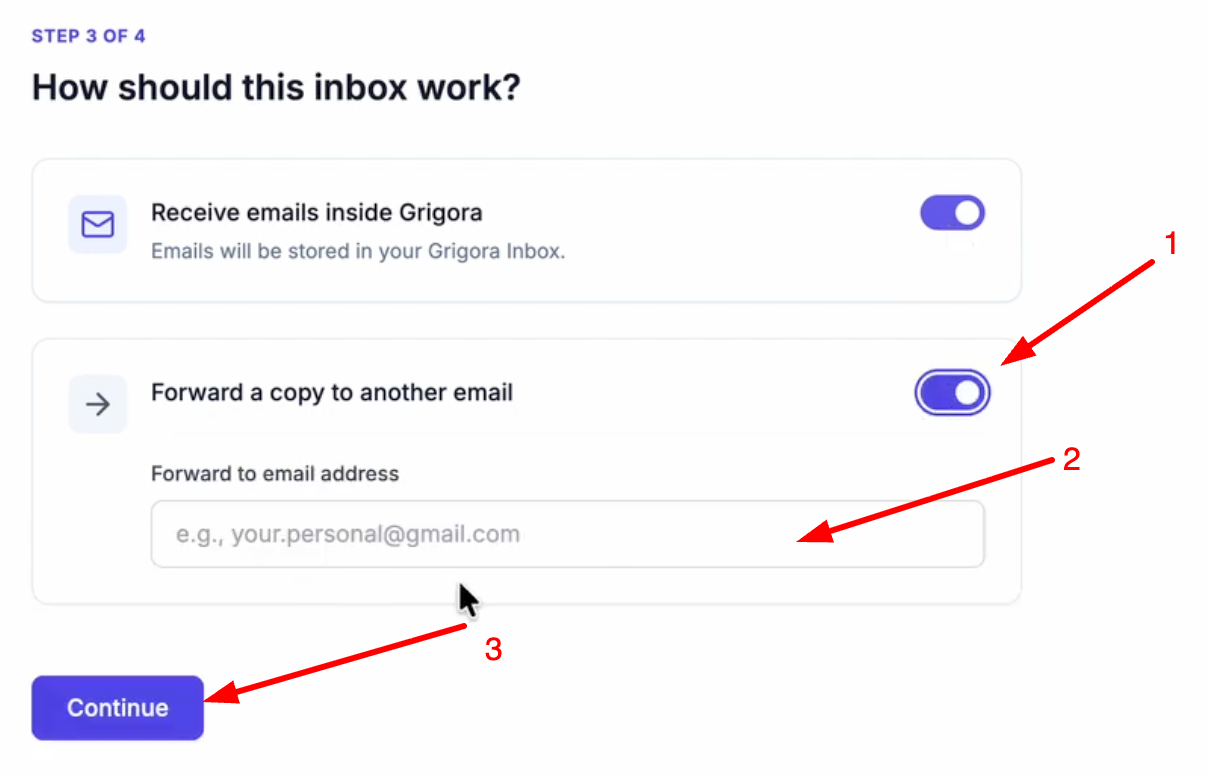
If you want to forward a copy to another email, turn on the toggle, enter the email address(optional) and click continue
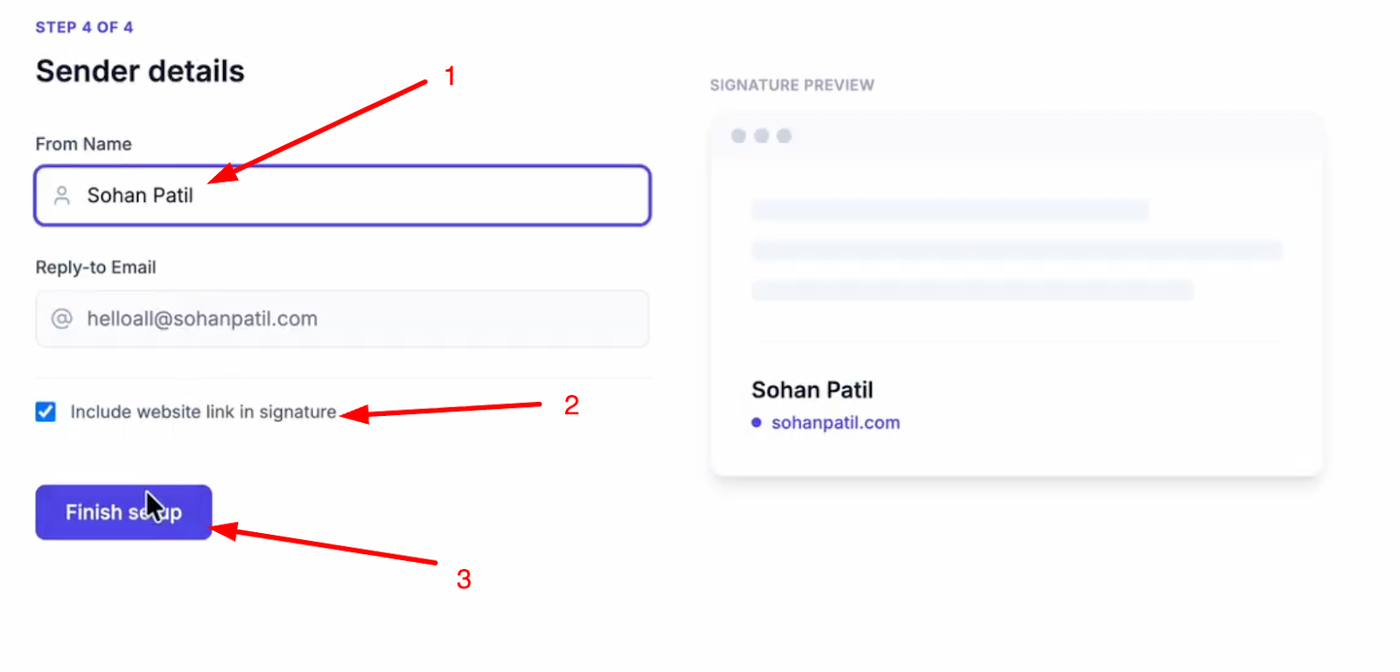
Enter a name for your email account, check if you want to include a website link in your signature, and click "Finish Setup".
Import Data to Grigora
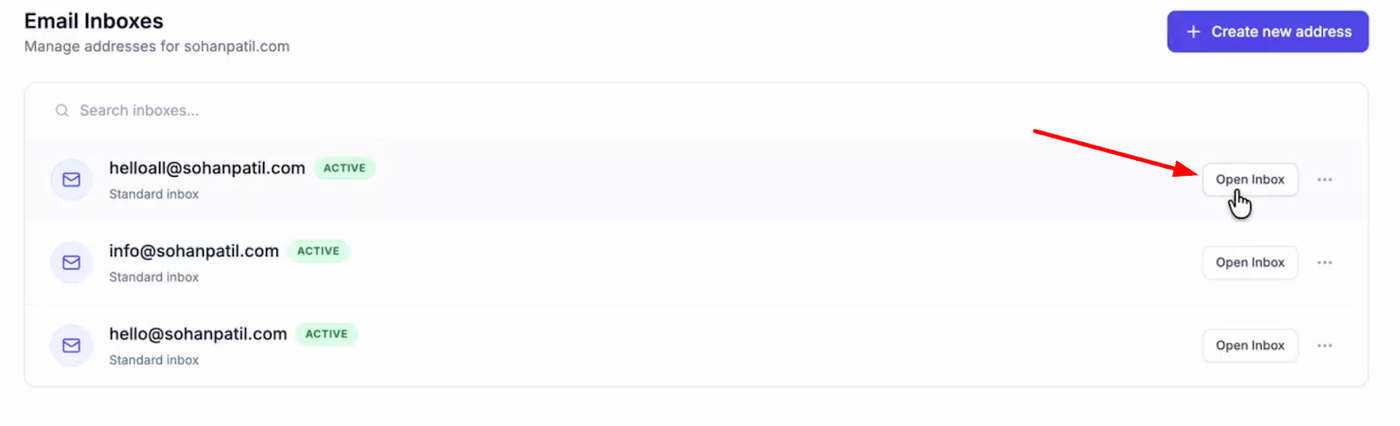
Open your new inbox and log in with your credentials.
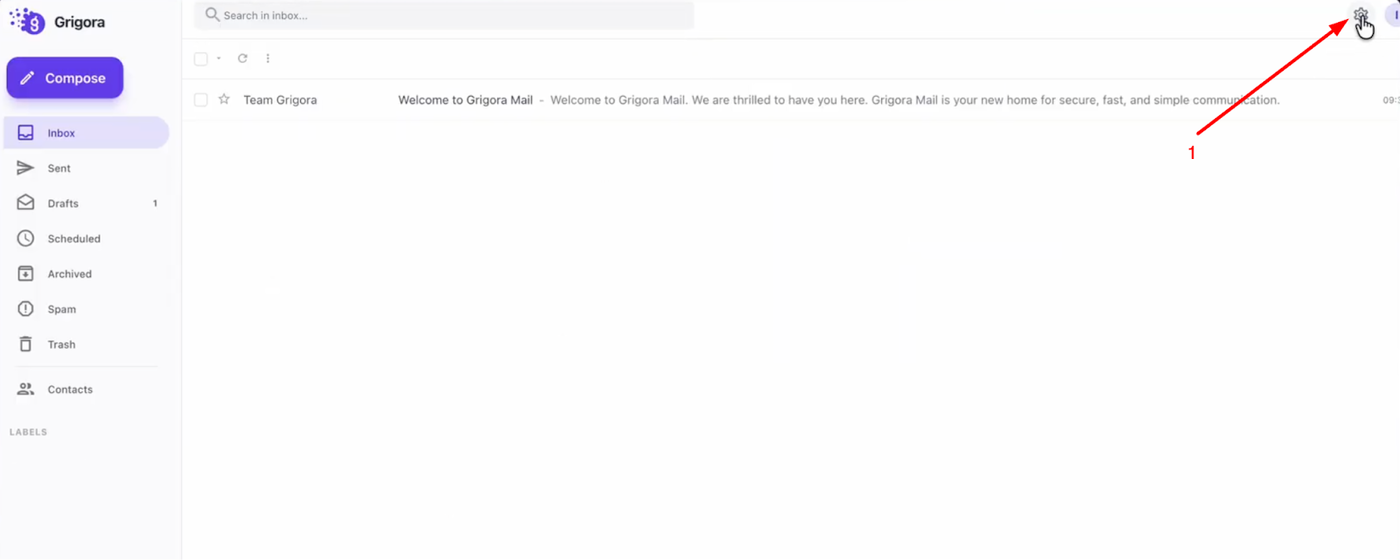
Go to "Settings" and on the settings page, click on "Import data".
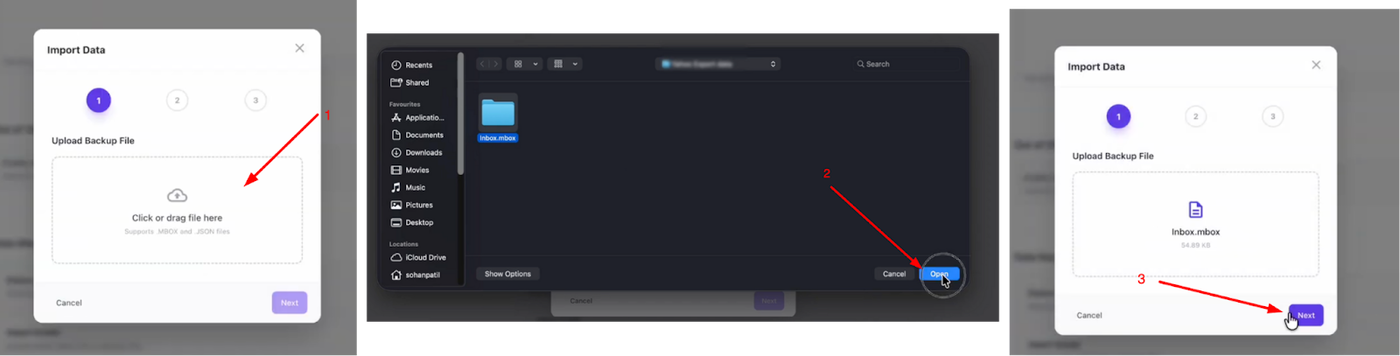
Click "Choose File", select the .mbox file you extracted earlier, and click next.
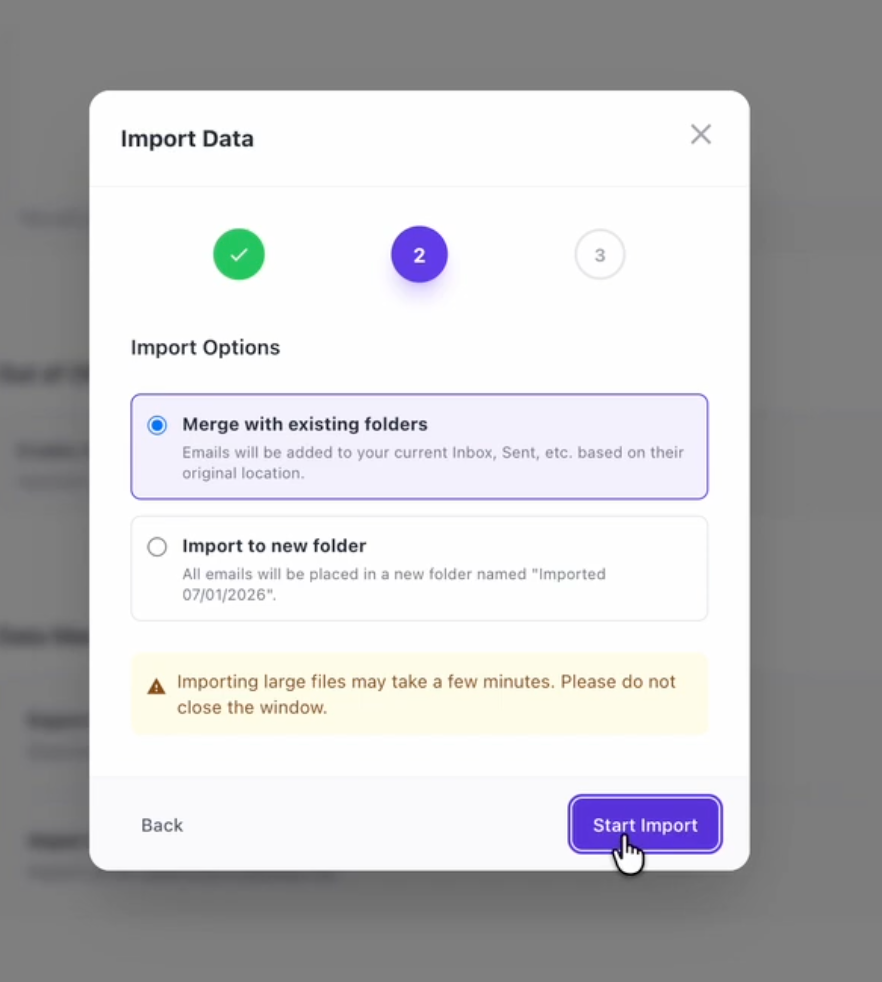
You can choose to "Merge with existing folders" or "Import to new folder". Select your preference and click "Start Import".
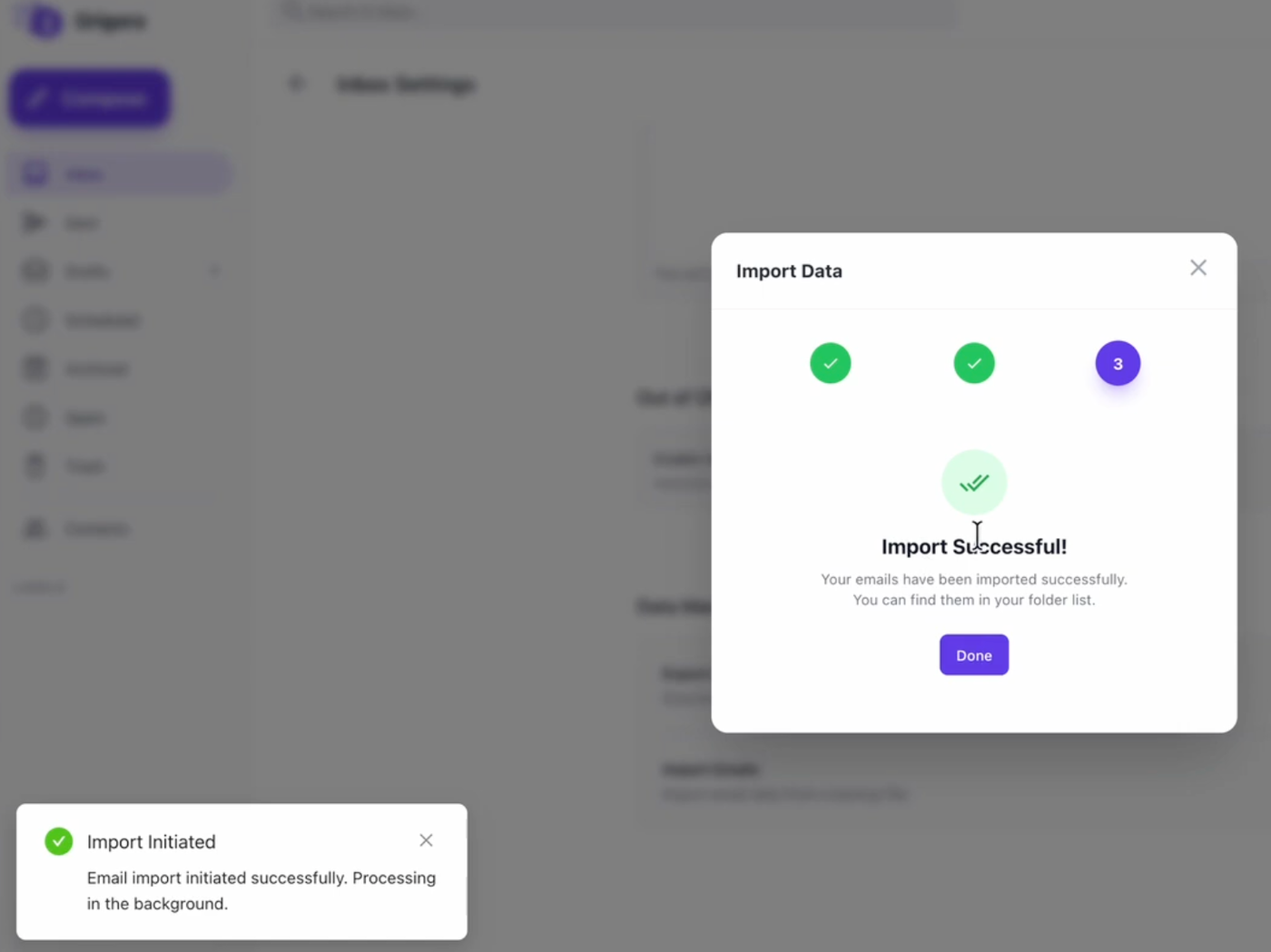
Once the process is complete, you will see a success message.
Your iCloud emails are now fully accessible within your Grigora Mail account, ready for you to manage alongside your new communications.