

Migrating from Zoho Mail to Grigora Mail allows you to transition to a cleaner, more focused email environment while preserving your important conversation history. This guide outlines the steps to export your existing emails and import them directly into your new Grigora account.
Export Emails from Zoho Mail
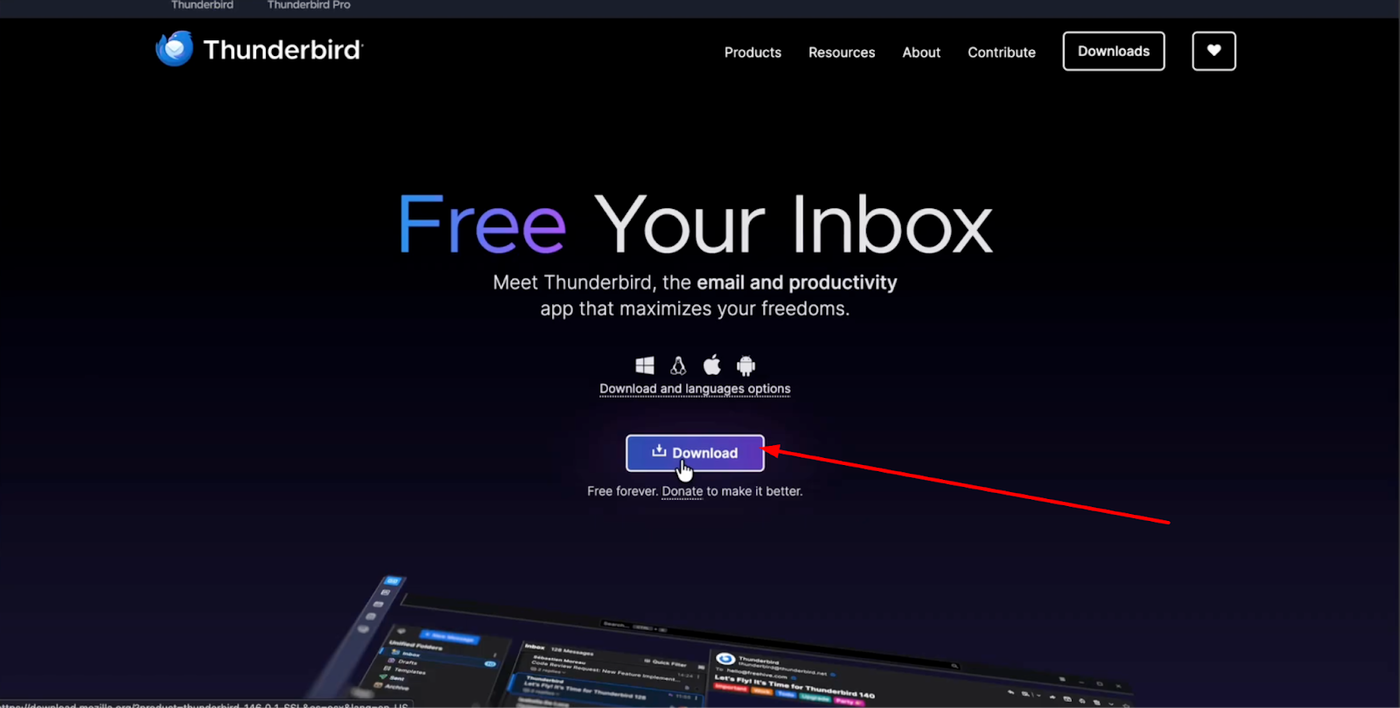
To begin, you will need the free email client Thunderbird.
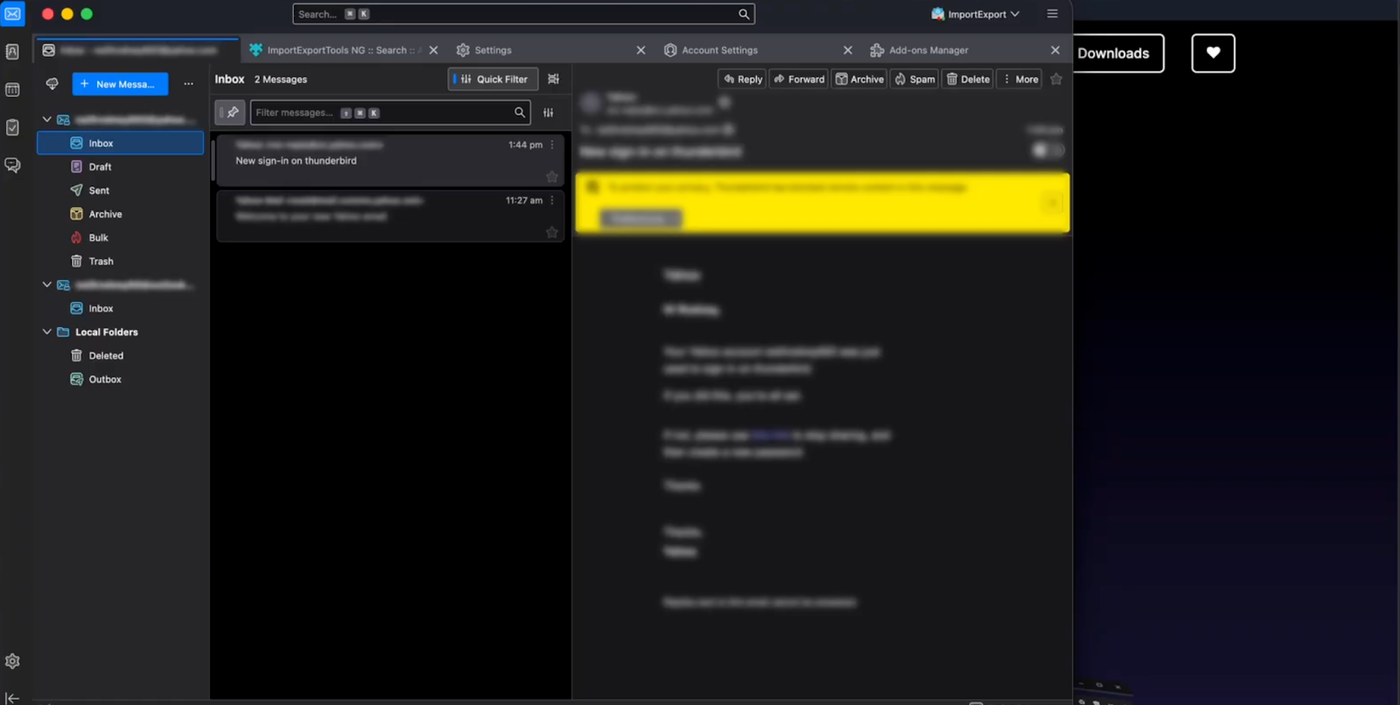
Download and install it, then log in using your Zoho Mail credentials.
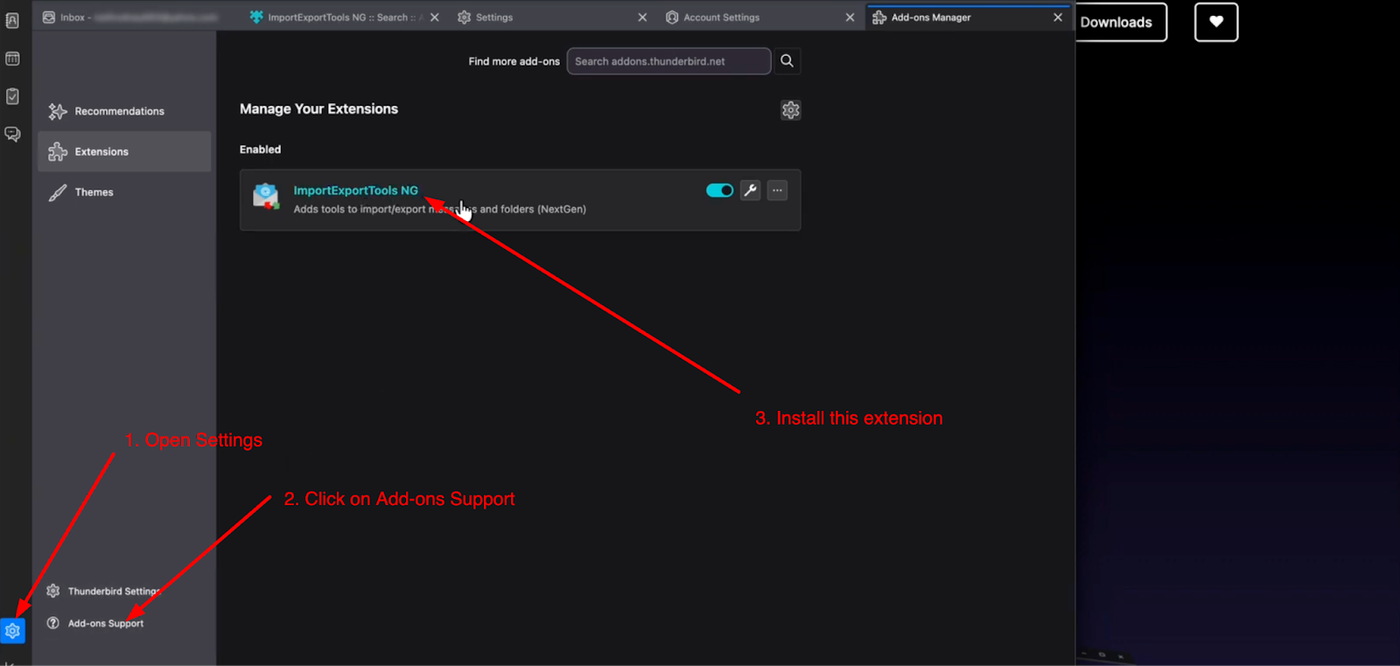
Once connected, go to "Settings", click the gear icon, and select "Add-ons and Themes". Search for and install the "ImportExportTools NG" add-on.
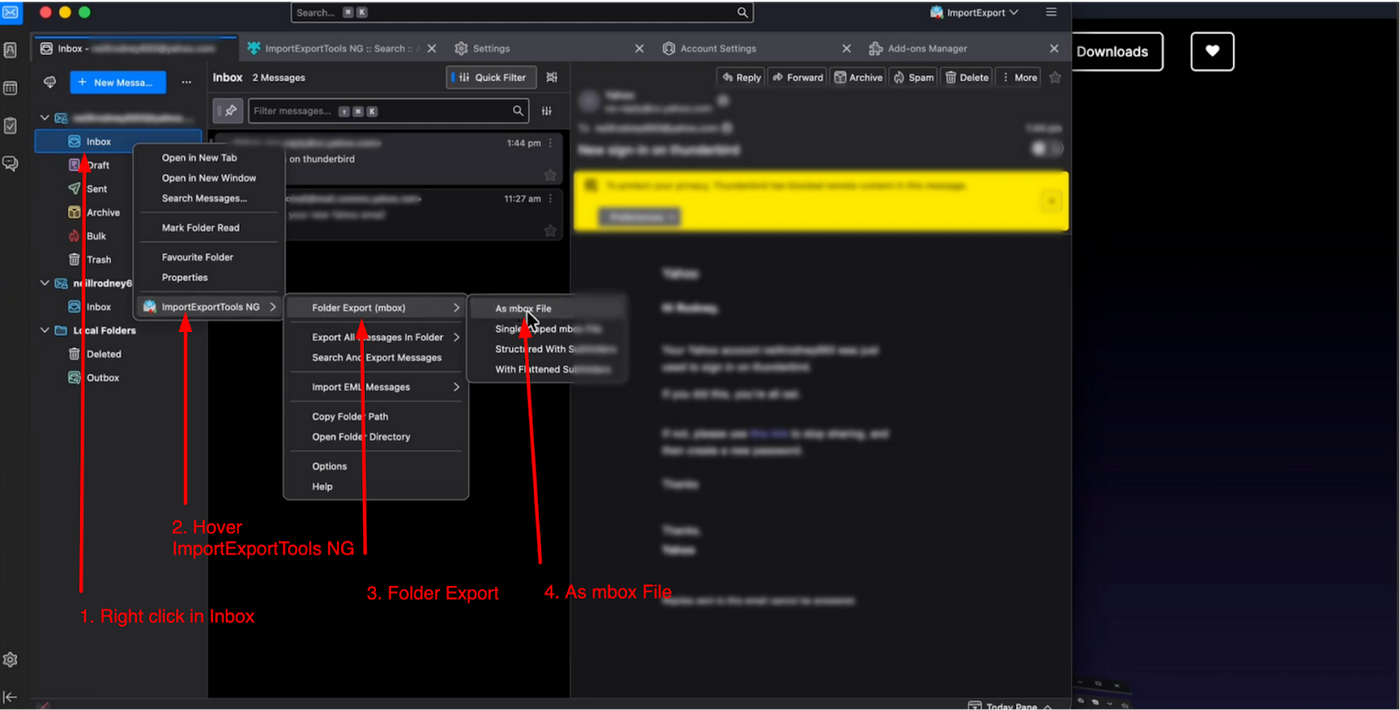
Return to your mail folder list, right-click the folder you wish to export, and select "ImportExportTools NG" > "Export folder". Save the file to your computer.
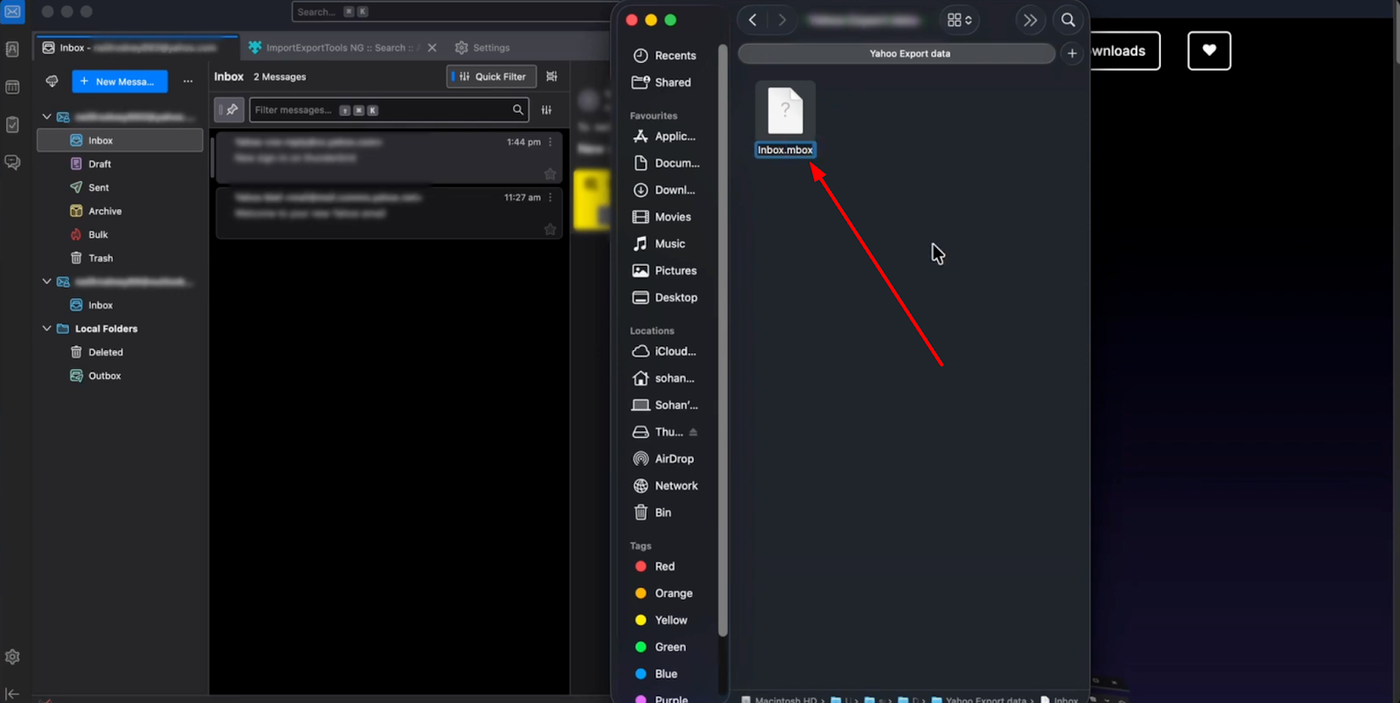
If the file is saved without an extension, rename it and add ".mbox" to the end of the filename to ensure it is recognized during the import.
Setting Up Your Grigora Mailbox
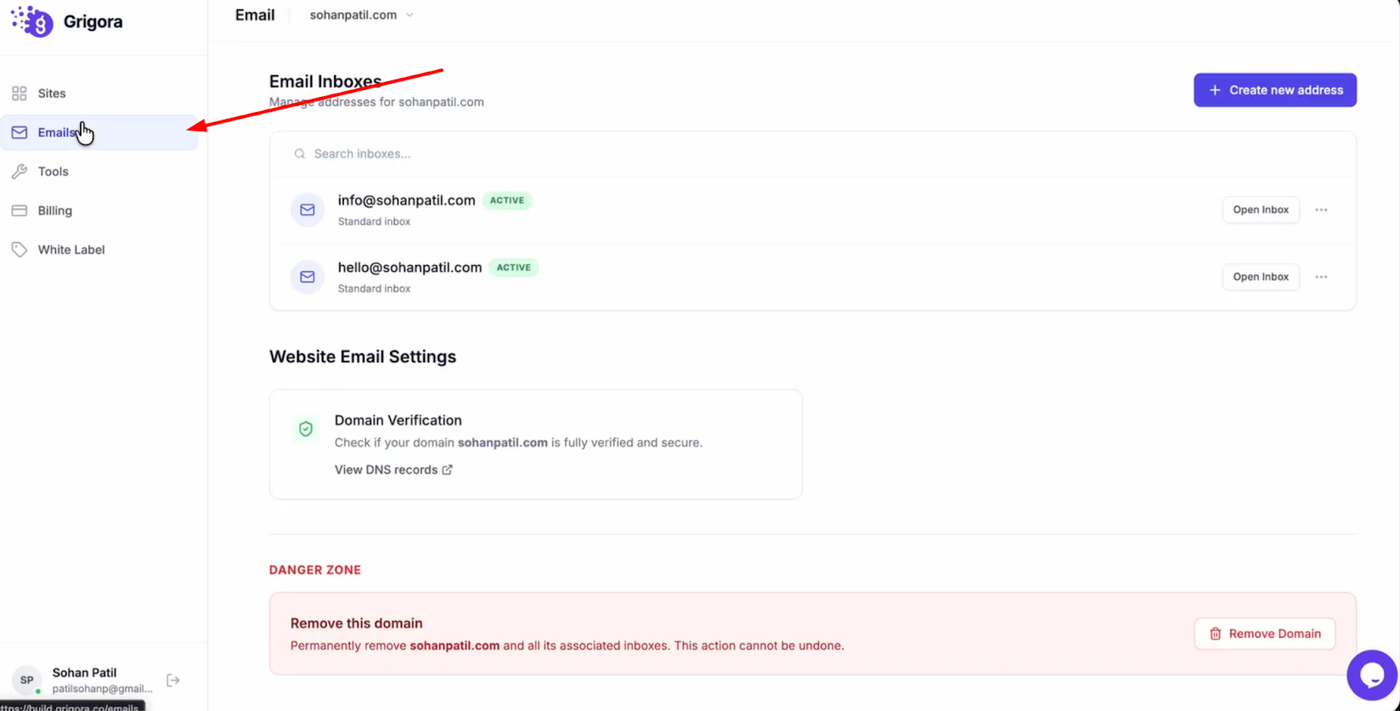
Navigate to the Grigora dashboard and click on "Mails".
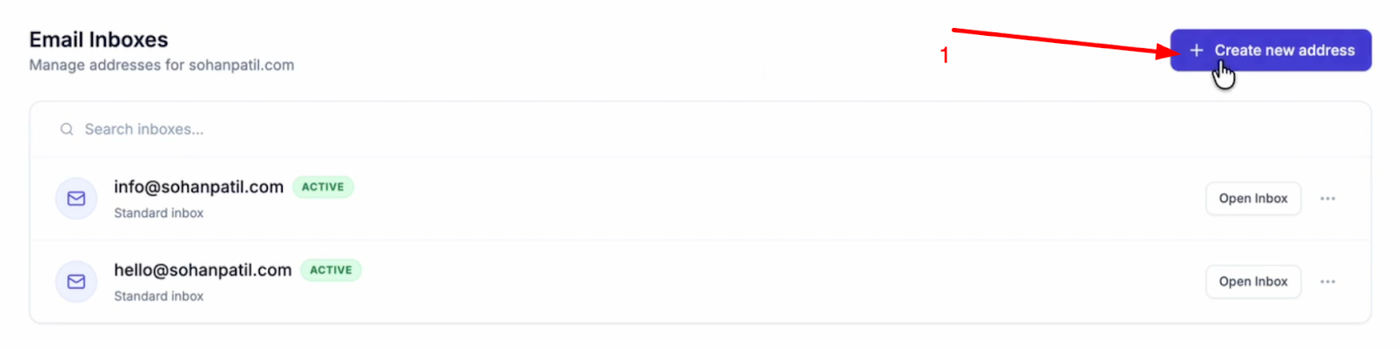
Select "Create New Address".
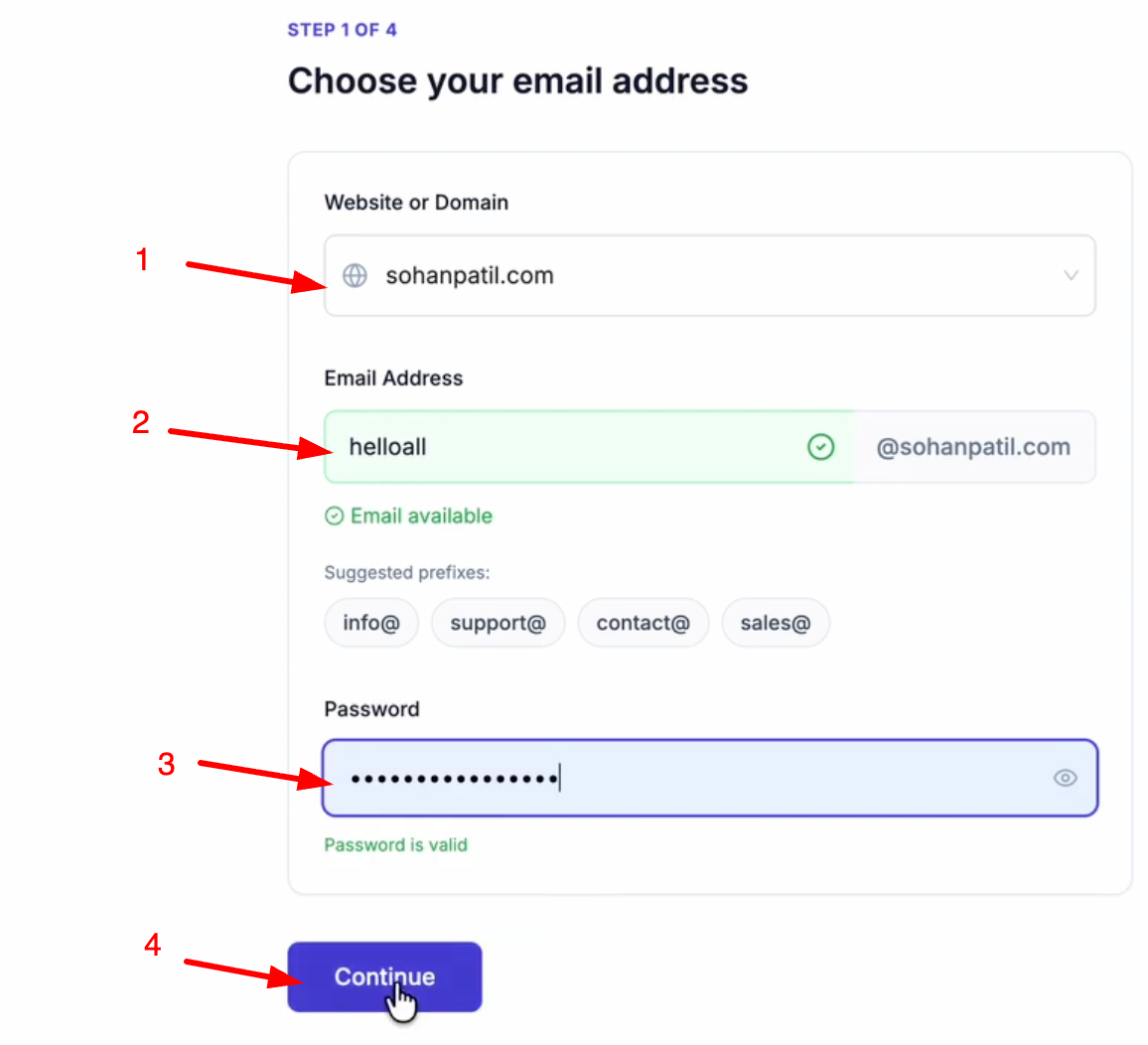
Choose your domain (add it by clicking Add a Website or Domain), and enter your desired email prefix. Create a password for the account and click "Continue".
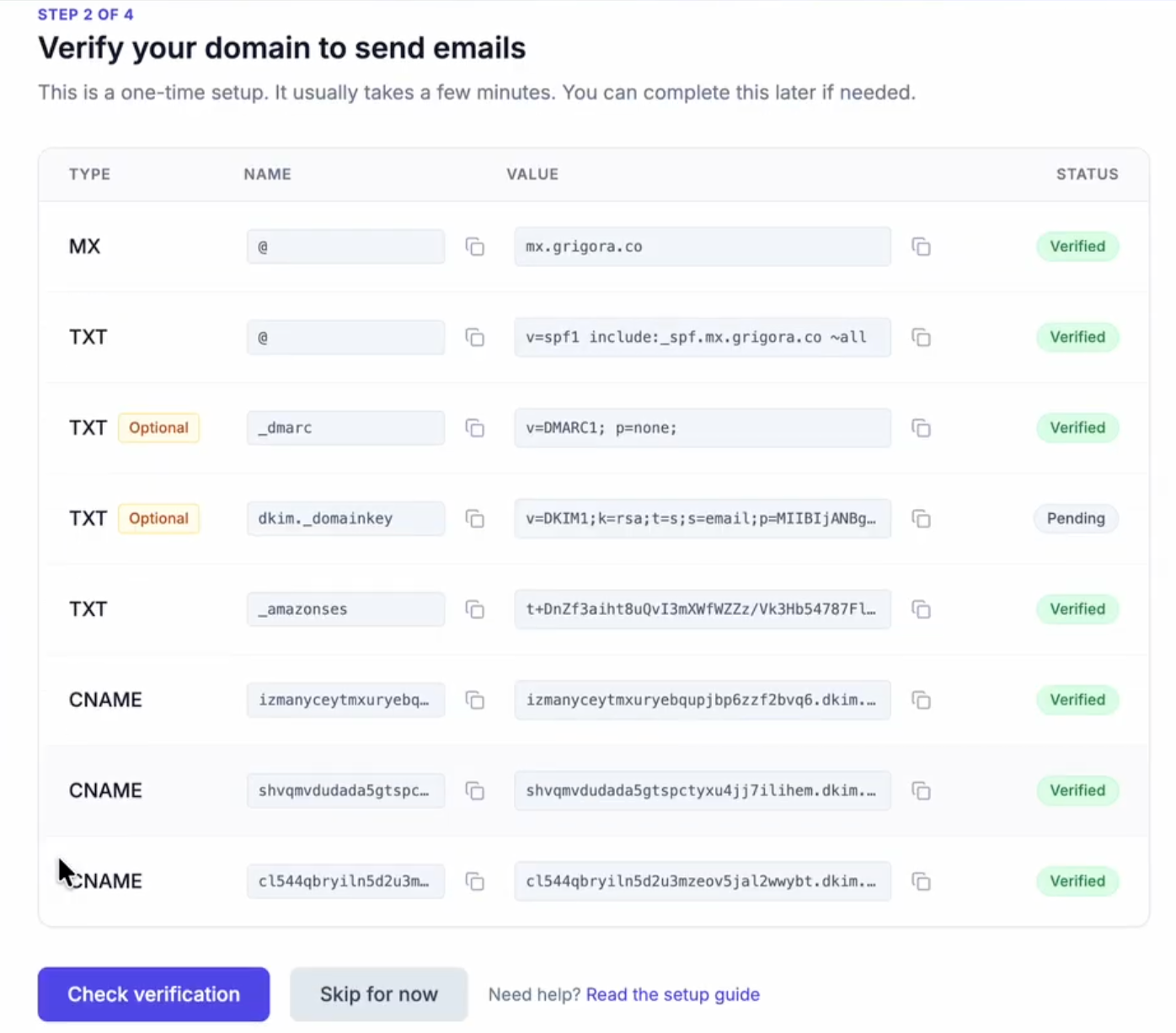
Ensure you have added the required DNS records to your domain manager.
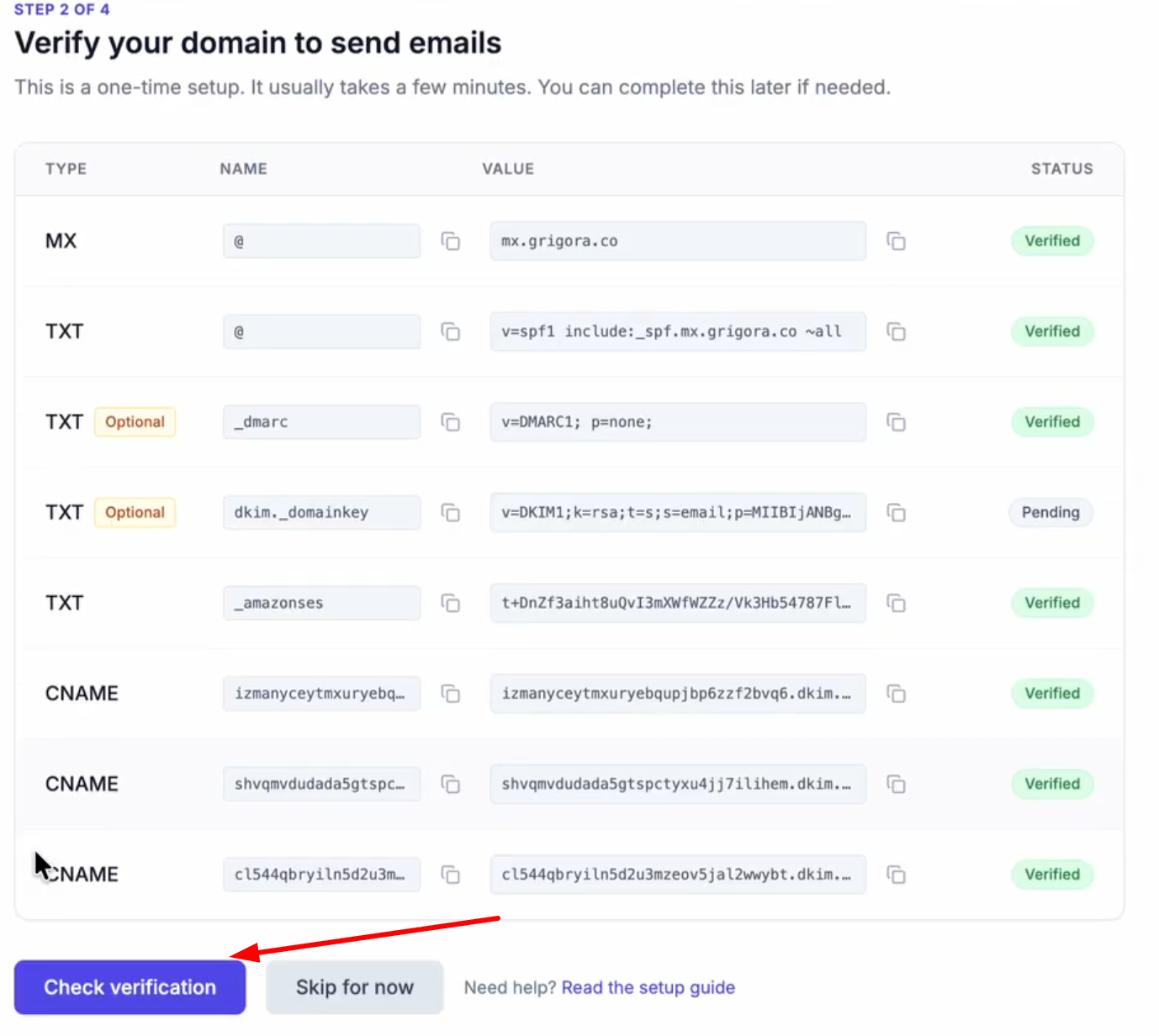
After adding, click Check Verification.
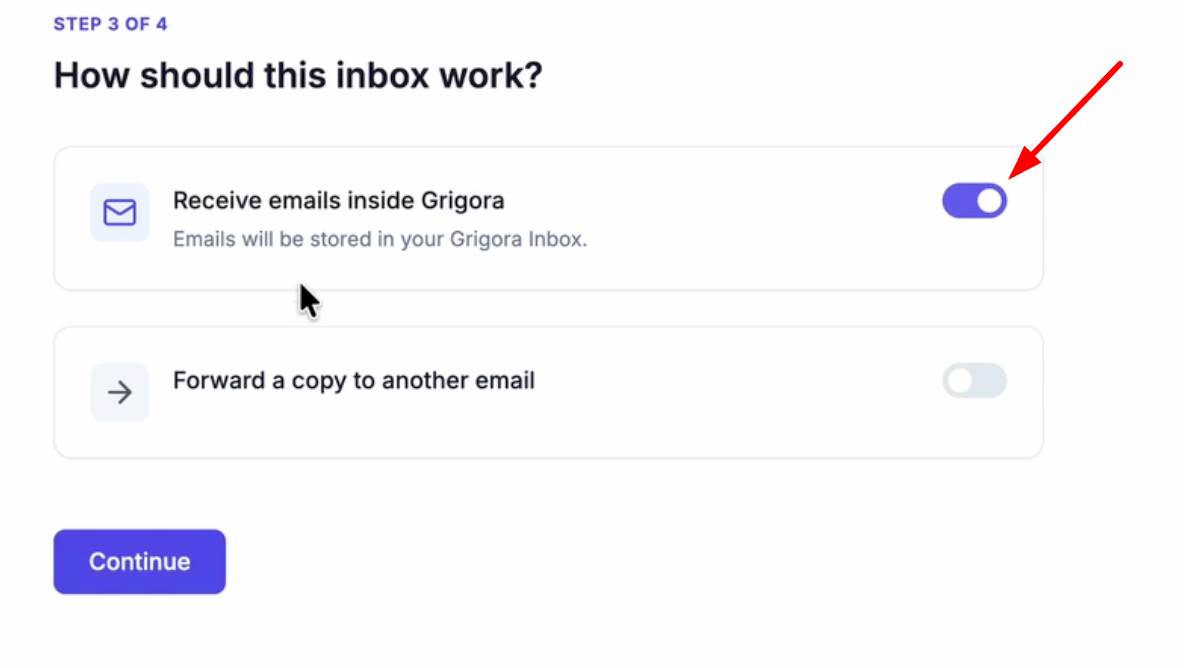
Verify that the "Receive emails inside Grigora" toggle is turned on so emails are stored in your inbox.

If you want to forward a copy to another email, turn on the toggle, enter the email address(optional) and click continue
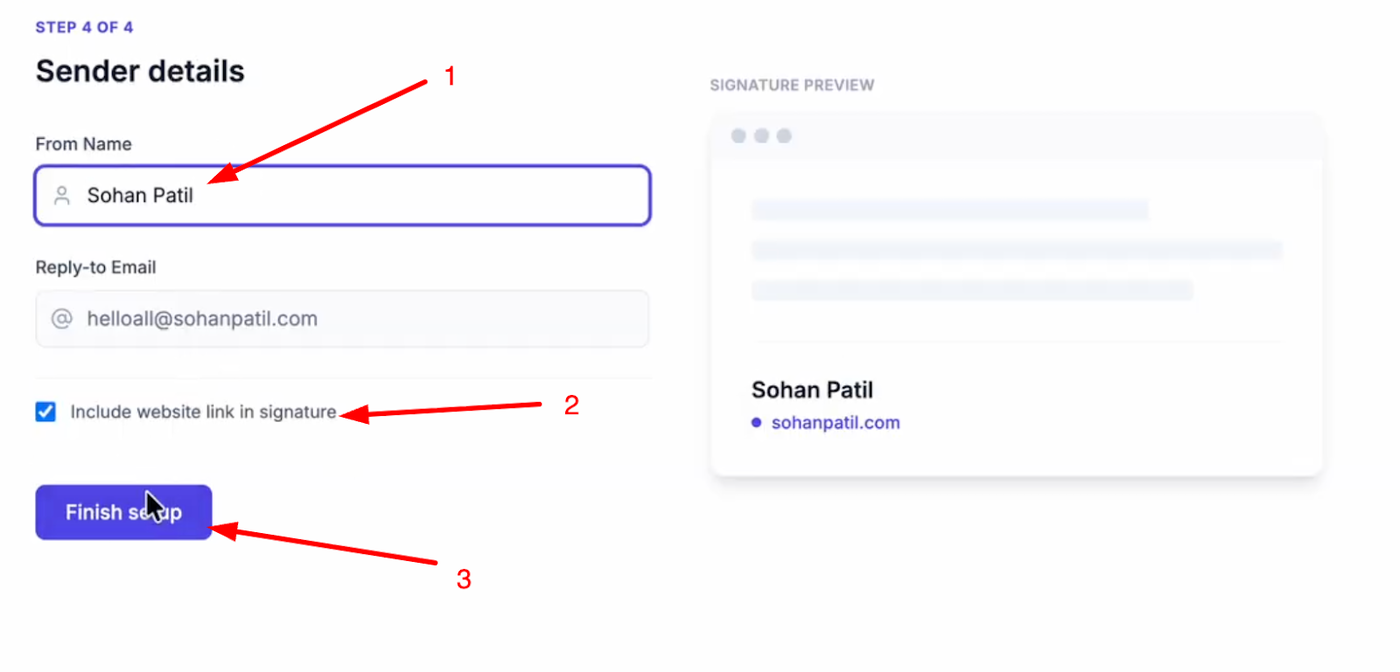
Enter a name for your email account, check if you want to include a website link in your signature, and click "Finish Setup".
Import Data to Grigora
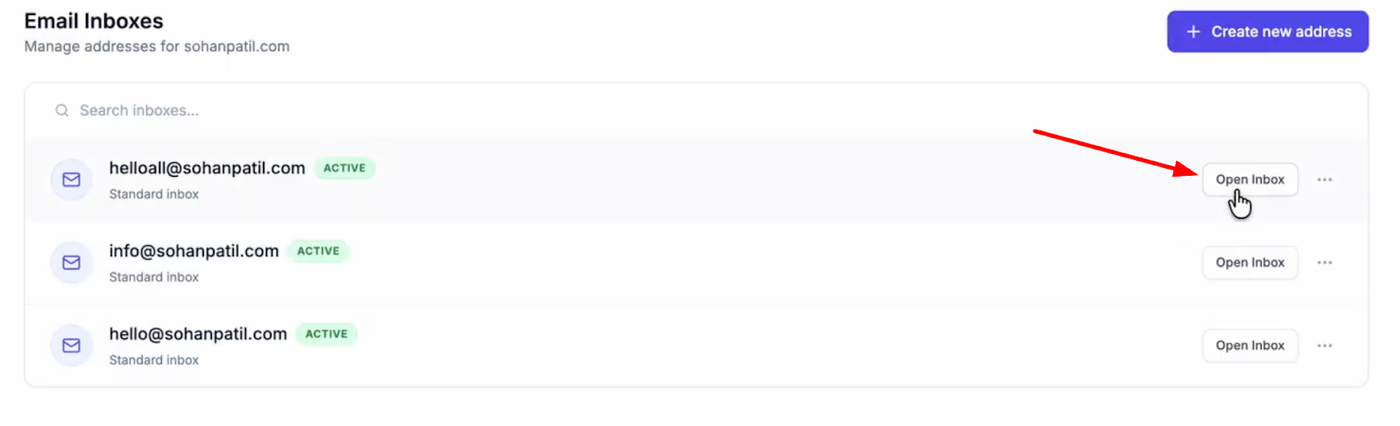

Open your new inbox and log in with your credentials.
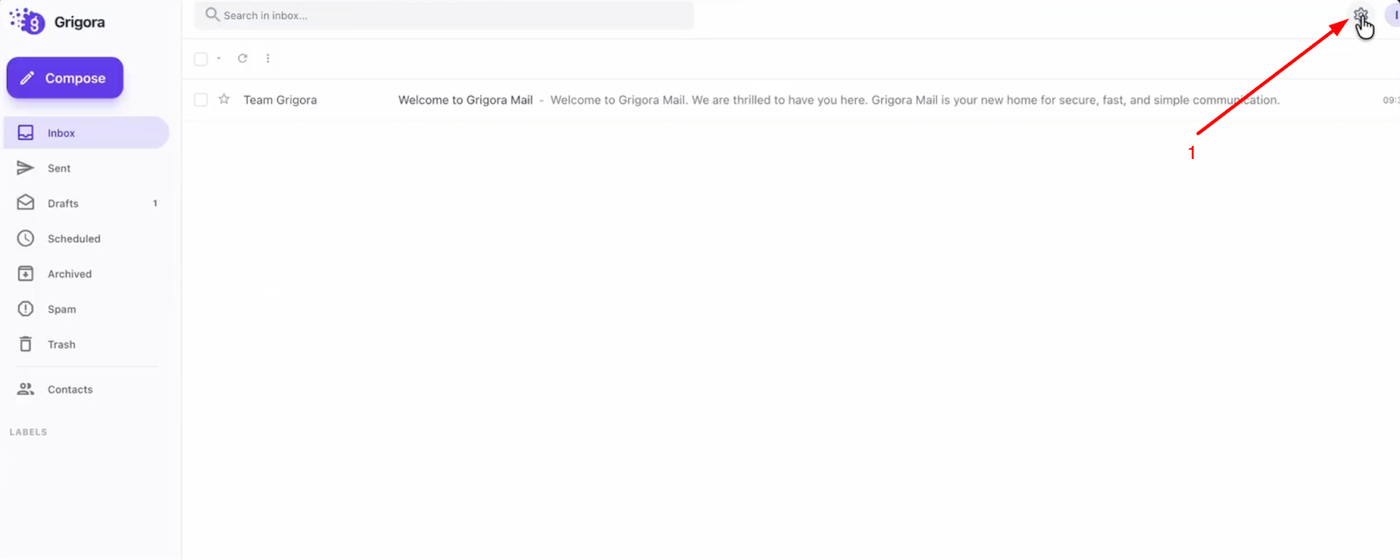

Go to "Settings" and on the settings page, click on "Import data".
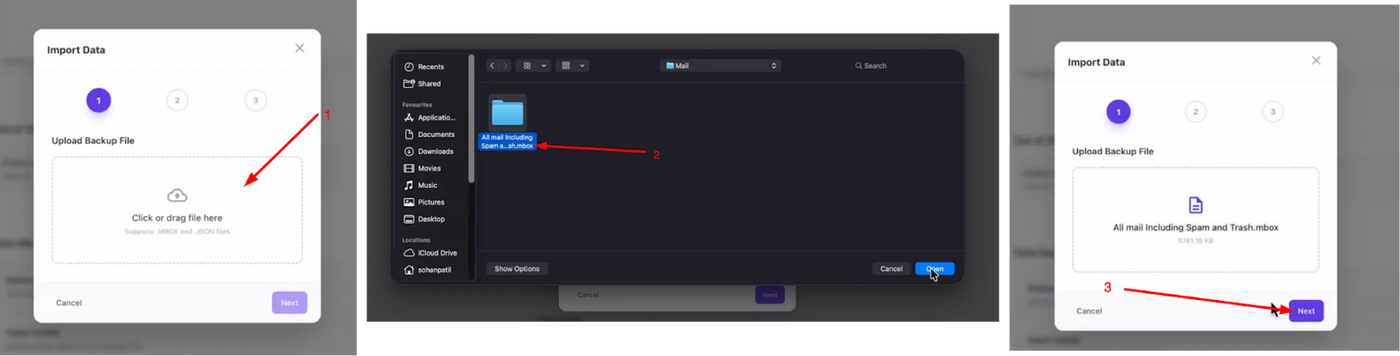
Click "Choose File", select the .mbox file you extracted earlier, and click next.
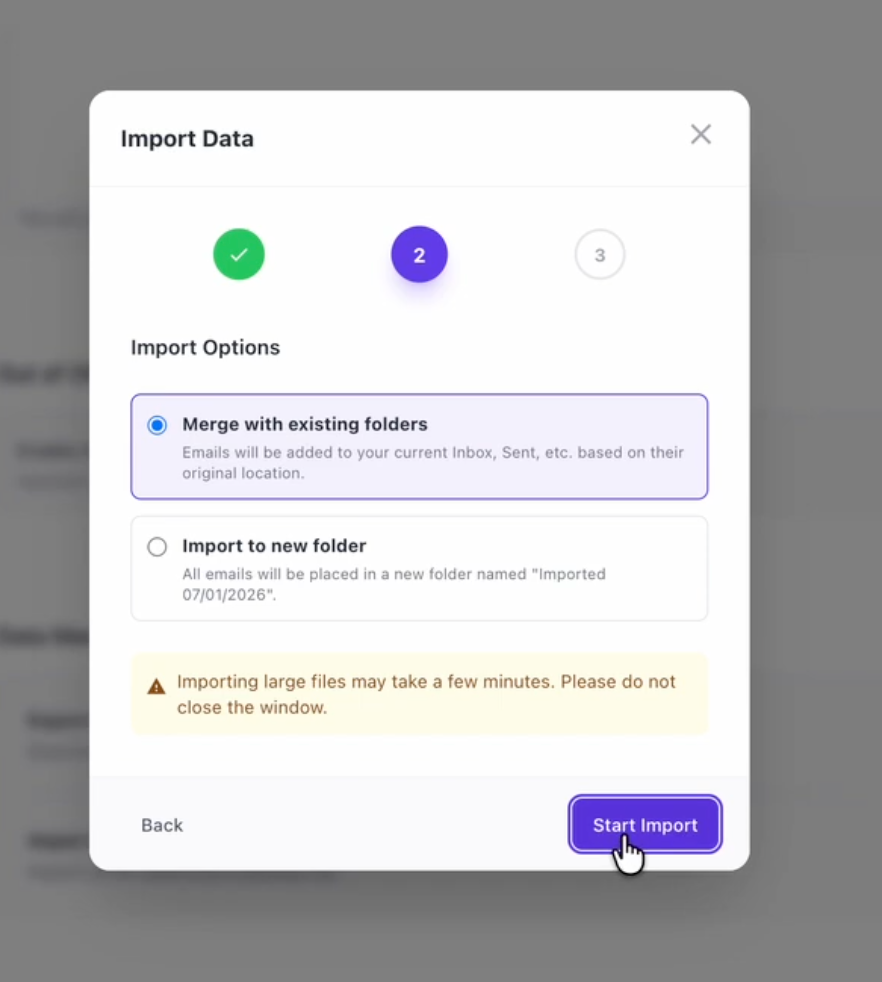
You can choose to "Merge with existing folders" or "Import to new folder". Select your preference and click "Start Import".
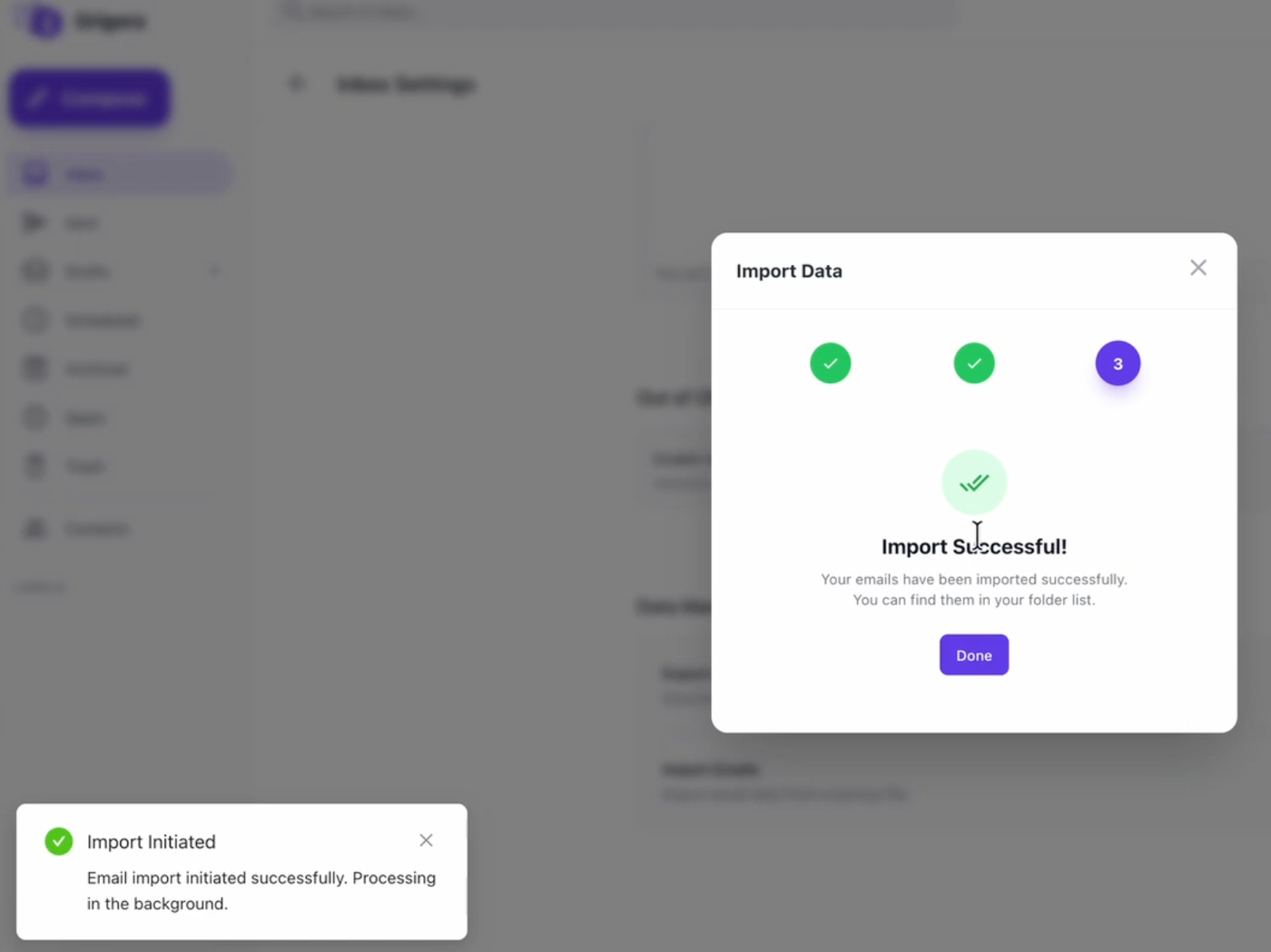
Once the process is complete, you will see a success message.
You have successfully migrated your emails from Zoho Mail to Grigora Mail!