

Learn how to quickly change your Grigora Mail password from your dashboard. This guide will show you how to locate your inbox settings and update your credentials so you can securely log in with a new password anytime you need.
Accessing Your Email Settings
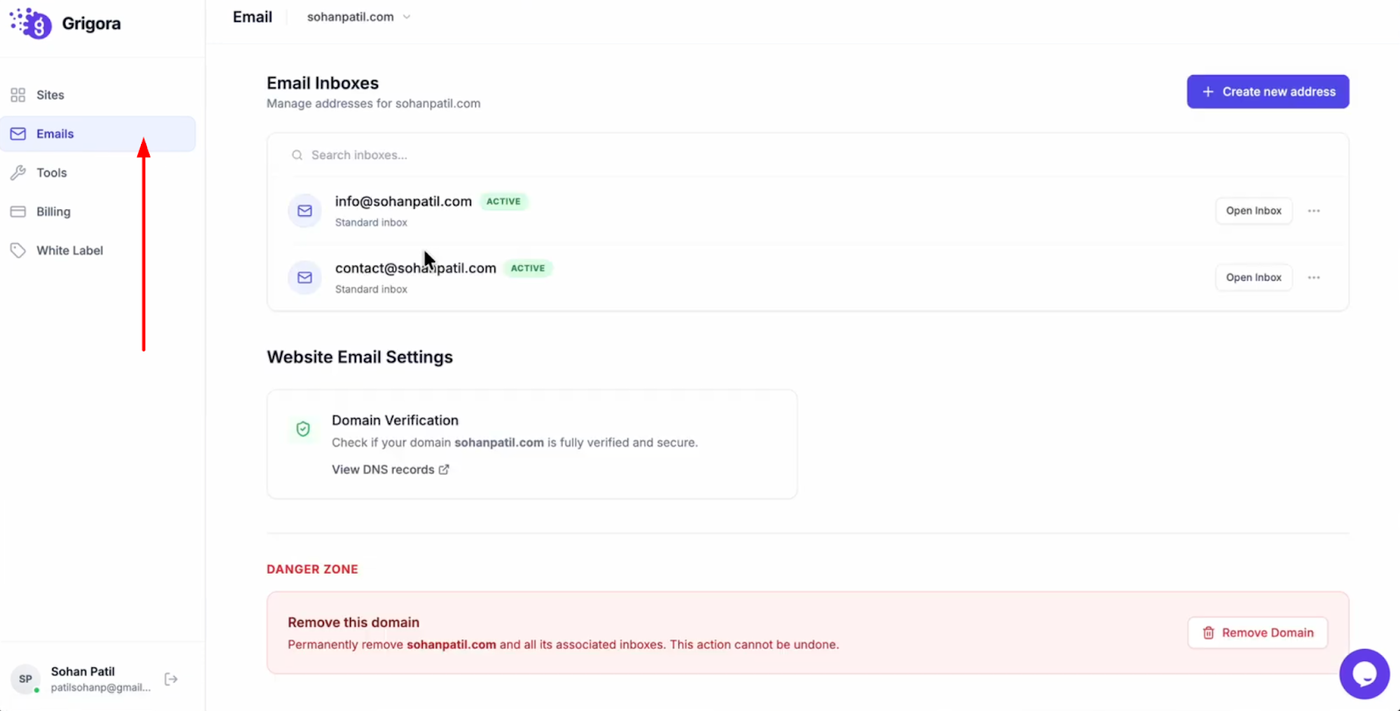
Log into your Grigora account and switch to the "Emails" tab from the dashboard. You will see a list of all your created inboxes.
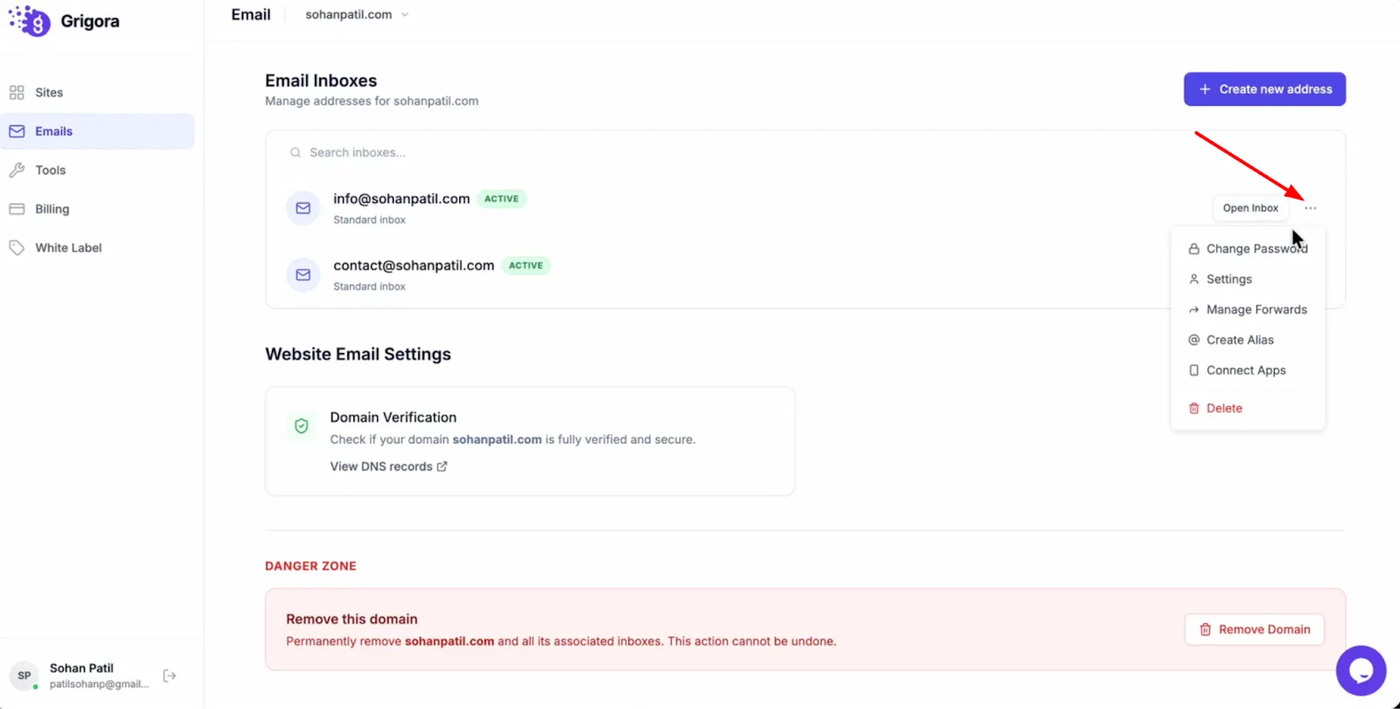
Find the specific email address you want to update password, then click the three dots icon next to it to open the action menu.
Updating Your Password
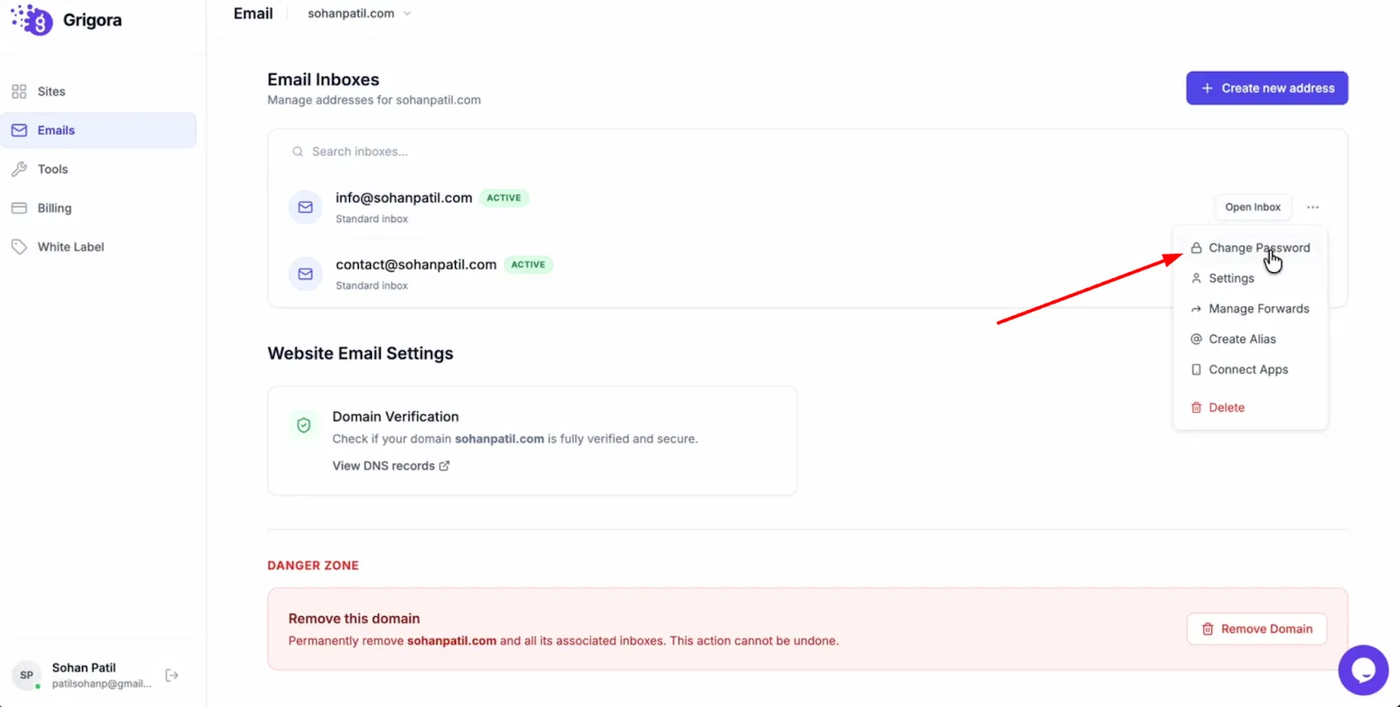
From the dropdown menu, select "Change password."
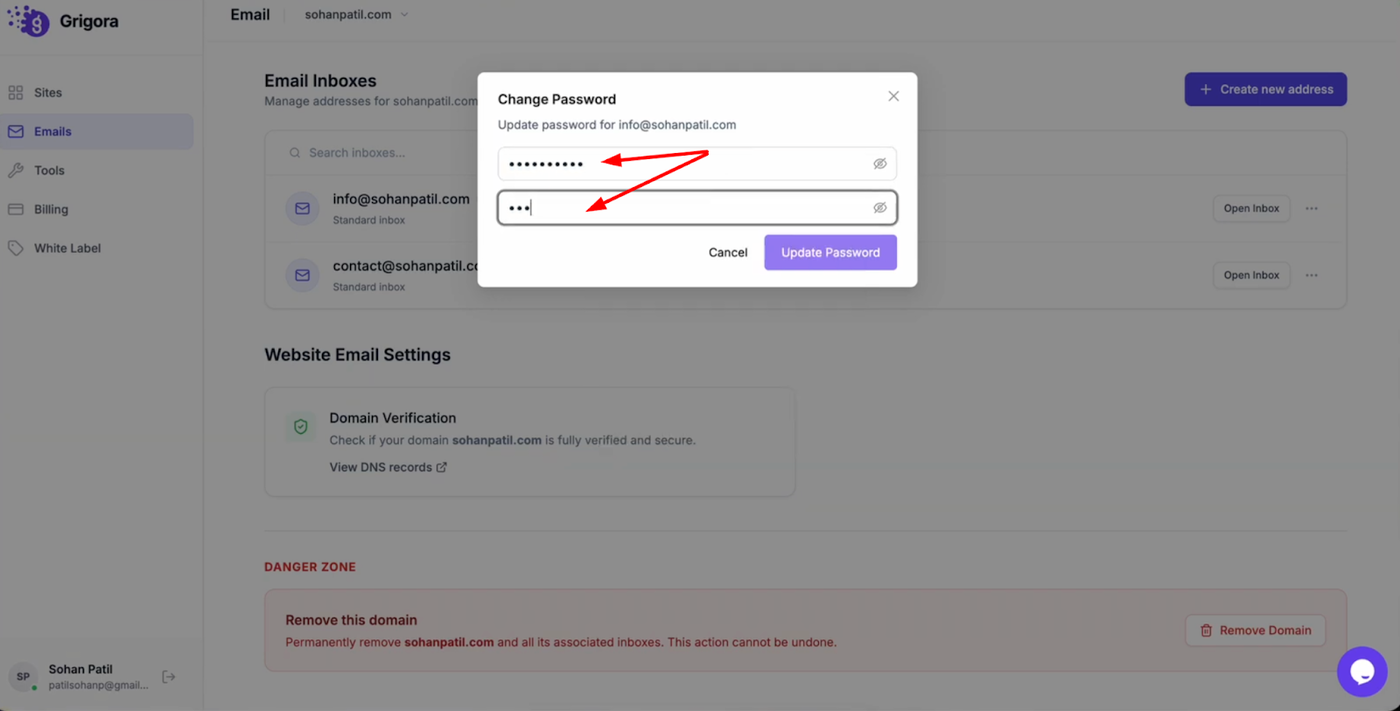
A pop-up window will appear prompting you to enter a new password.
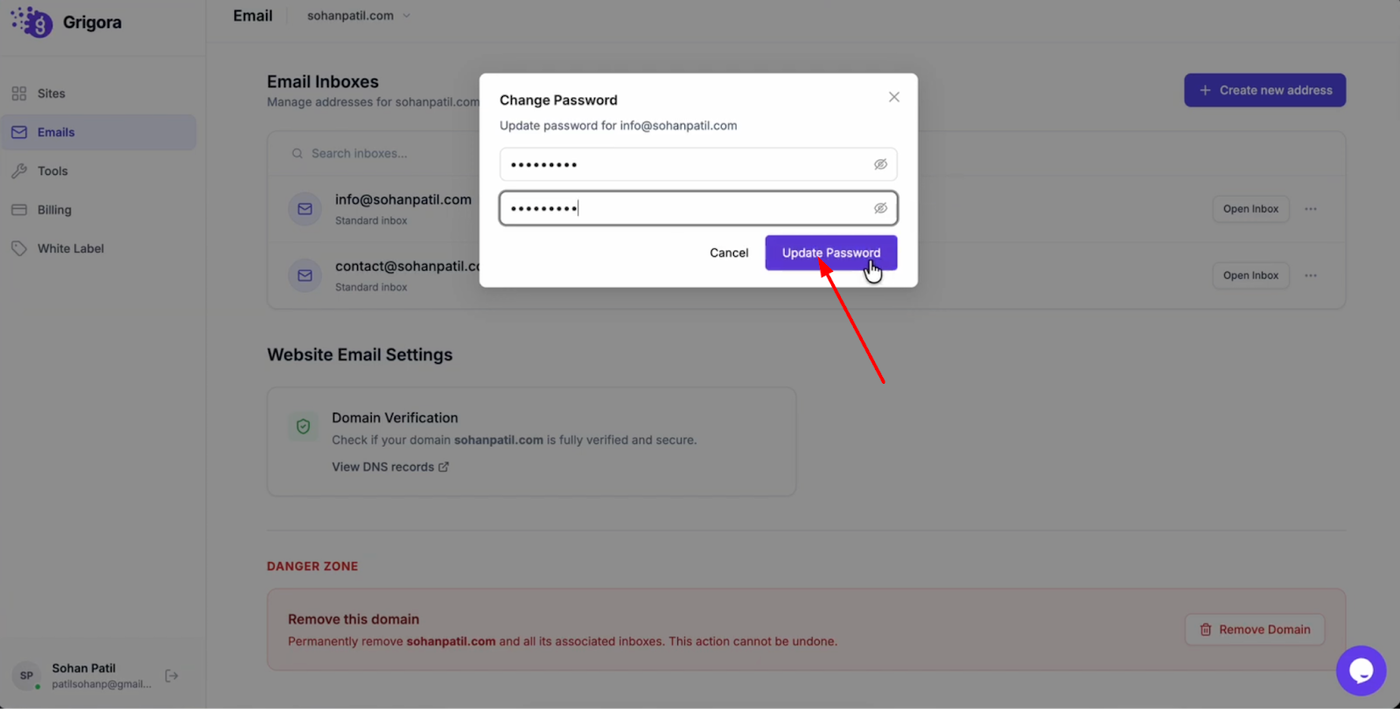
Type your new password in the field provided and click "Update password" to apply the change instantly. You can now use this new password to log into your Grigora Mail inbox.