
Grigora's built-in SEO tools make it easy to optimize your blog posts for search engines. Follow these steps to improve your post's visibility:
1. Access Your Grigora Dashboard:
Log in to your Grigora account and navigate to your dashboard.
2. Select Your Website:
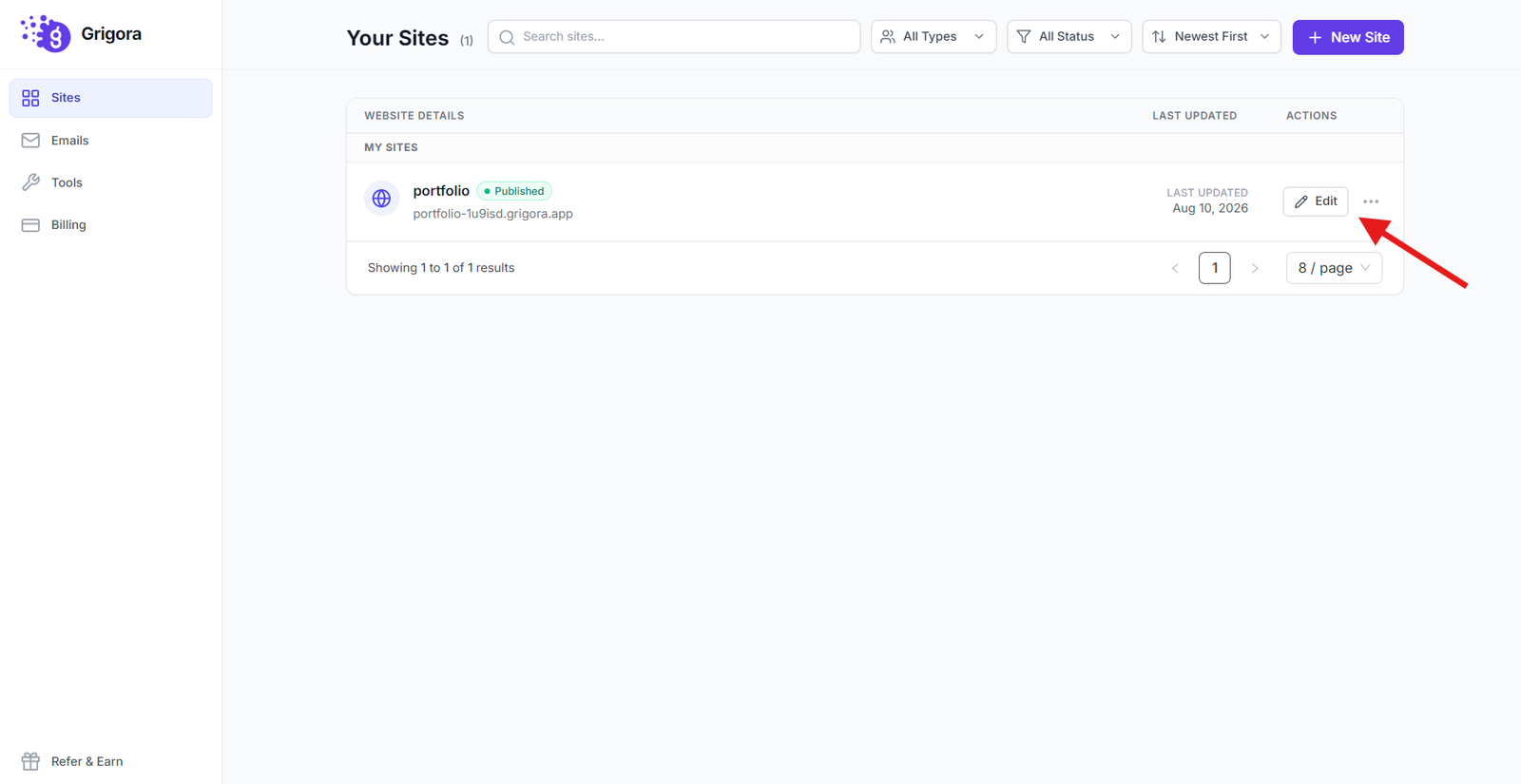
Choose the website where you want to optimize the blog post.
3. Navigate to the Posts Tab:
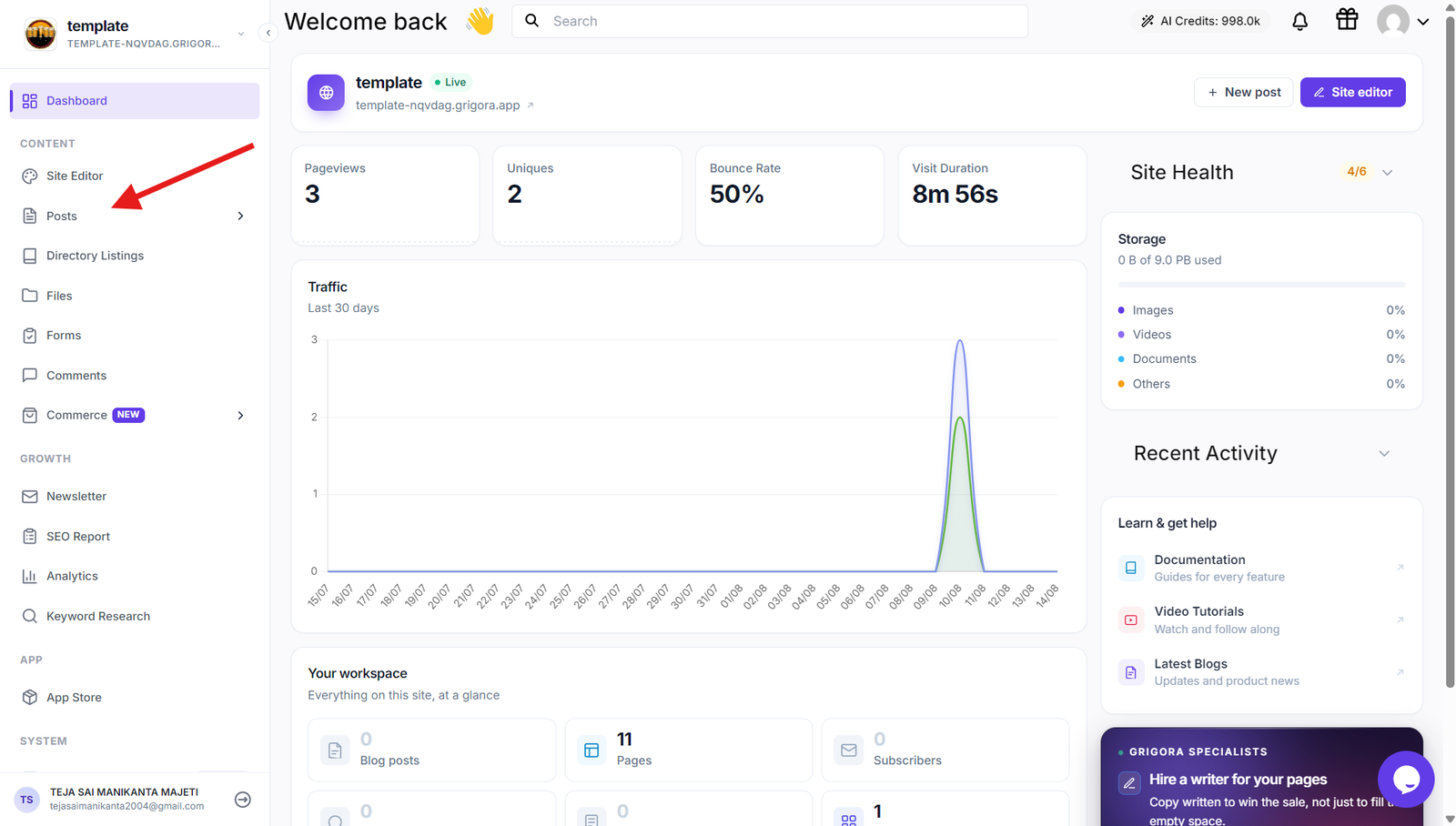
On the left-hand side navigation panel, click on "Posts".
4. Open the Post You Want to Optimize:
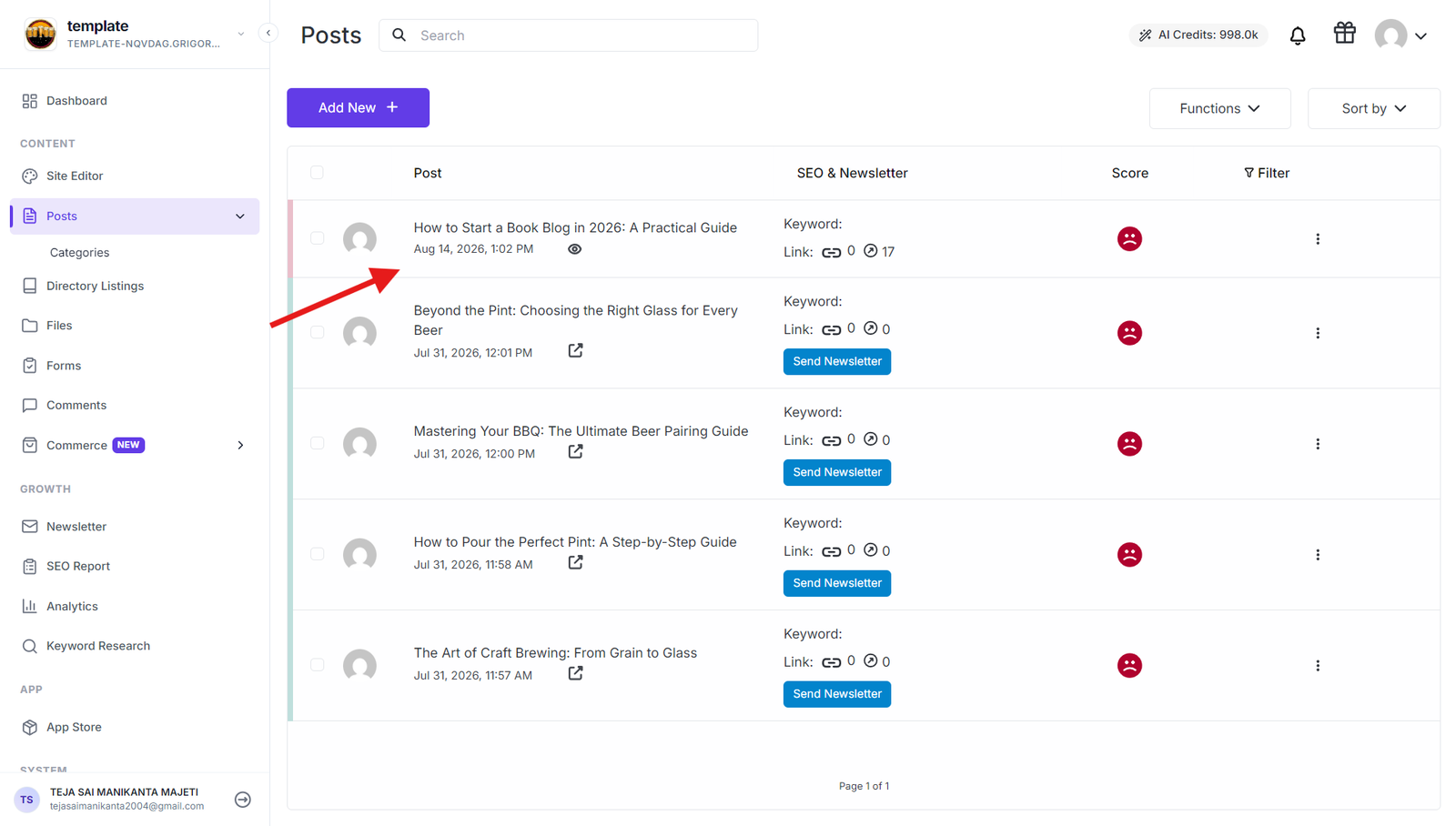
Locate the blog post you wish to optimize and click on it to open the editing interface.
5. Access the SEO Section:
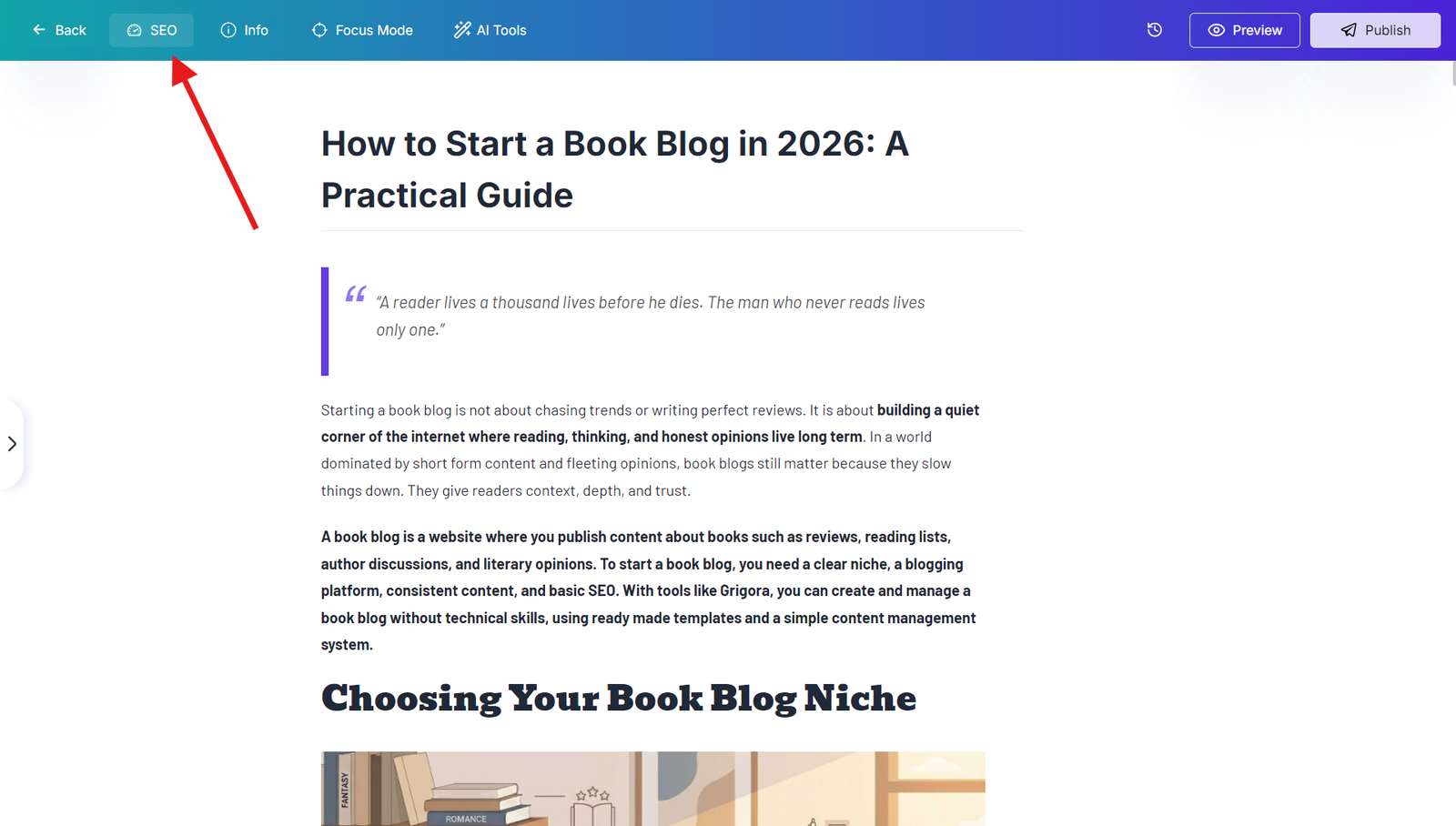
In the top bar of the editing interface, click on the SEO button. This will open a sidebar with SEO recommendations.
6. Review and Optimize:
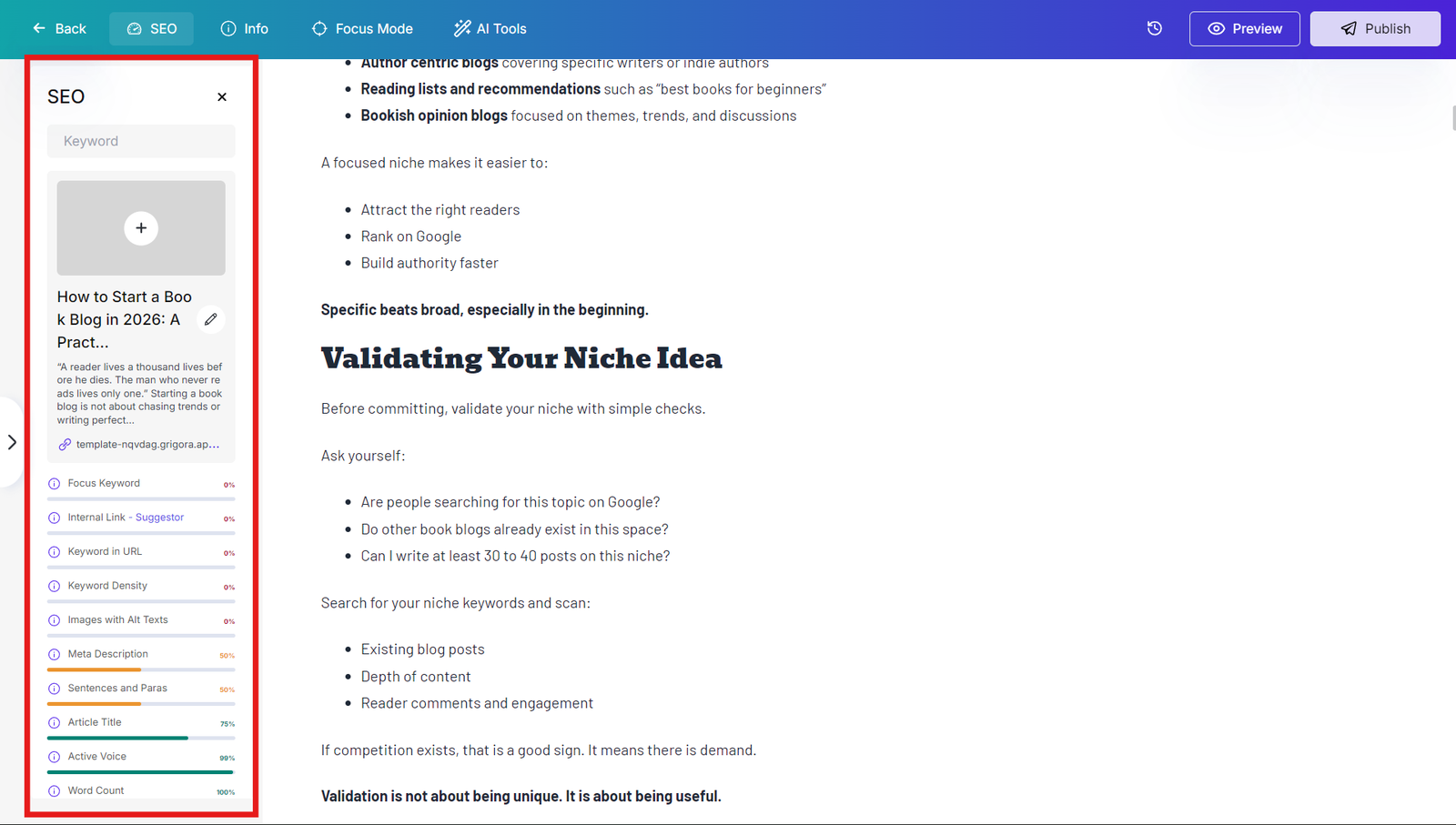
Grigora will analyze your post and provide suggestions for the following SEO factors:
Active Voice: Ensure your post uses active voice for better readability and engagement.
Word Count: Aim for a suitable word count to provide valuable information without overwhelming readers.
Focus Keyword: Use your target keyword consistently throughout the post, but avoid keyword stuffing.
Internal Linking: Link to other relevant posts on your website to improve navigation and SEO.
Article Title: Create a compelling and keyword-rich title that accurately reflects the post's content.
Meta Description: Write a concise and engaging meta description that summarizes the post and includes your target keyword.
Keyword in URL: Ensure your target keyword is included in the post's URL slug.
Keyword Density: Use your target keyword naturally throughout the post, but avoid excessive repetition.
Images with Alt Texts: Add descriptive alt text to all images to improve accessibility and SEO.
Sentences and Paras: Maintain a good balance of sentence length and paragraph structure for readability.
Font Styles: Use consistent and appropriate font styles for better readability and visual appeal.
Make necessary adjustments to your post based on the suggestions provided by Grigora.
7. Save and Publish:
Once you've optimized your post, click "Save" and then "Publish" to make it live.