Connect Google Search Console to Grigora to view SEO reports in your dashboard. Review keywords, pages, impressions, clicks, and average rankings.
Accessing SEO Reports
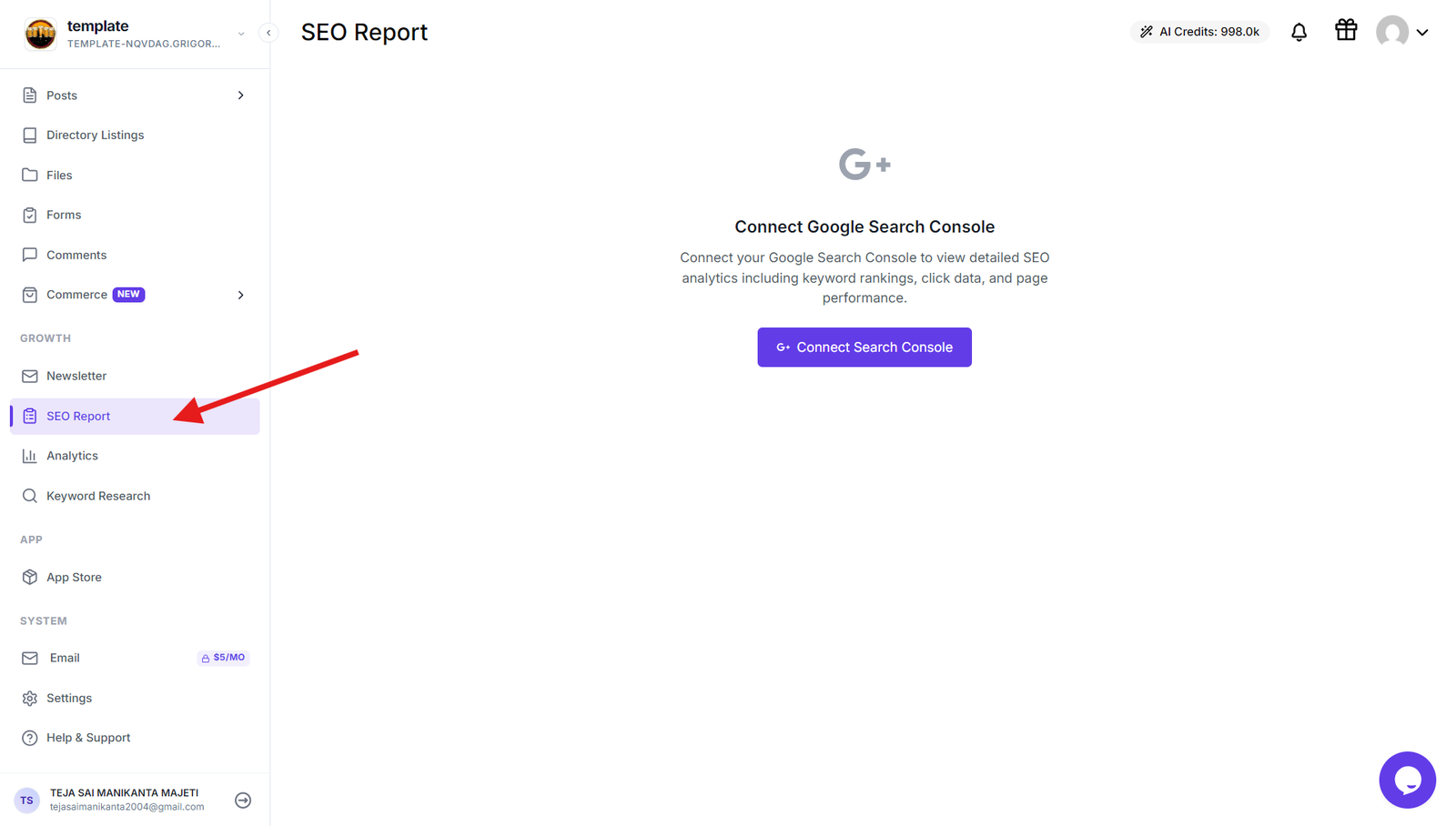
Navigate to your Grigora dashboard and click on "SEO Reports" in the left panel to access the SEO analytics integration section where you can connect your Google Search Console account.
Connecting Google Search Console
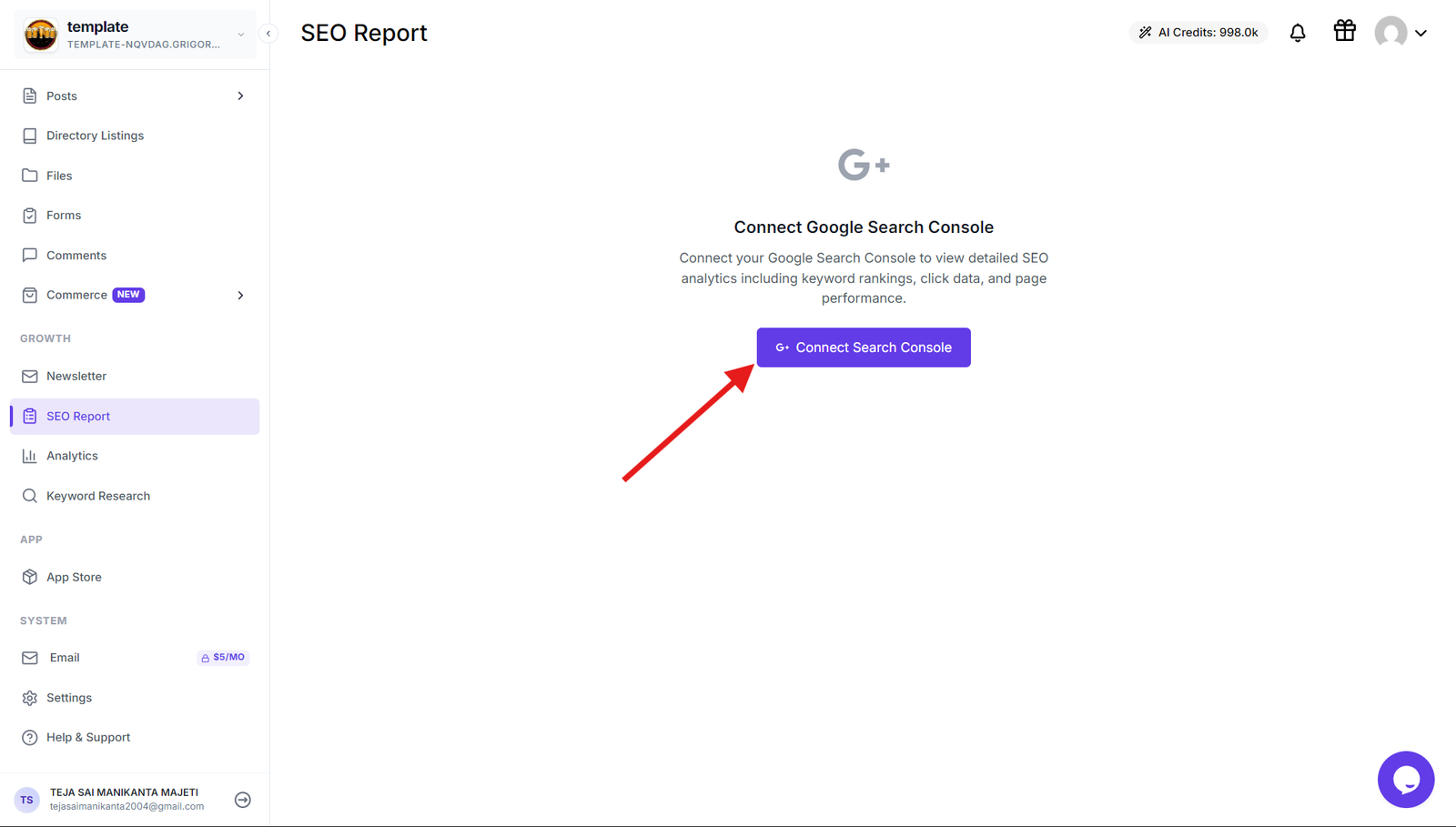
Click the Connect Search Console button once the SEO Reports page opens. A popup will appear - click "Connect Search Console" again within the popup to proceed with the authentication process.
Completing the Connection
Sign in to your Google account to complete the connection between Grigora and Google Search Console. This authentication allows Grigora to pull your search performance data directly from Google's servers.
Monitoring Your SEO Performance
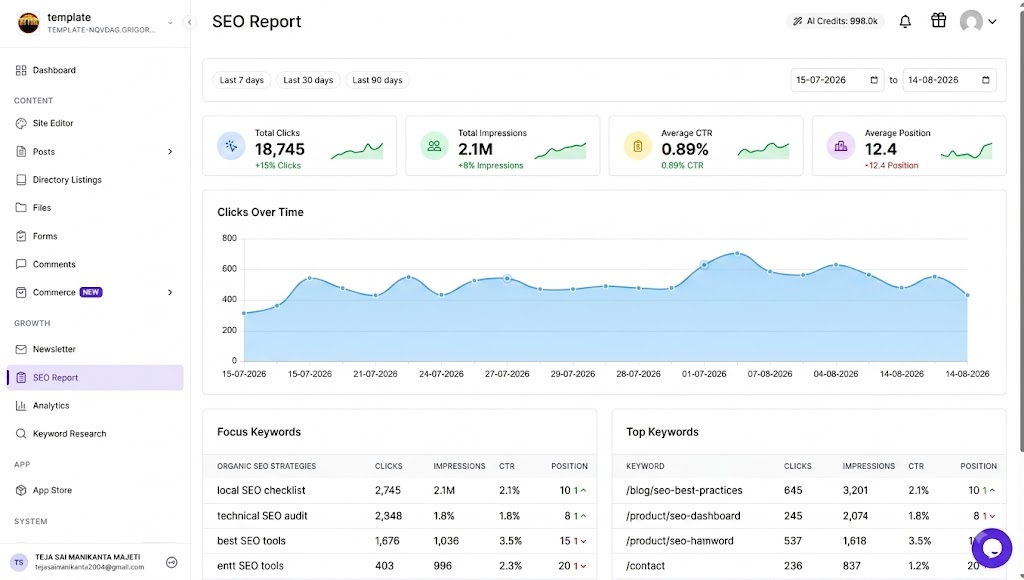
Once connected, you can monitor key analytics including total clicks and impressions, average CTR and position, clicks over time, focus keywords, top performing keywords, page rankings, and other key metrics. Use these metrics to compare how your content performs in search results.
Benefits of Integration
This connection allows you to track your website's search performance and optimize your content strategy using real Google search data. You'll know exactly which keywords bring the most traffic and can make data-driven decisions to improve your SEO results.