

Running an online store involves repetitive catalog management—adding new product lines, generating combinations for sizes and colors, updating stock levels, and organizing seasonal collections. With Grigora Commerce MCP tools, your AI assistant can manage your entire store inventory programmatically through simple chat prompts.
What You Can Automate in Grigora Commerce
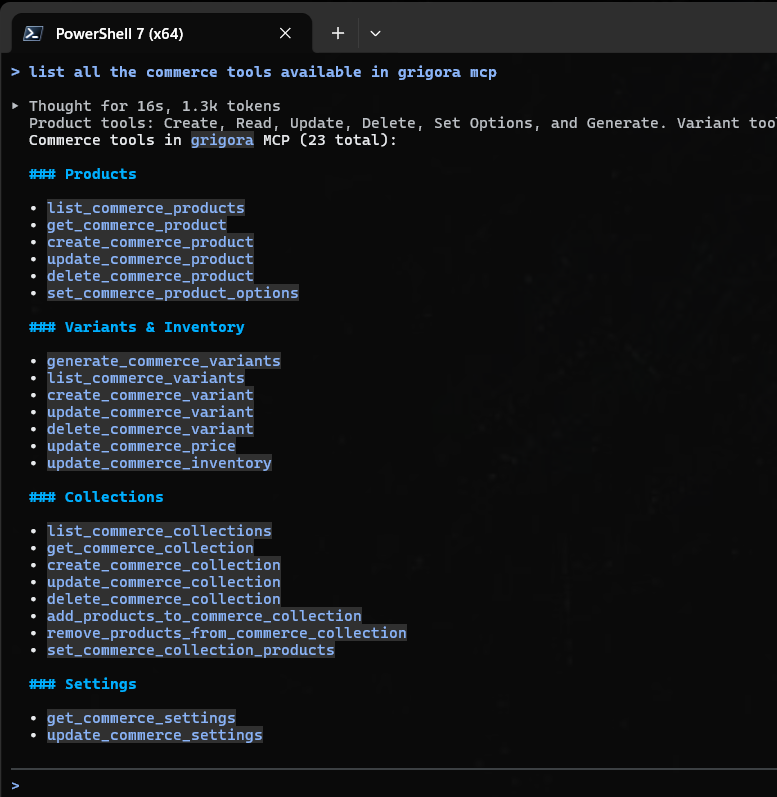
Grigora MCP equips AI agents with 23 dedicated commerce tools spanning five core operational areas:
Product Catalog: Create, inspect, edit, or archive products.
Options & Variant Matrix: Define option sets (like Size or Color) and auto-generate SKUs.
Pricing & Inventory: Adjust base prices, sale discounts, and live stock quantities.
Collections: Group products into curated collections, featured shelves, or sale categories.
Store Settings: Review and update store currency, checkout, and operational rules.
1. Creating & Managing Products
Agents can create draft or live products complete with rich descriptions, pricing, and category assignments:
create_commerce_product: Adds a new item to your catalog with title, description, base price, SKU, and status.list_commerce_products&get_commerce_product: Retrieves product catalogs, fetches specific items, and inspects details like variants and image galleries.update_commerce_product: Updates descriptions, titles, SEO fields, or publishing status.delete_commerce_product: Removes discontinued items from the store.
Example Agent Instruction
"Create a new product named 'Organic Canvas Tote Bag' priced at $32.00 with a detailed eco-friendly product description."
2. Setting Options & Generating Variants
Managing multi-attribute products (e.g., clothing available in multiple sizes and colors) is effortless with variant generation tools:
set_commerce_product_options: Defines the attribute axes for a product (such asSize: Small, Medium, LargeandColor: Forest Green, Midnight Blue).generate_commerce_variants: Automatically creates the complete combination matrix (e.g., Small + Green, Small + Blue, Medium + Green, etc.) so you never have to enter combinations manually.list_commerce_variants,update_commerce_variant&delete_commerce_variant: Fine-tunes individual variants, allowing custom SKUs, variant-specific pricing, or removal of unavailable combinations.
Example Agent Instruction
"For the 'Trail Runner Shoes', set up options for Sizes (8, 9, 10, 11) and Colors (Black, Gray), then generate all variants automatically."
3. Updating Prices & Inventory Quantities
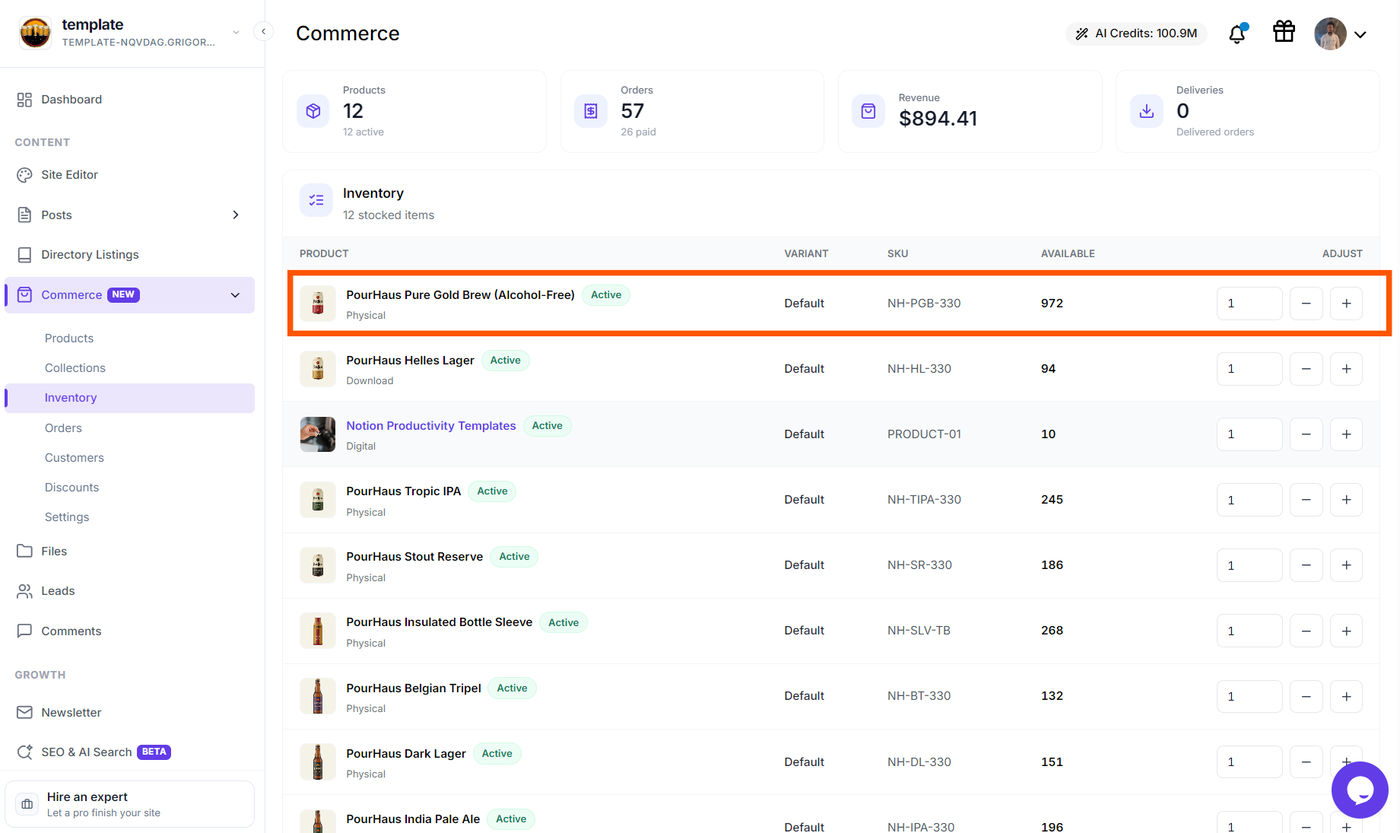
Keep your stock accurate and launch flash sales instantly without clicking through individual product pages:
update_commerce_price: Modifies standard pricing or sets promotional sale prices for products or specific variants.update_commerce_inventory: Updates real-time stock counts, enables/disables inventory tracking, and flags out-of-stock items.
Example Agent Instructions
"Set the sale price of all 'Organic Canvas Tote Bags' to $24.00 for the weekend promotion."
"Update the inventory of SKU TOTE-BLK-OS to 150 units in stock."
4. Curating Store Collections
Organize your products into logical storefront categories and featured sections:
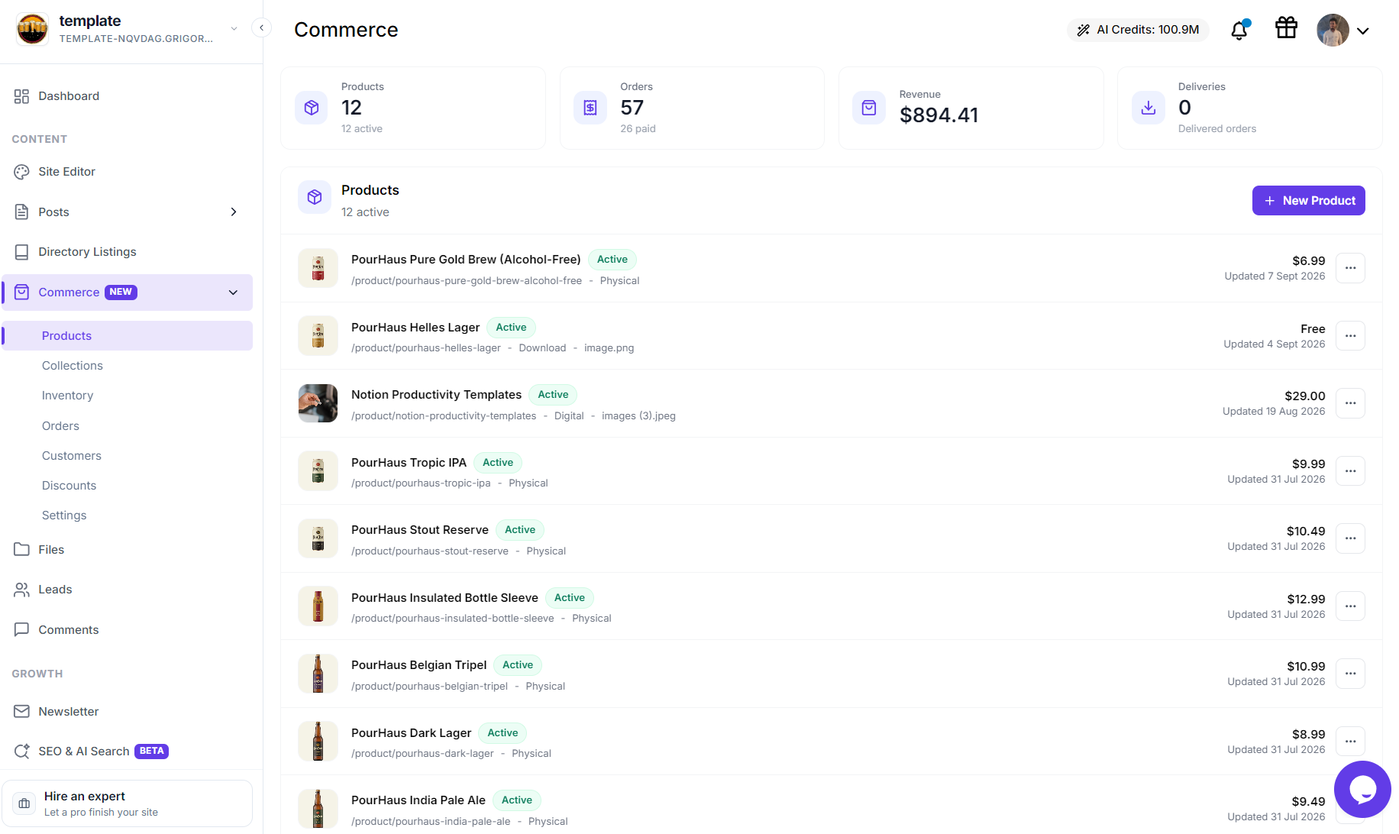
list_commerce_collections&get_commerce_collection: Views existing collections and the products assigned to them.create_commerce_collection: Creates new collections (e.g., "Summer Essentials" or "Best Sellers") with title, slug, and description.add_products_to_commerce_collection&remove_products_from_commerce_collection: Assigns or detaches products from specific collections.set_commerce_collection_products: Reorders or replaces the full product lineup in a collection in one operation.update_commerce_collection&delete_commerce_collection: Modifies collection metadata or deletes obsolete collections.
Example Agent Instruction
"Create a collection called 'Staff Picks', add our top 5 best-selling products to it, and write a welcoming header description."
5. Managing Store Configuration
Keep your store’s operational parameters up to date:
get_commerce_settings: Inspects store currency, tax preferences, customer checkout rules, and policy URLs.update_commerce_settings: Updates operational settings such as default currency or checkout options.
Comprehensive Workflow Example
You can execute multi-step retail tasks in a single conversation prompt:
Prompt:
"Please create a new product 'Merino Wool Beanie' at $45. Set options for Color: Charcoal, Oatmeal, and Olive. Generate all variants, set starting inventory to 75 for each variant, and add the product to our 'Winter Warmers' collection."
The connected AI agent will sequence the calls—creating the product, configuring option axes, generating SKU variants, assigning inventory, and linking it to your collection—returning a clean summary of everything created.
Next Steps
Learn more about working with Grigora tools and e-commerce:
Grigora MCP Tools & Capabilities Guide — Master overview of all 78 MCP tools available in Grigora.
Managing CMS & Custom Directories via Grigora MCP — Automate blog posts, custom directory databases, and media uploads.
Getting Started with Grigora Commerce — Learn the fundamentals of setting up your online store in Grigora.