

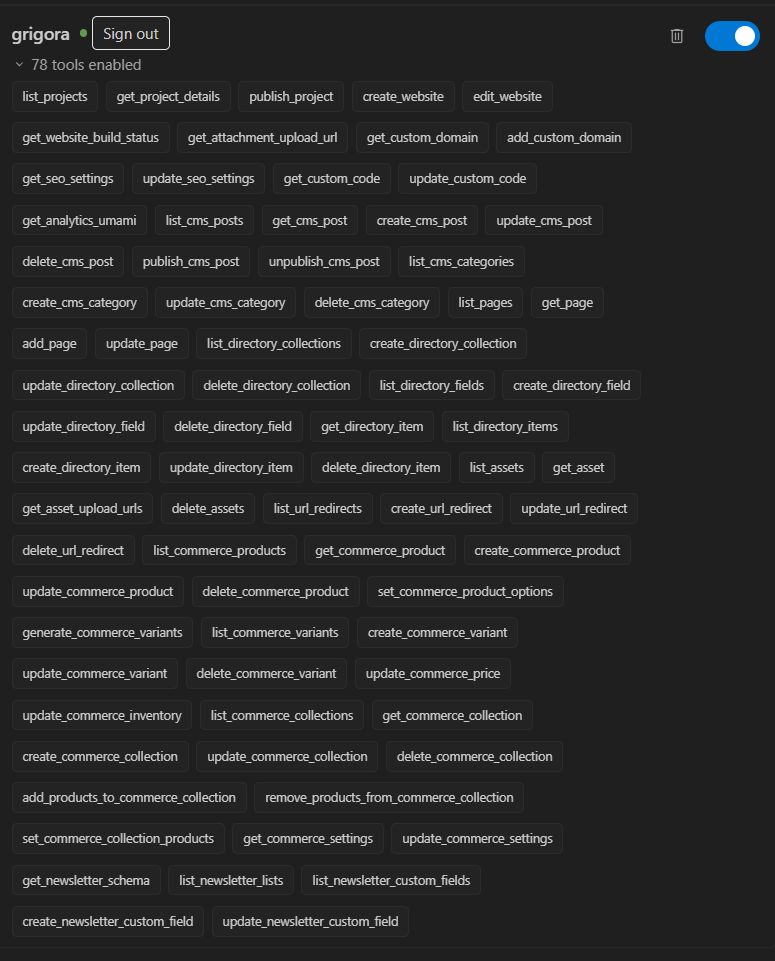
Grigora connects to your favorite AI environments—including Google Antigravity, Claude, ChatGPT, Cursor, and VS Code—using the open Model Context Protocol (MCP). With 78 specialized tools at their disposal, AI agents do not just answer questions; they can build, edit, configure, and publish your websites through simple natural language instructions.
⚠️ Important: Editor Compatibility Notice
Grigora supports websites created with the new AI Website Builder as well as sites built with the legacy drag-and-drop editor. Tool availability varies based on which editor was used:
Prompt-Based Canvas & Content Editing (
edit_website,create_website,get_website_build_status): Supported only on sites created with the AI Website Builder. You cannot use conversational prompt editing on legacy drag-and-drop sites.Direct Page Management (
list_pages,get_page,add_page,update_page): Supported on the legacy drag-and-drop editor, where pages are stored as individual database page entities. On AI Website Builder sites, pages exist as codebase components—to add or edit pages on an AI site, instruct the AI directly viaedit_website(e.g., "Add an /about page").Universal Tools (Supported on ALL Websites): CMS blogs, Commerce store products & inventory, Directory databases, media assets, custom domains, 301/302 redirects, SEO settings, custom script injection, visitor analytics, and project publishing (
publish_project) work identically across both types of websites.
Overview of Core Tool Groups
Grigora MCP organizes agent capabilities into distinct functional groups. This master guide covers website building, page management, SEO, custom scripts, redirects, and traffic analytics. For deep dives into store management and content databases, see our companion guides on E-Commerce and CMS tools.
1. Website Building & Canvas Editing (AI Website Builder Only)
AI agents can generate complete websites from scratch, revise layouts, monitor build pipelines, and take projects live:
list_projects&get_project_details: Inspects all sites under your Grigora account, retrieving project IDs, builder types, custom domains, and live URLs. (Universal)create_website: Prompts the AI engine to generate an entire multi-page website from a description. (AI Website Builder only)edit_website: Applies targeted visual, structural, and content modifications across your existing pages via conversational prompts. (AI Website Builder only — does not modify legacy drag-and-drop sites)get_website_build_status: Monitors real-time build and compilation logs to confirm when your changes are ready. (AI Website Builder only)publish_project: Deploys your site to global edge servers with automated SSL encryption and CDN distribution. (Universal)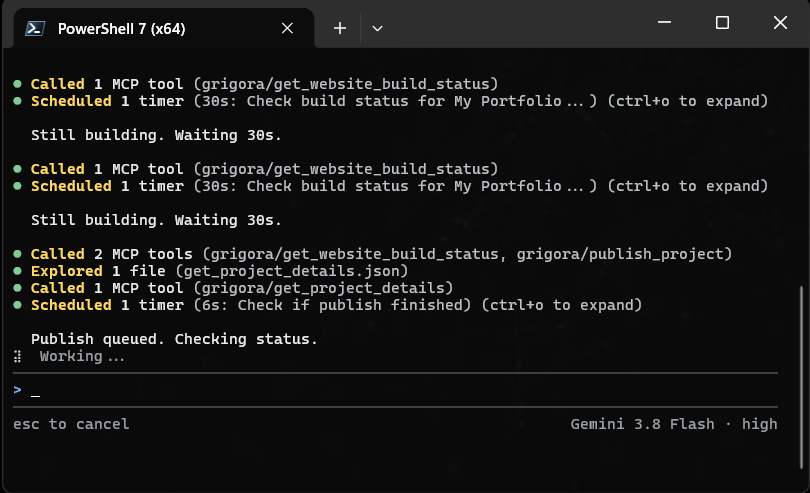
Example Agent Instructions
"Create a modern portfolio website for an architectural studio with a dark theme, a projects gallery, and a contact page."
"Check the latest build status for my project and publish it to production when finished."
2. Page Management (Legacy Drag-and-Drop Editor)
For websites created with the legacy drag-and-drop editor, agents can inspect and manage database page entities directly:
list_pages: Returns all active pages, routes, and paths within a legacy project. (Note: Returns empty on AI Website Builder sites where pages are source components).get_page: Fetches the metadata and settings of an individual legacy page.add_page: Creates a new page route (such as/aboutor/services) in a legacy project.update_page: Modifies page titles, slugs, and SEO settings on a legacy page.
Note: If you are using the AI Website Builder, use edit_website to add or modify pages instead of these tools.
Example Agent Instructions
"List all pages in my legacy site and add a new '/case-studies' page."
3. Technical SEO & Custom Code Injection (Universal)
Maintain search engine visibility and integrate external third-party tools directly through your AI assistant on any Grigora website:
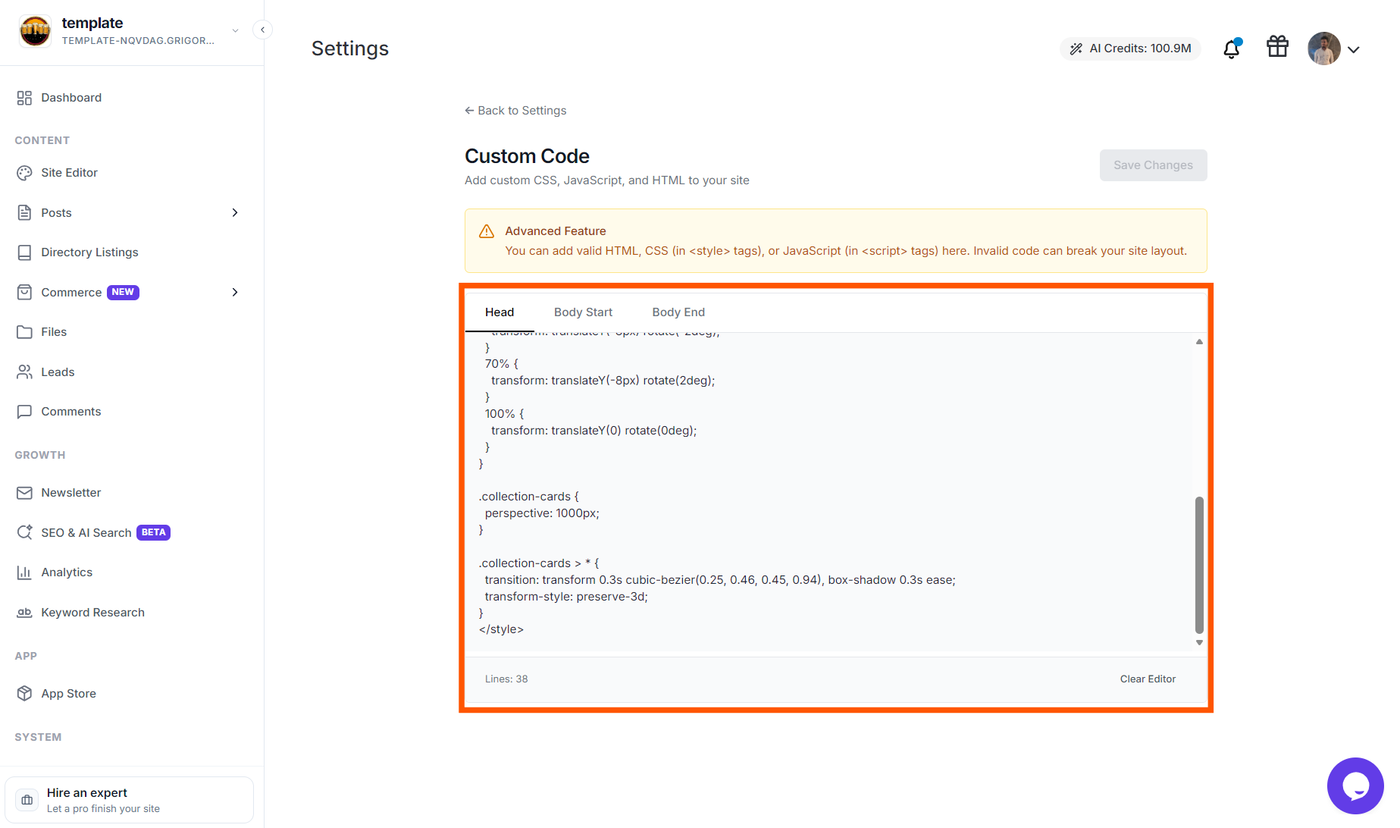
get_seo_settings&update_seo_settings: Reads and configures global metadata, page titles, meta descriptions, Open Graph preview images, and search engine indexing preferences.get_custom_code&update_custom_code: Safely inserts tracking pixels, analytics scripts, custom fonts, or third-party chat widgets into your website’s header (<head>) or body without opening code files manually.
]
Example Agent Instructions
"Audit the SEO title and meta description for my website, then update them to optimize for 'artisanal sourdough bakery in Seattle'."
"Inject our Google Tag Manager script into the site header."
4. Custom Domains & URL Redirects (Universal)
Manage site routing, brand domains, and migrate URLs smoothly without broken links on any Grigora website:
get_custom_domain&add_custom_domain: Connects branded domains (e.g.,www.mybusiness.com) to your project and checks DNS verification status.list_url_redirects: Lists all configured 301 (permanent) and 302 (temporary) redirect rules.create_url_redirect,update_url_redirect&delete_url_redirect: Adds or adjusts URL forwarding rules (e.g., redirecting/old-shopto/store) to preserve SEO ranking and user traffic.
Example Agent Instructions
"Set up a 301 permanent redirect from '/pricing-2025' to '/pricing'."
5. Site Performance & Privacy Analytics (Universal)
Monitor visitor traffic and user engagement using built-in, privacy-friendly analytics across any published site:
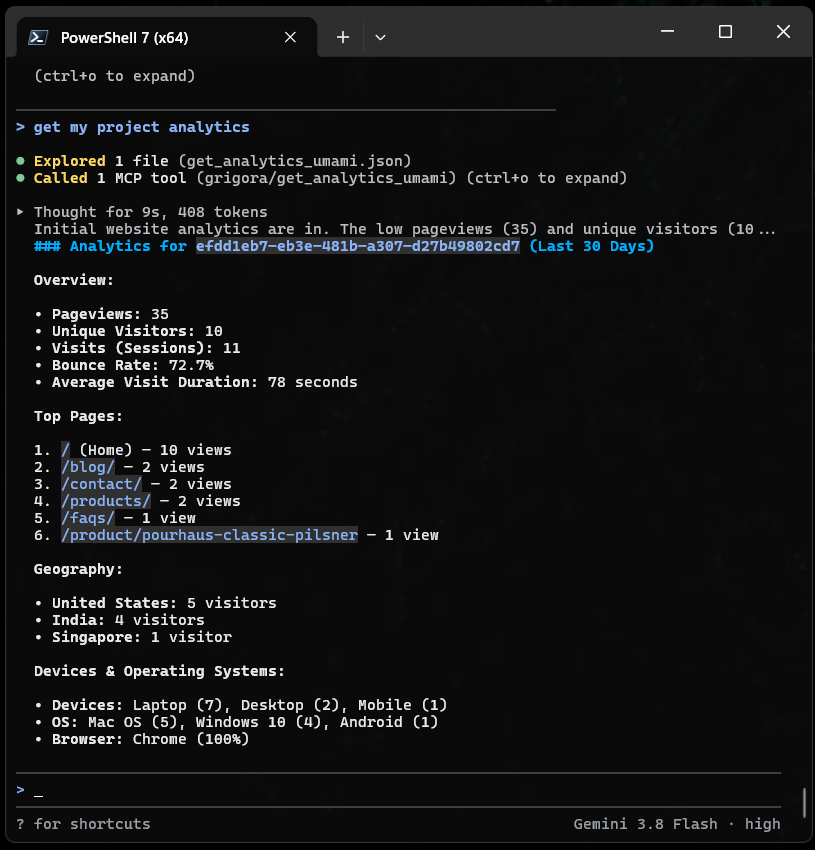
get_analytics_umami: Retrieves privacy-first visitor counts, pageviews, top referral sources, visitor countries, and device types directly into your conversation window.
Example Agent Instructions
"Show me visitor analytics for the past 30 days and summarize our top three traffic sources."
Best Practices for Prompting MCP Agents
Reference Specific Projects: If you have multiple websites, start by asking your agent to "List my Grigora projects" and select the project ID to avoid ambiguity.
Match Tools to Site Type: Remember that prompt-based layout edits (
edit_website) only execute on AI Website Builder projects.Inspect Drafts Before Publishing: Ask your agent to review changes or check build statuses before executing
publish_project.
Next Steps
Continue exploring Grigora MCP with our specialized workflow guides:
Automating E-Commerce with Grigora MCP — Learn how AI agents create products, generate variant matrices, update prices, and track inventory across any store.
Managing CMS & Custom Directories via Grigora MCP — Build automated blog pipelines and custom structured databases using AI agents.
Grigora over Model Context Protocol (MCP) — Overview of connection endpoints and cross-client setup instructions.
Connect Grigora MCP with Antigravity — Step-by-step authentication and token guide for Google Antigravity.