

How to Configure Product Delivery in Grigora Commerce
Want to control how customers receive your products after checkout? Grigora Commerce lets you configure delivery for both digital downloads and physical products.
Open Product Delivery Settings
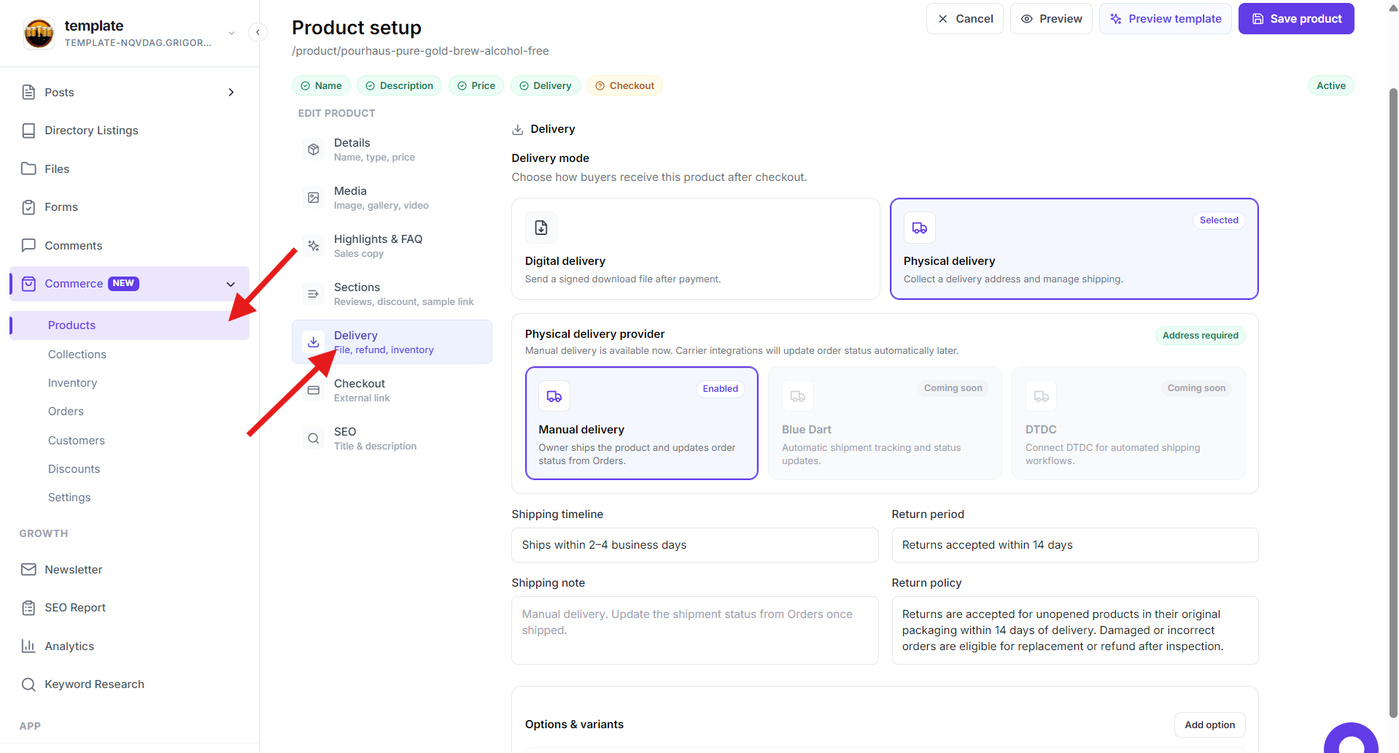
Open Commerce → Products and select the product you want to configure.
From the product editor, select Delivery to configure how the product will be fulfilled after checkout.
Configure Digital Delivery
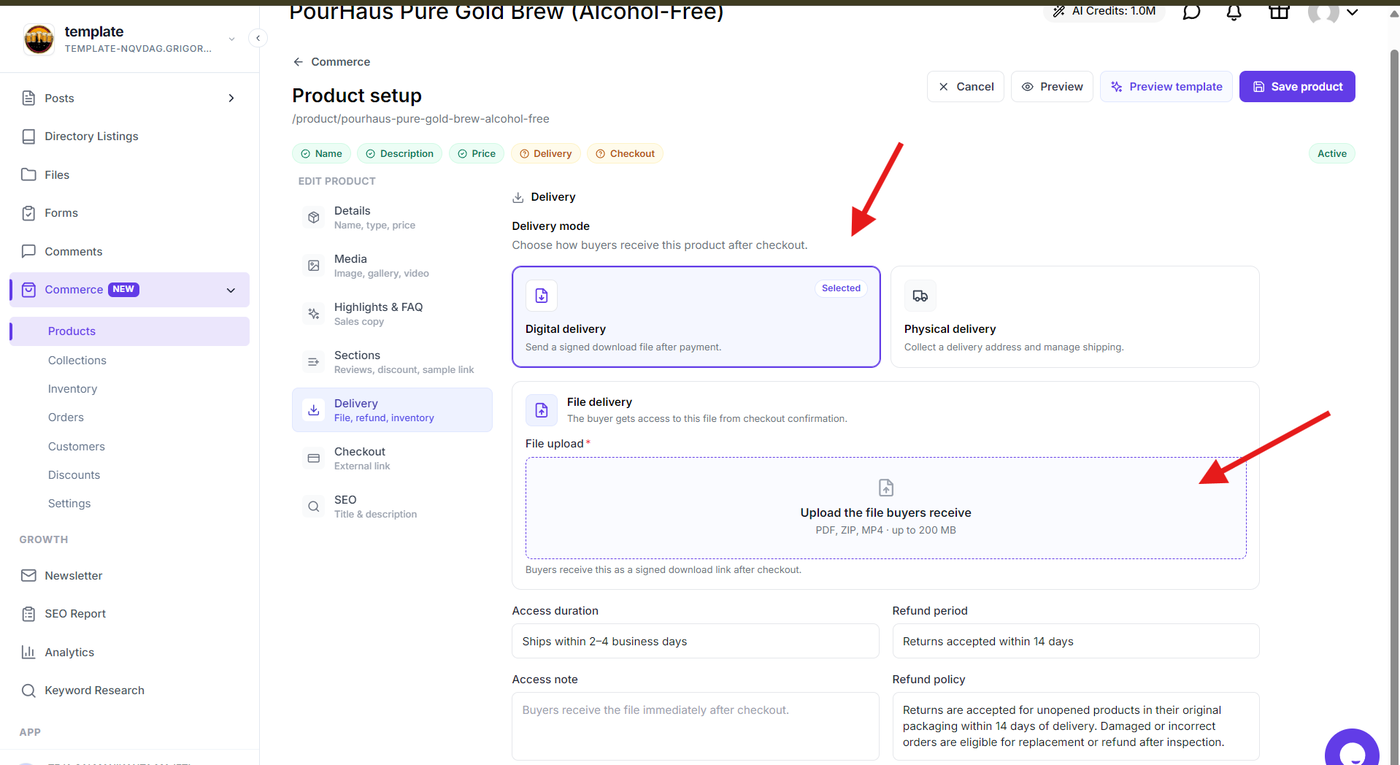
Select Digital delivery if customers should receive a downloadable file after purchase.
Upload the file customers will receive. Grigora supports PDF, ZIP, and MP4 files up to 200 MB.
You can also configure the access duration, access note, refund period, and refund policy for the product.
Configure Physical Delivery
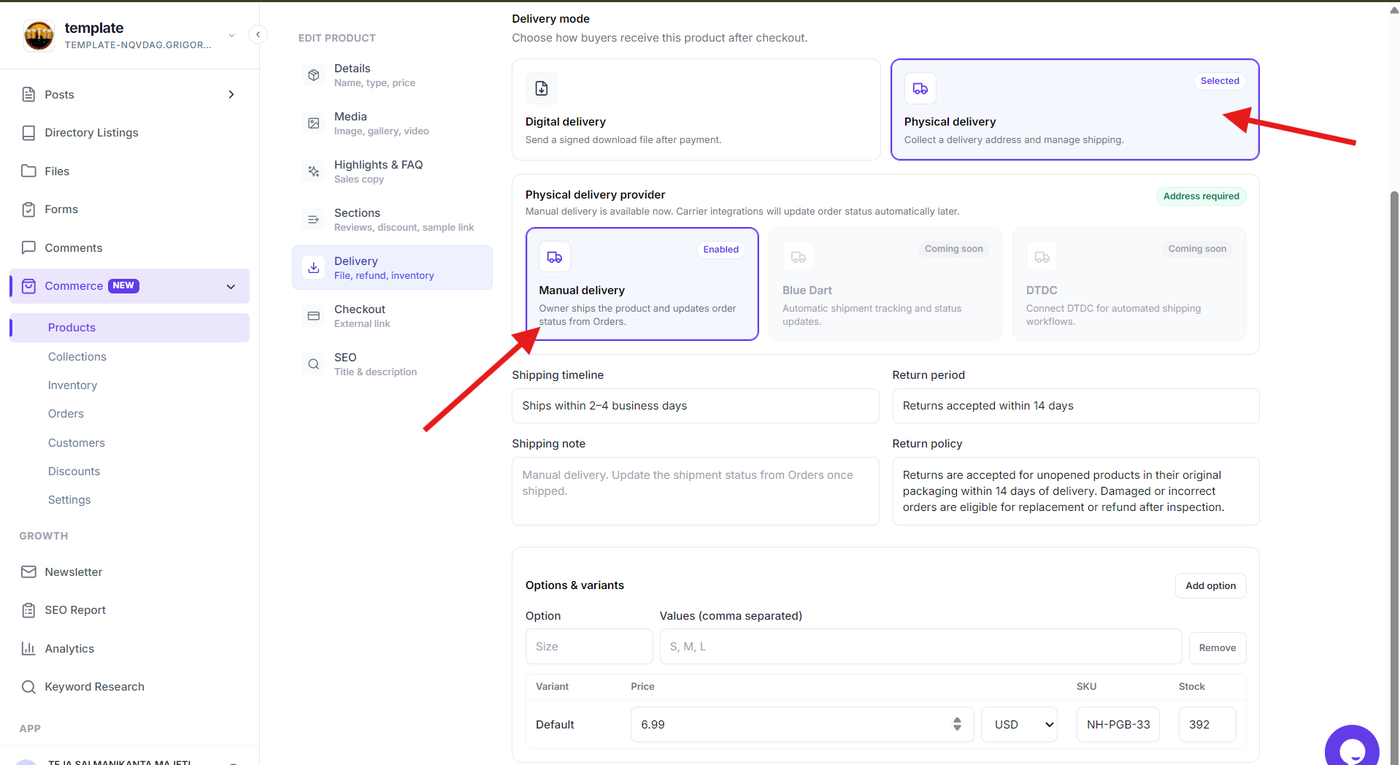
Select Physical delivery if the product needs to be shipped to the customer.
Choose the available delivery provider. Manual delivery is currently available, while Blue Dart and DTDC integrations are marked as coming soon.
Add the shipping timeline, return period, shipping note, and return policy for the product.
Configure Product Variants
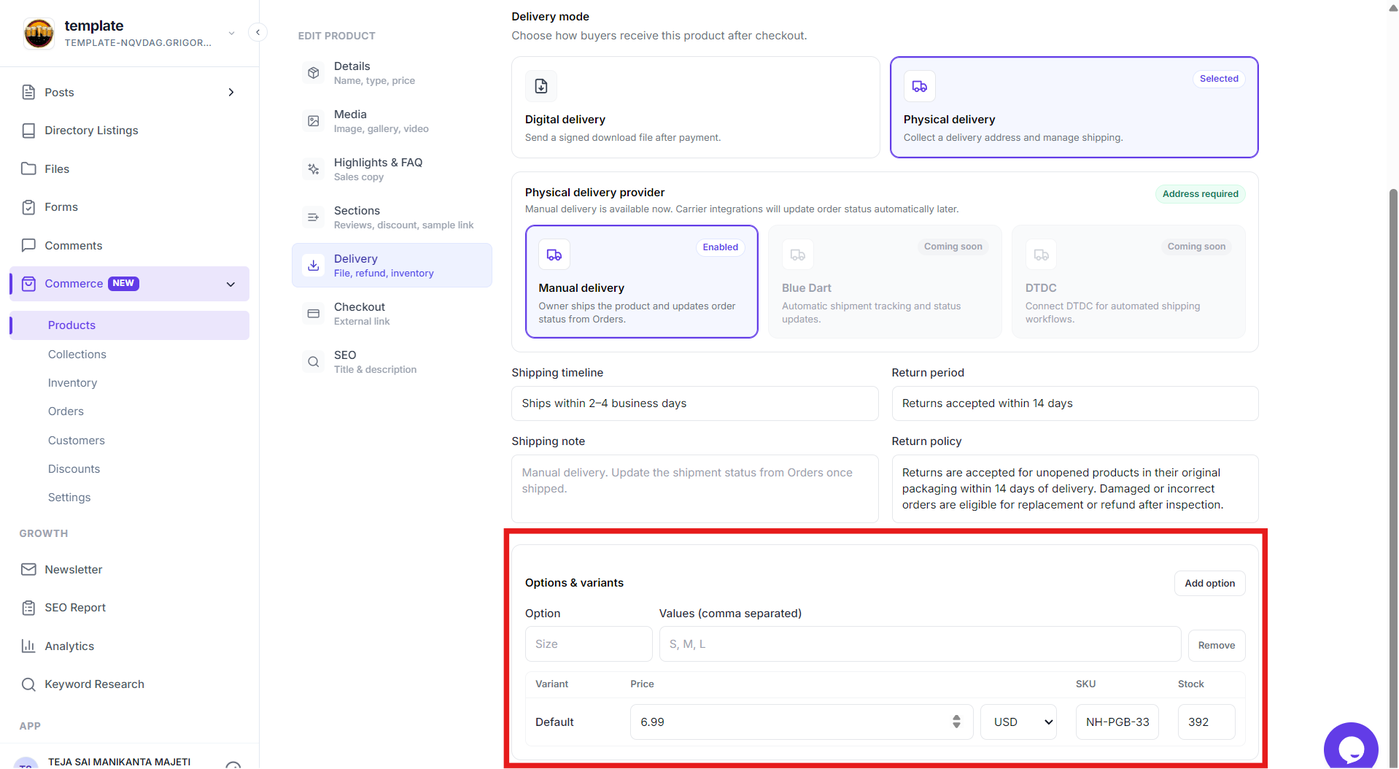
For products with different options, use Options & variants to add attributes such as size and their available values.
You can then configure the price, currency, SKU, and stock for the product variant.
Save the Delivery Settings
Review your delivery configuration and select Save product.
Your selected delivery method and related settings will be applied when customers purchase the product.