

Want your products to appear clearly in search results and social shares? Grigora Commerce provides built-in SEO settings for each product, allowing you to control search visibility, page metadata, social sharing information, and canonical URLs.
Opening Product SEO Settings
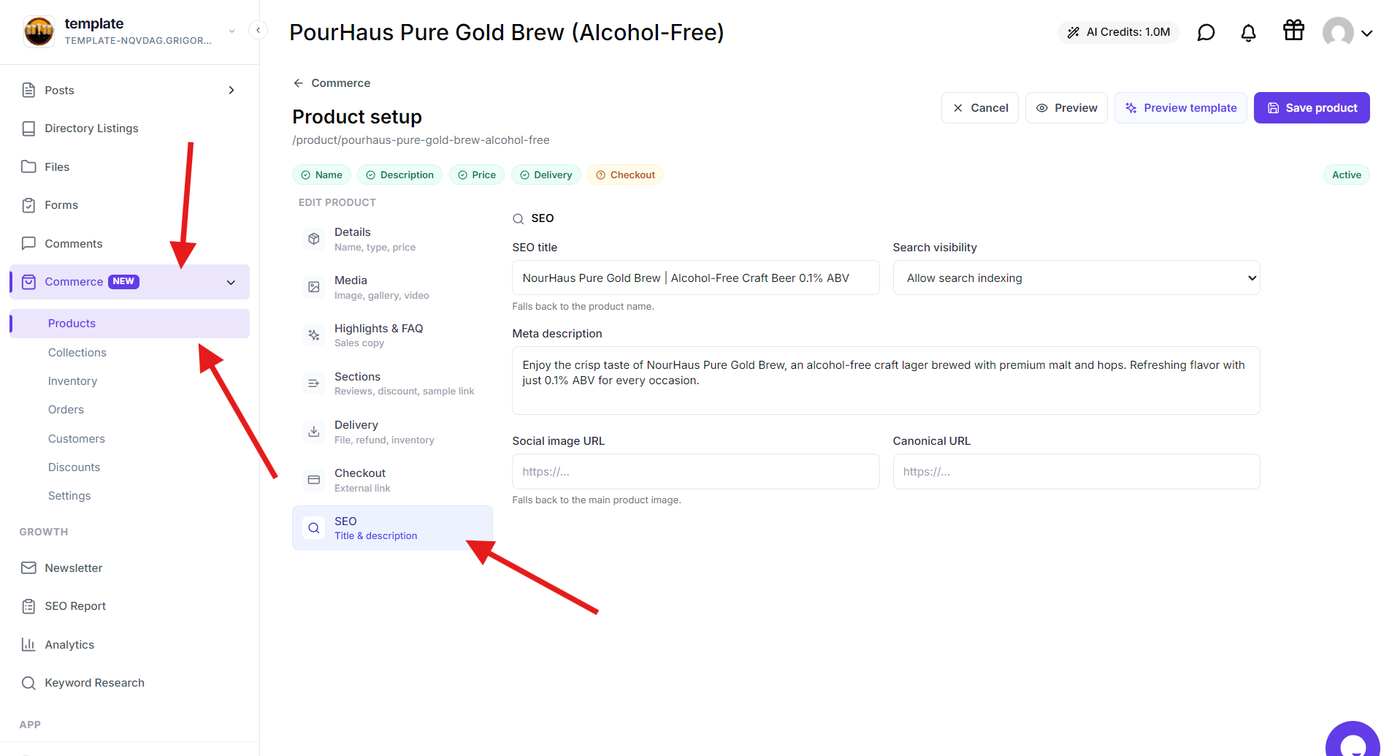
Open the Grigora dashboard and go to Commerce → Products. Select the product you want to optimize and open its SEO settings.
]
The SEO section brings all product-level search settings together, so you can configure them without editing the product page separately.
Configuring Product SEO Details
Use the available fields to provide the information search engines and social platforms can use for your product.
You can configure:
SEO Title: Add a title that describes the product and can be used in search results.
Meta Description: Provide a short summary that explains what the product offers and helps customers understand the page before opening it.
Search Visibility: Choose whether the product page should be available for search engine indexing.
Social Image URL: Add an image URL to control the image displayed when the product is shared on supported social platforms.
Canonical URL: Specify the preferred URL for the product page when you need to identify the primary version of the page.
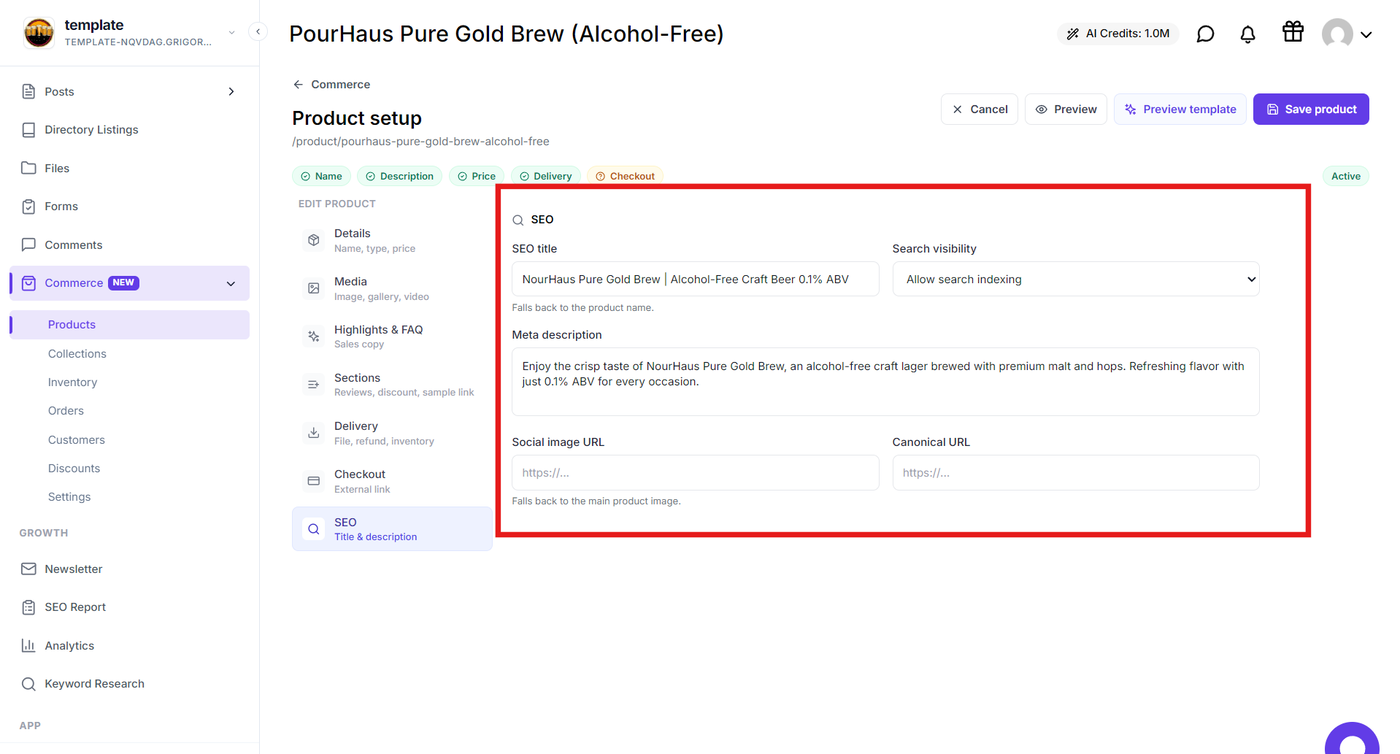
Keep the title and description relevant to the product and avoid adding unnecessary keywords. The goal is to make the product clear and useful to both search engines and potential customers.
Managing Search Visibility
Use the Search Visibility setting to decide whether search engines can index the product page.
Enable search indexing when you want the product to appear in search engine results. Disable it when the product should remain excluded from search indexing.
This setting is useful for products that are still being prepared, private products, or pages that you do not want appearing in organic search.
Saving Your SEO Configuration
After entering the required SEO details, review the settings and select Save product.
The configured SEO information will be applied to the product page when it is published.
Optimizing Products for Search
Use the product SEO settings to:
Create clear and relevant search titles.
Provide useful meta descriptions.
Control search engine indexing.
Customize social sharing images.
Define canonical URLs when required.
Keep product search information consistent with the actual product content.