

Give your product pages a consistent look that matches your brand with Grigora Commerce's appearance settings. You can choose a storefront template and customize colors, buttons, and media display to create the right experience for your customers.
Opening Product Appearance Settings
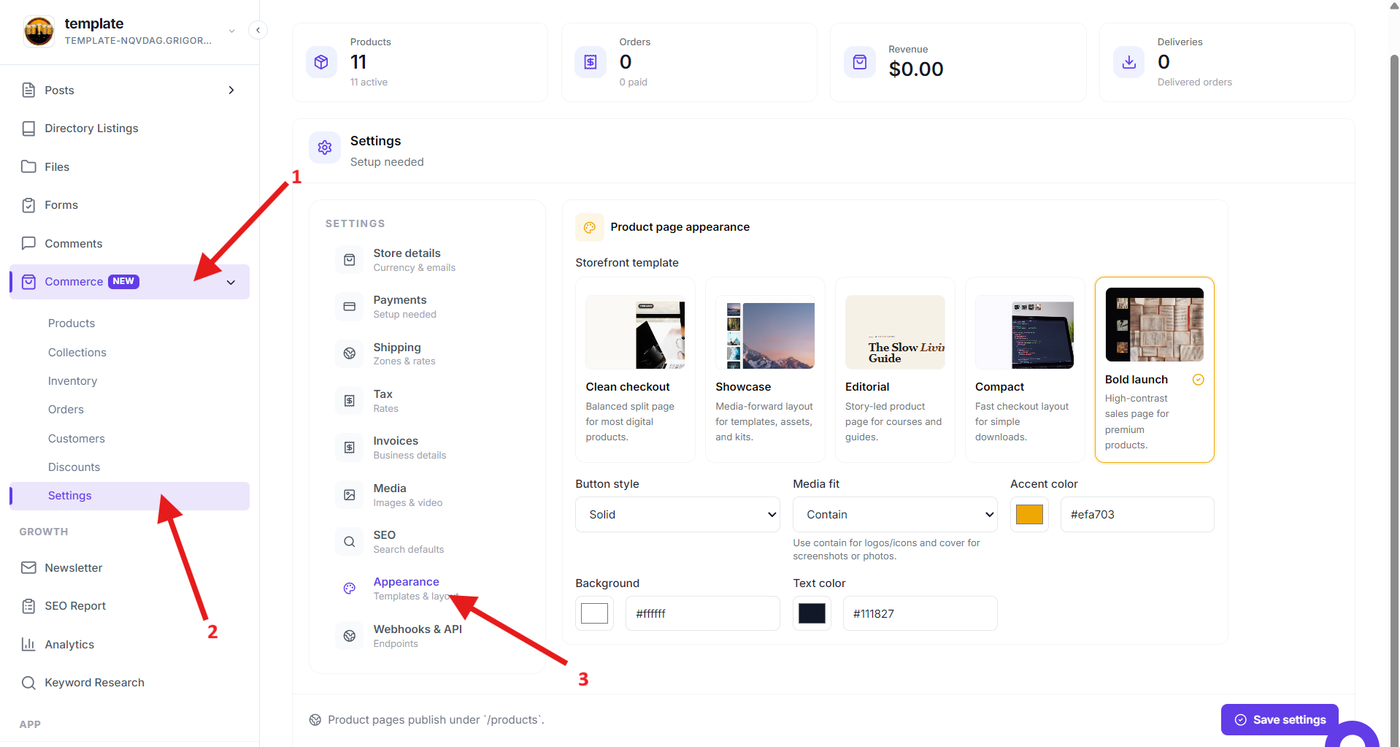
Open the Grigora dashboard and go to Commerce → Settings → Appearance.
The Appearance section provides the controls for customizing how your Commerce product pages are presented.
Choosing a Storefront Template
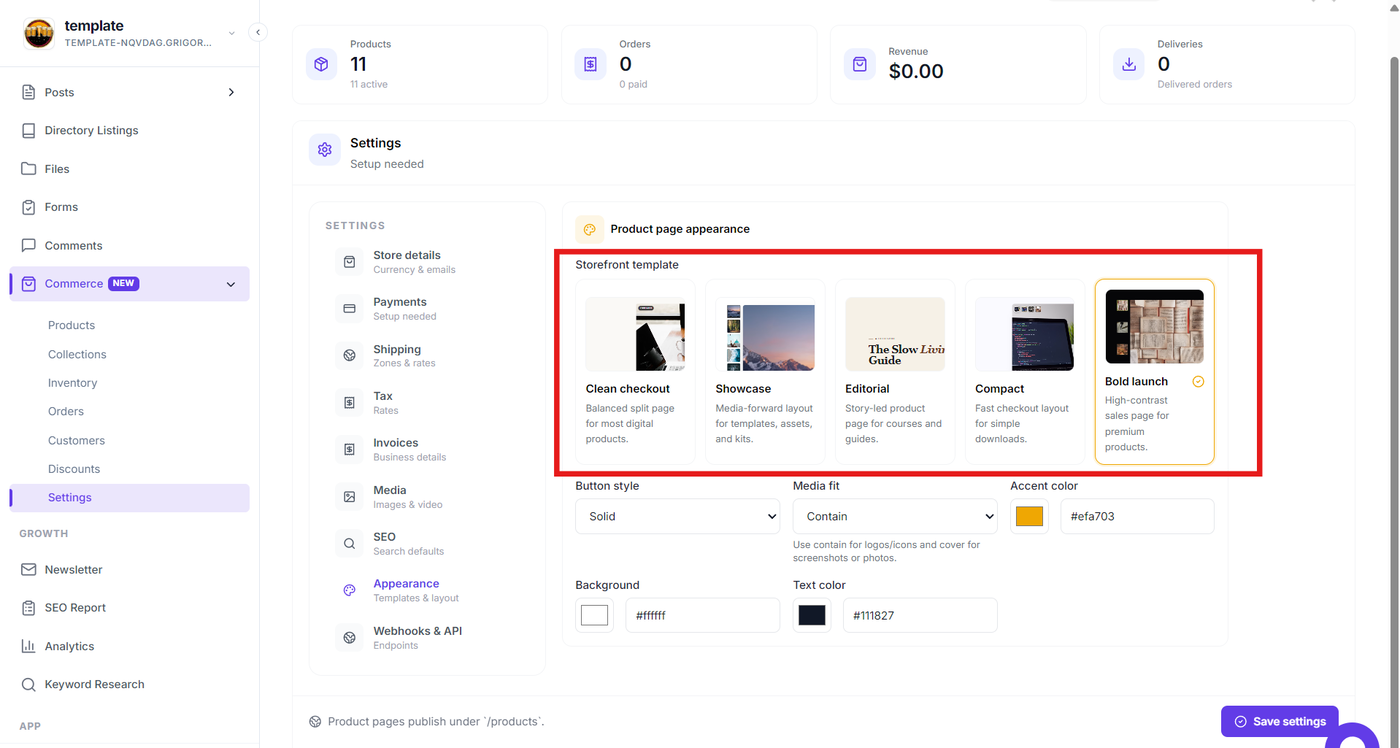
Under Storefront templates, choose the layout that best fits your product and selling style.
Grigora provides several templates:
Clean checkout — A balanced layout suitable for most digital products.
Showcase — A media-focused layout for assets, templates, and kits.
Editorial — A story-focused layout suitable for courses and guides.
Compact — A simple layout designed for quick checkout.
Bold launch — A high-contrast layout for premium products.
Select a template to change the overall structure of your product page.
Customizing Product Page Styling
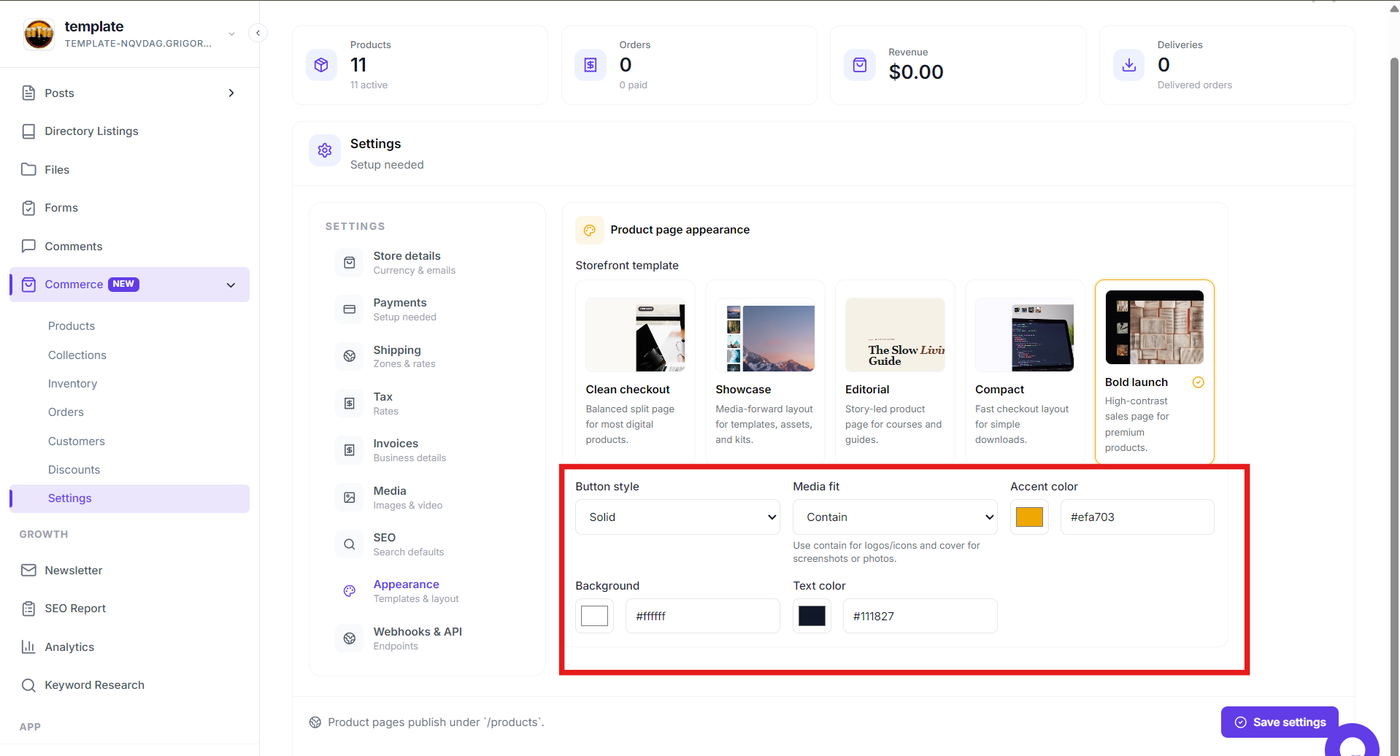
After selecting a template, customize the visual appearance using the available styling options.
You can configure:
Button style — Choose how buttons are displayed on the product page.
Media fit — Control how product media fits within its available area.
Accent color — Set the primary accent color used throughout the storefront.
Background — Choose the product page background color.
Text color — Set the main text color.
Use colors that match your existing website branding to keep the shopping experience consistent.
Applying Your Appearance Settings
Review the selected template and styling options, then save your Commerce settings.
The configured appearance will be used for your Commerce product pages, allowing you to maintain a consistent storefront design without manually styling each product page.
Creating a Consistent Storefront
Use the Appearance settings to:
Choose a product page layout that fits your products.
Match your storefront with your brand colors.
Customize button presentation.
Control how product media is displayed.
Maintain a consistent visual experience across your Commerce products.