Schedule a newsletter in Grigora to send it at a future date and time. This guide shows how to choose a send time and manage the scheduled campaign.
Accessing Newsletter Scheduling
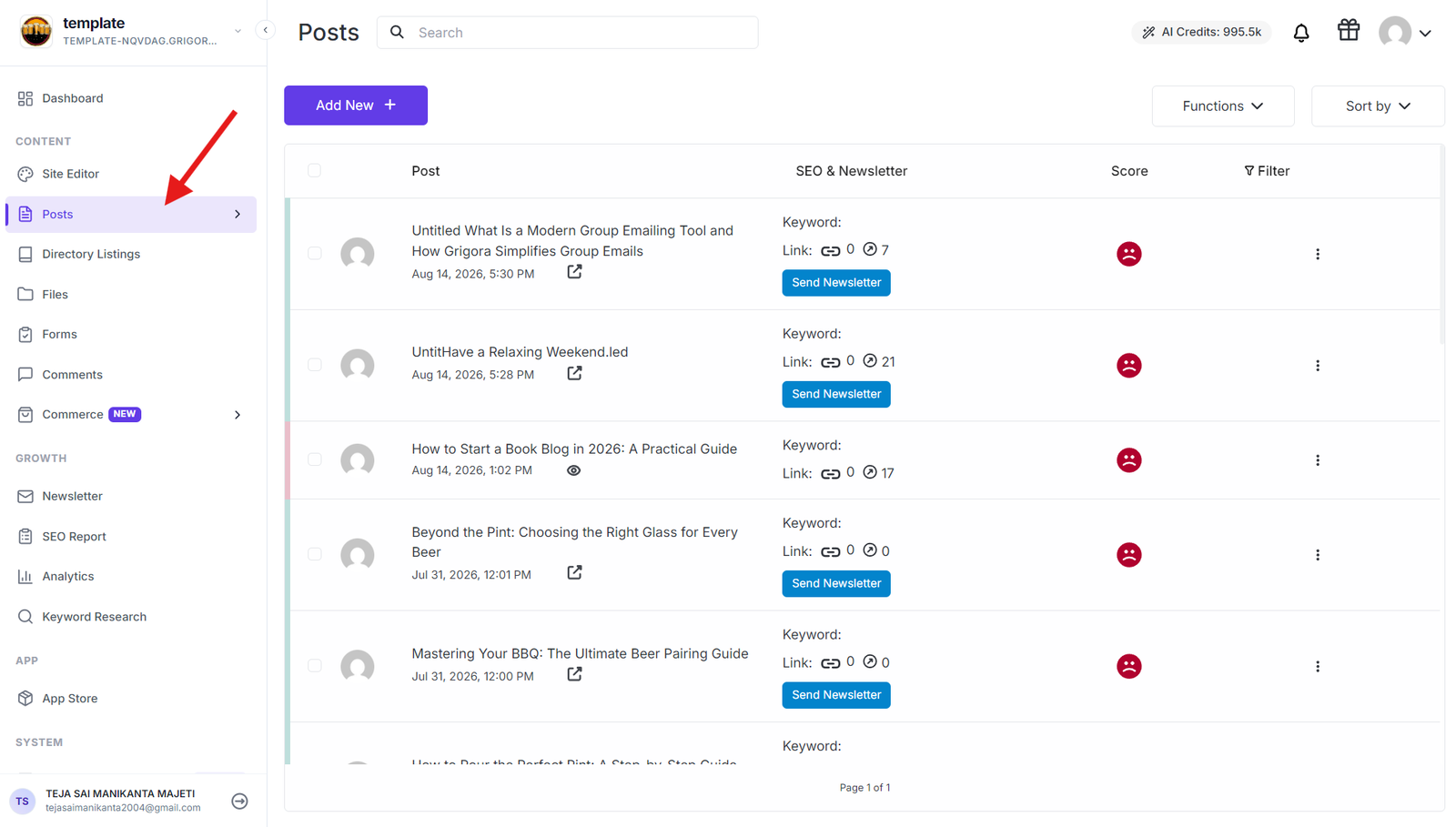
Go to your Grigora dashboard and click on Posts to access your blog post management area. This will show you all your published blog posts that are available to be sent as newsletters to your subscriber list.
Starting the Scheduling Process
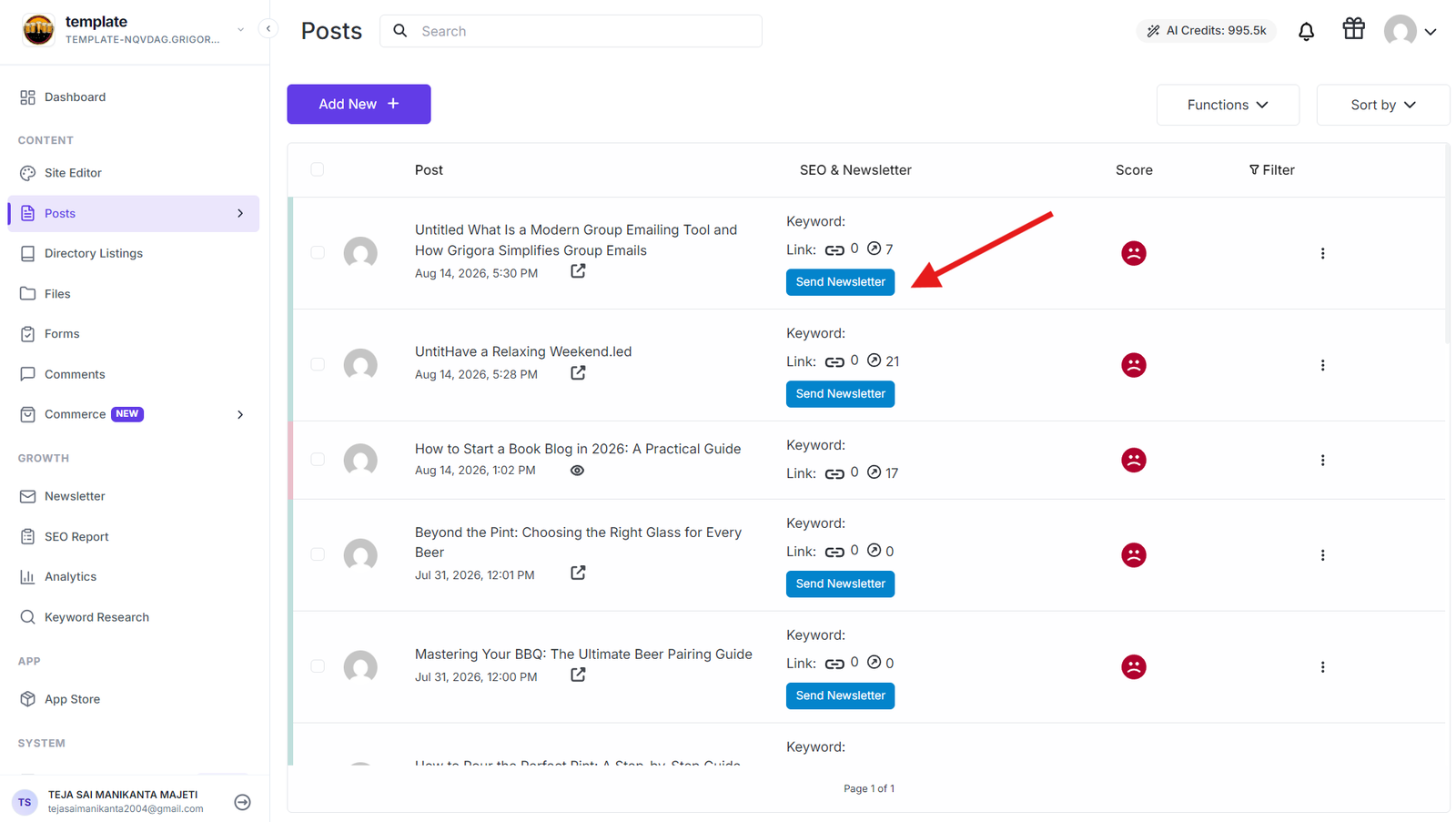
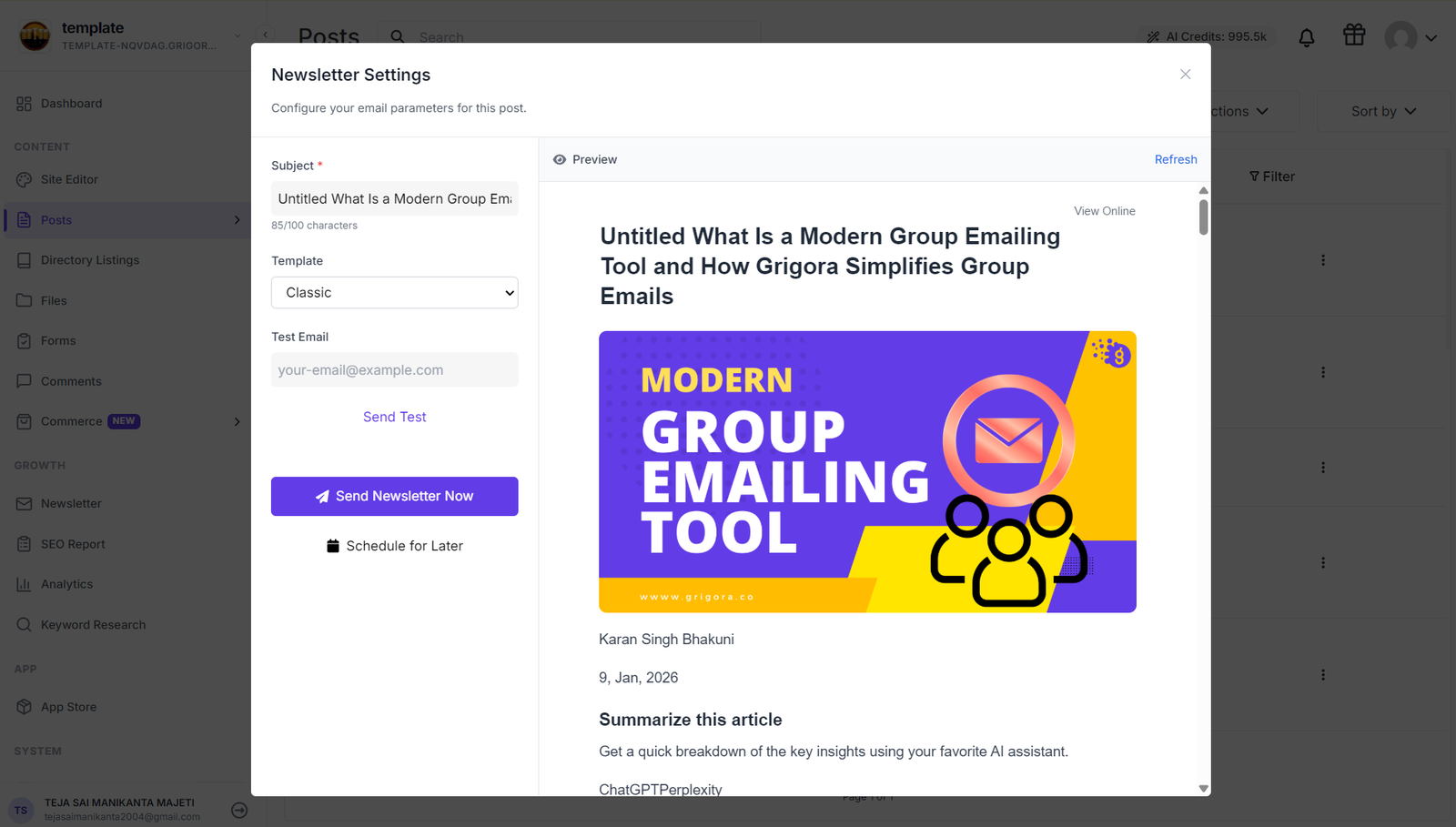
Look for the Send Newsletter Now button next to each blog post and click on this button next to the blog post you want to schedule. After clicking "Send Newsletter," the newsletter settings panel will open with various configuration options.
Setting Your Schedule
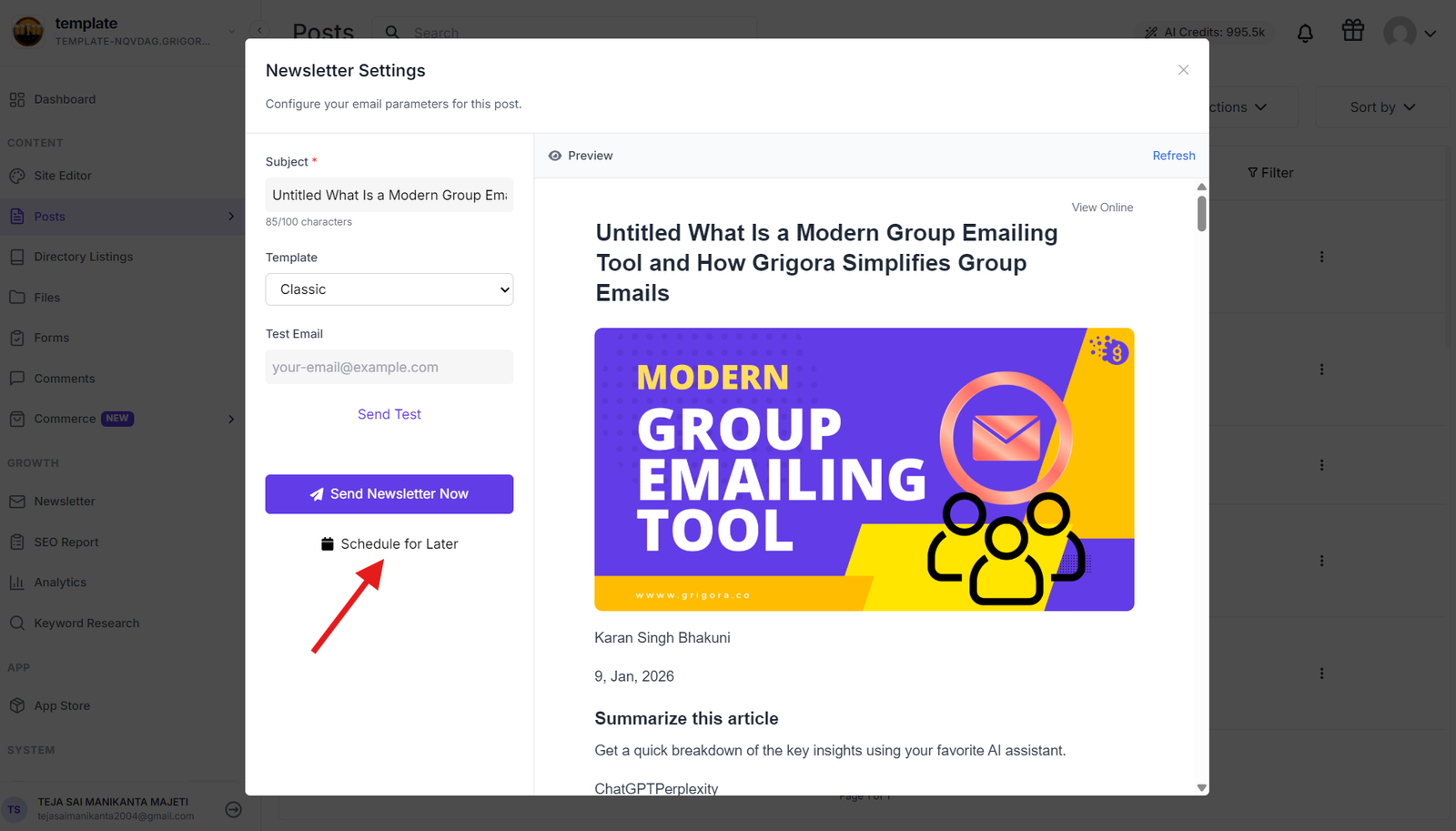
Find the Schedule for Later option in the newsletter settings panel. When you click on "Schedule for Later," a scheduling panel will open with calendar and time selection tools.
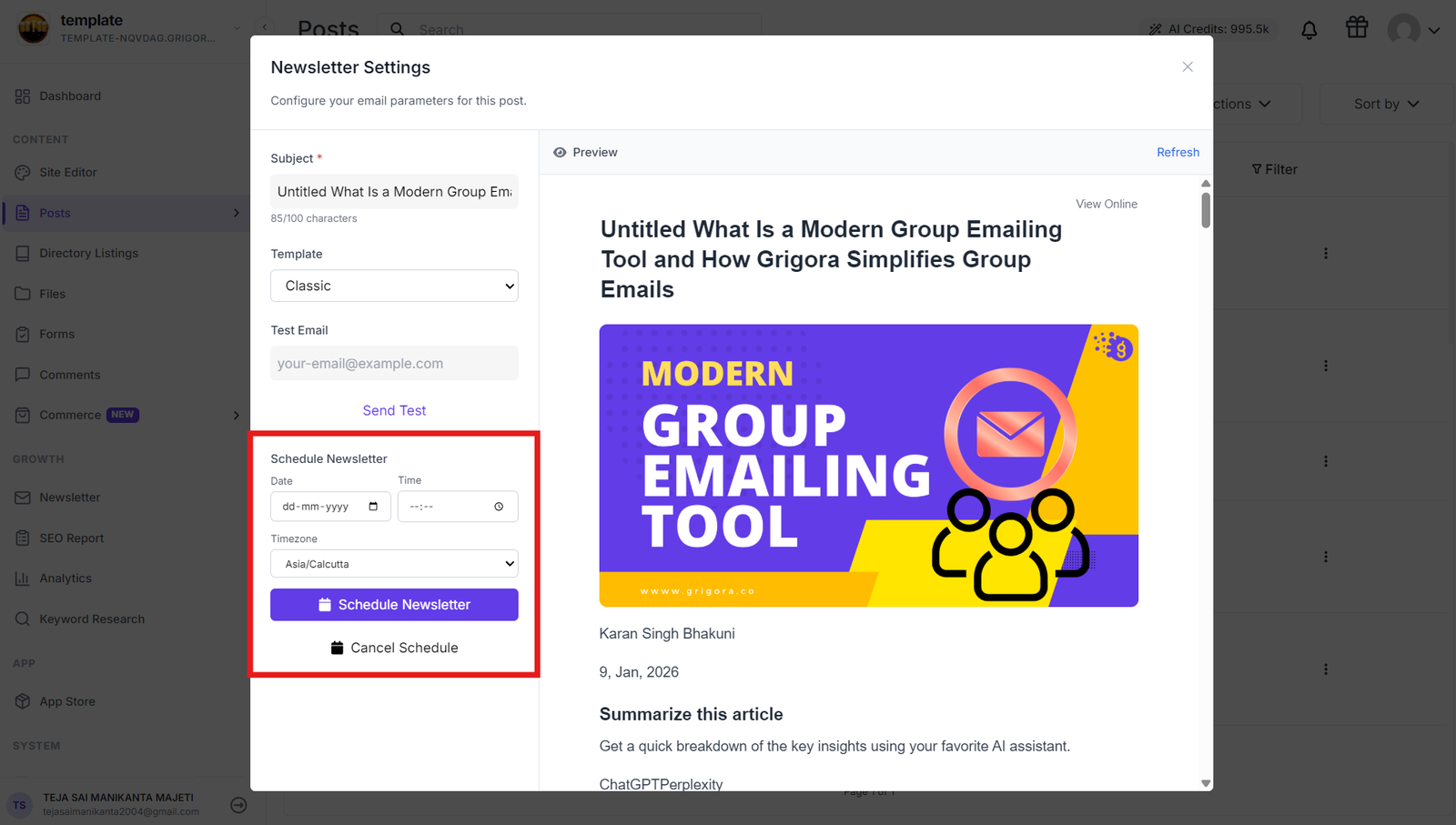
Choose your desired delivery date from the calendar picker and set your preferred delivery time using the time picker. Select the appropriate time zone for your newsletter delivery to ensure it reaches subscribers at the right local time.
Confirming Your Schedule
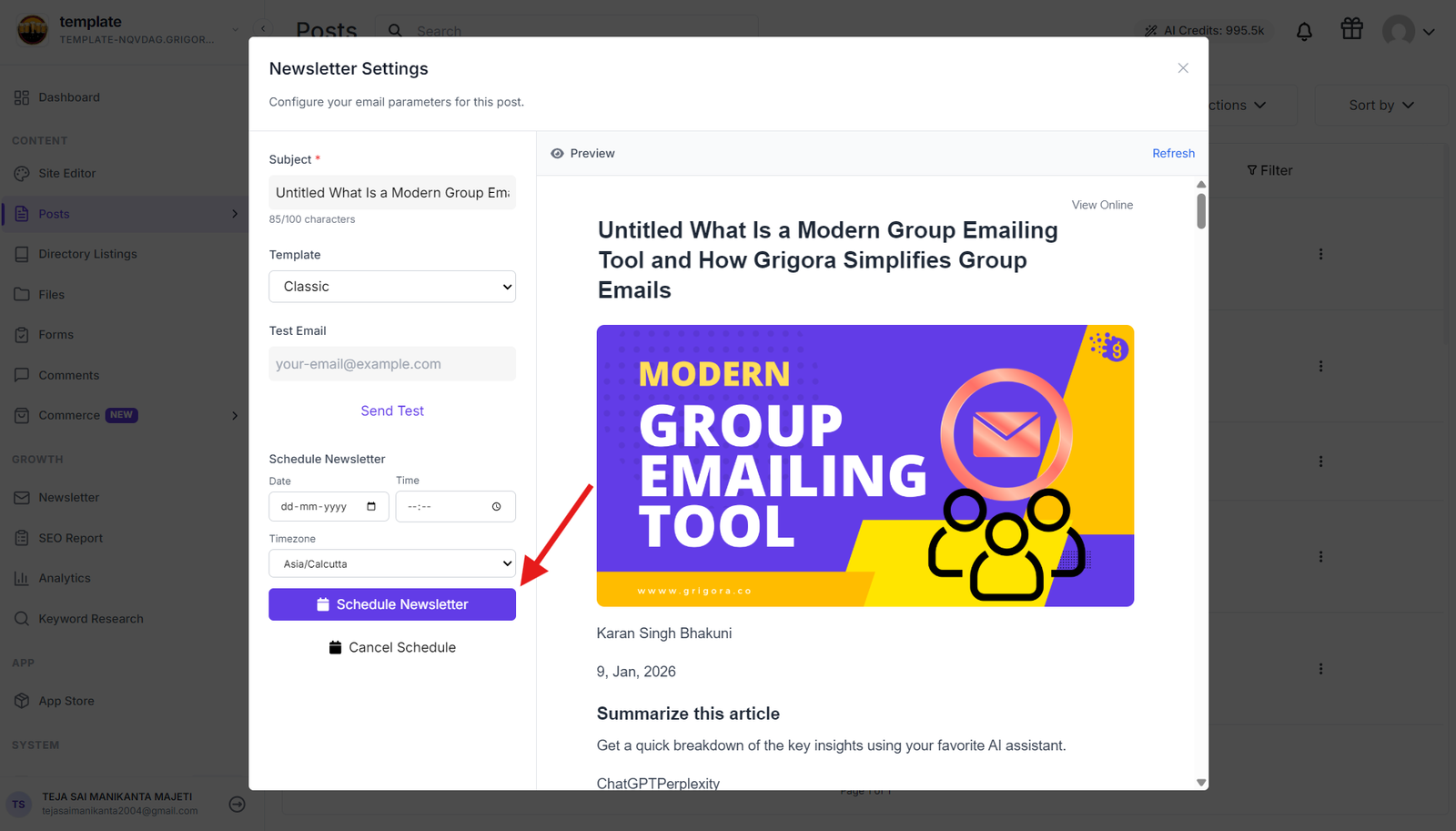
After configuring your date, time, and time zone settings, click "Schedule Newsletter" to confirm your scheduling. You'll receive a success notification confirming your newsletter has been scheduled successfully and is now in the delivery queue.
Managing Scheduled Newsletters
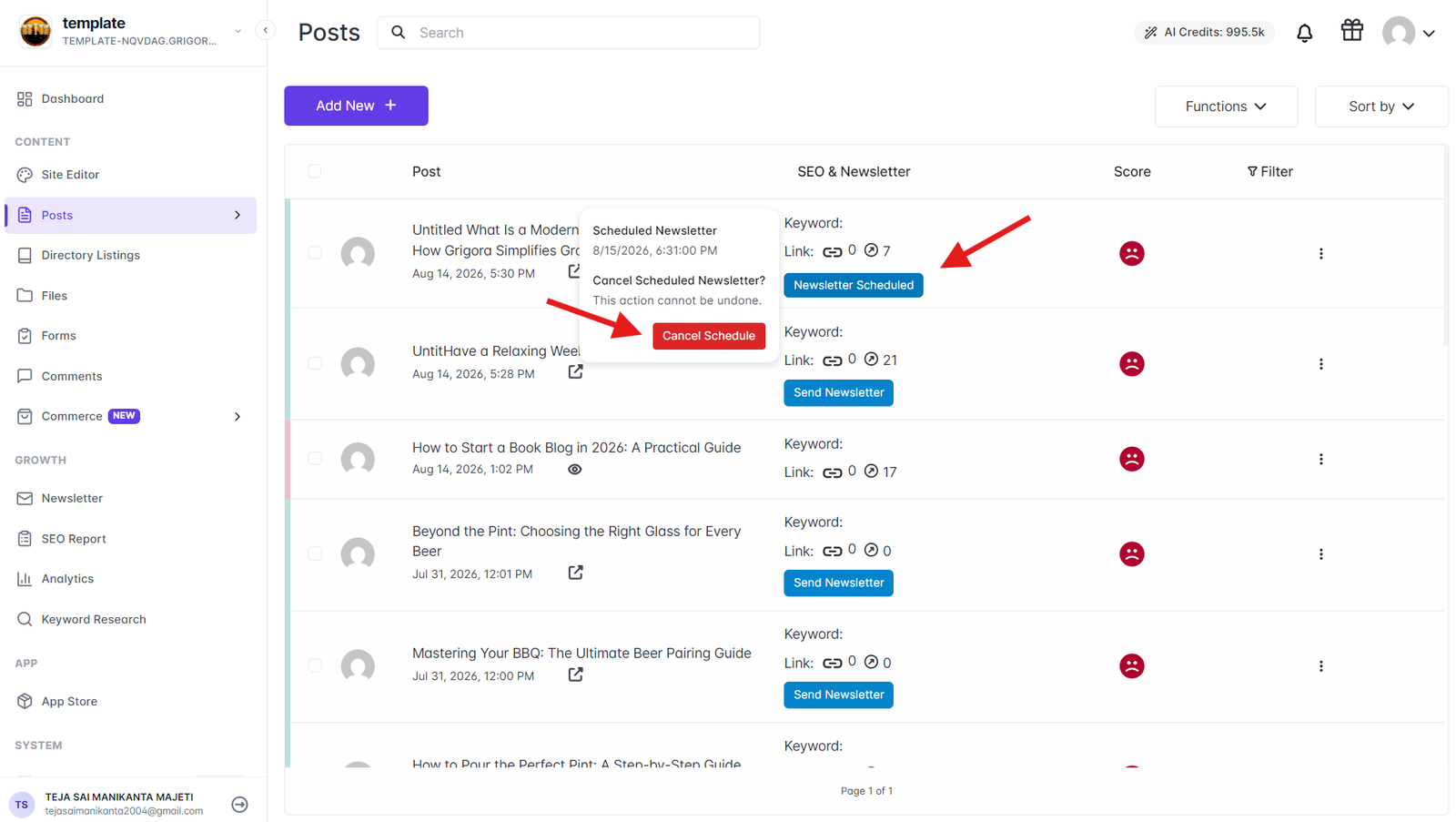
Click on Newsletter Scheduled to view and manage your scheduled campaigns. Here you can see the scheduled date and time along with the option to cancel the schedule if needed. Once canceled, you'll receive a "successfully cancelled" notification confirming the cancellation.
Benefits of Newsletter Scheduling
The newsletter scheduling and queue management features in Grigora give you complete control over when and how your newsletters are delivered, ensuring your content reaches your audience at the most effective times for optimal subscriber engagement and automated content delivery.