

While open rates indicate whether your subject line piqued subscriber curiosity, click activity reveals what content your audience actually found valuable. In Grigora, every link, button, and image in your campaign is tracked automatically, providing detailed insights into reader preferences.
This guide explains how to read the Links & Click Activity section of your campaign reports and use click insights to optimize future broadcasts.
The Links & Click Activity Section
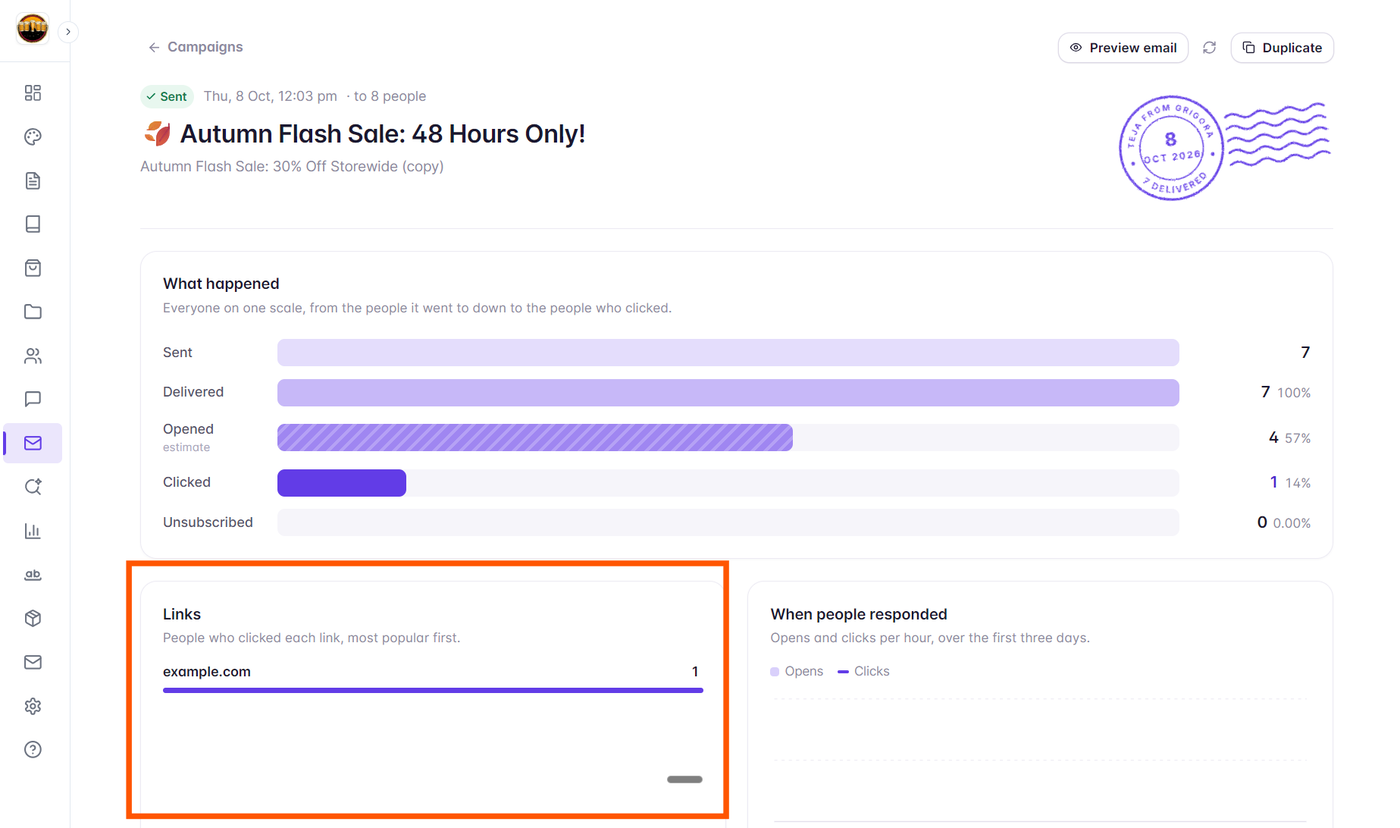
Inside any sent campaign report, scroll down to the Link activity card:
Grigora displays a comprehensive list of all unique destination URLs contained in your email.
For each link, two critical metrics are reported:
Unique Clicks: The distinct number of individual subscribers who clicked this specific URL (each subscriber is counted only once).
Total Clicks: The gross number of clicks recorded on this URL, including multiple clicks by the same reader.
Links are automatically ranked from highest performing to lowest performing.
Evaluating Call-to-Action (CTA) Performance
Reviewing link analytics helps answer vital marketing questions:
Primary CTA vs. Secondary Links: Did your main header button drive the majority of conversions, or did readers prefer secondary links in the body?
Image Clicks vs. Text Links: Do your subscribers click featured product photos or inline text hyperlinks?
Social Icon Engagement: Are readers following your brand on Instagram, LinkedIn, or YouTube via footer icons?
Using Click Data for Advanced Segmentation
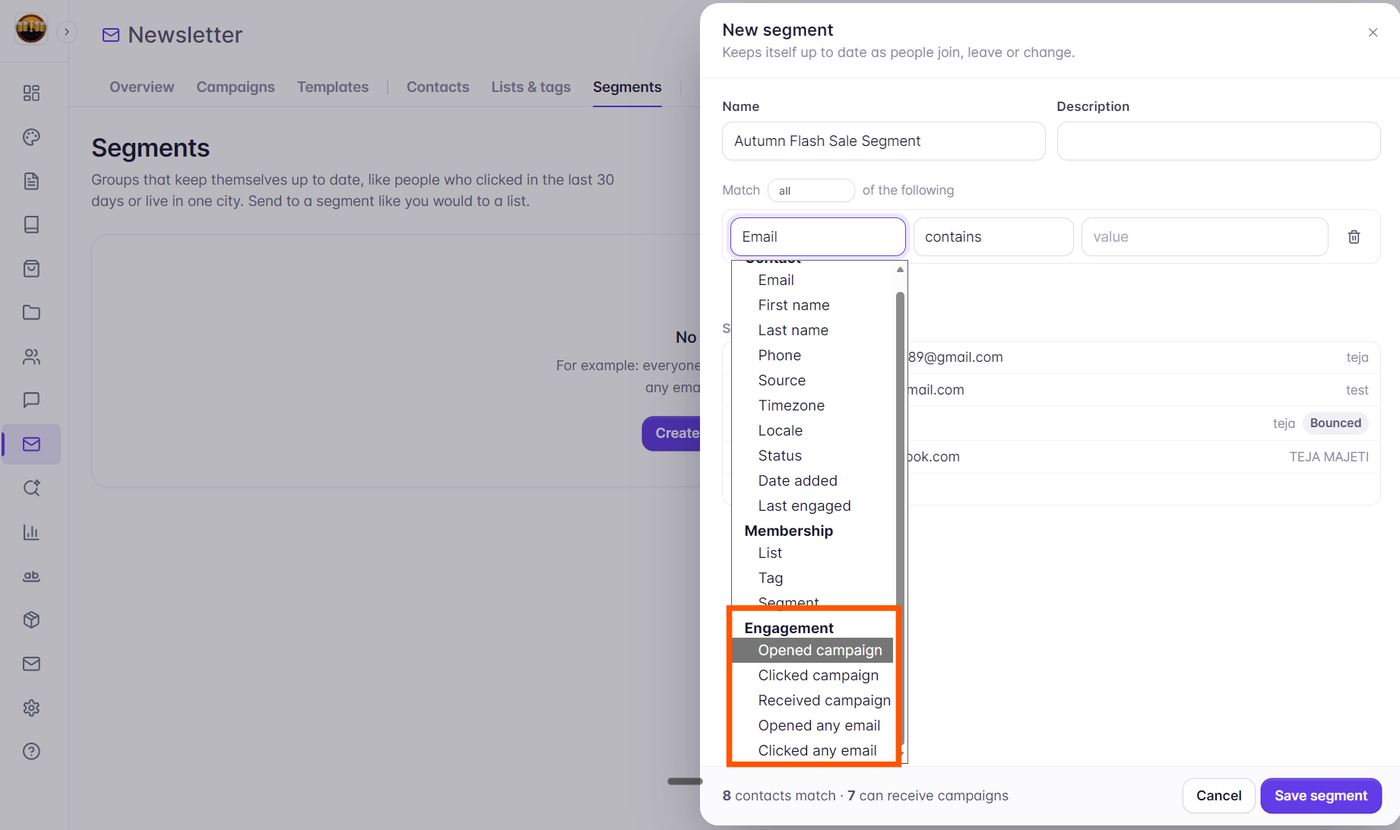
Grigora lets you turn click activity into future revenue through dynamic audience segmentation:
Identify subscribers who clicked on a specific product category (e.g., "Summer Collection").
Create a targeted segment of highly engaged clickers.
Follow up with a tailored special offer or exclusive coupon code just for that engaged segment.
Ensuring Accurate Click Tracking
Pro Tip: When drafting emails, ensure every link uses a full, clean URL (starting with
https://). Avoid URL shorteners (like bit.ly) in marketing emails, as spam filters often penalize shortened domains. Grigora’s native tracking engine wraps links securely while preserving recipient trust.