

Product sections let you add supporting information and useful features to your product page. Grigora provides options such as reviews, discounts, and sample links from the product editor.
Open Product Sections
Go to Commerce → Products and open the product you want to edit.
Select Sections from the product editor menu.
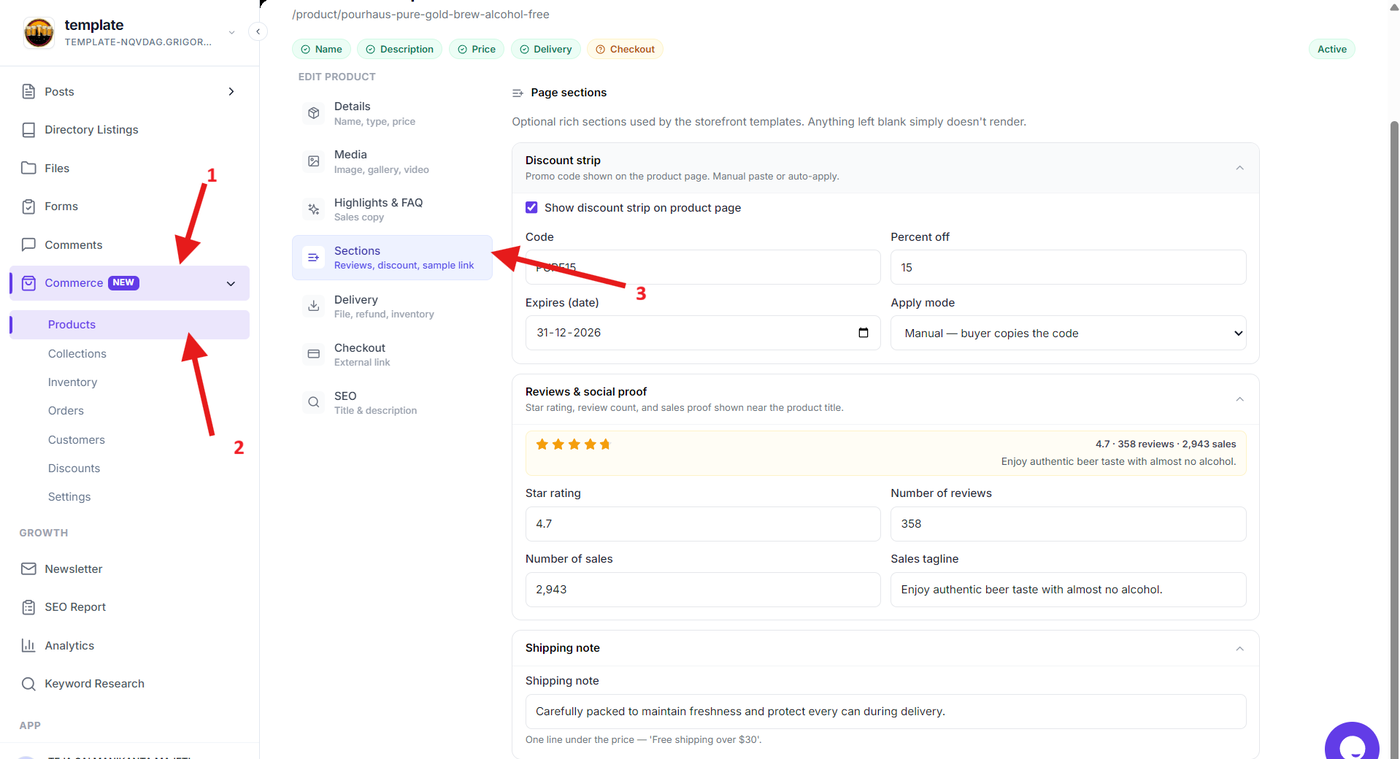
Configure Available Sections
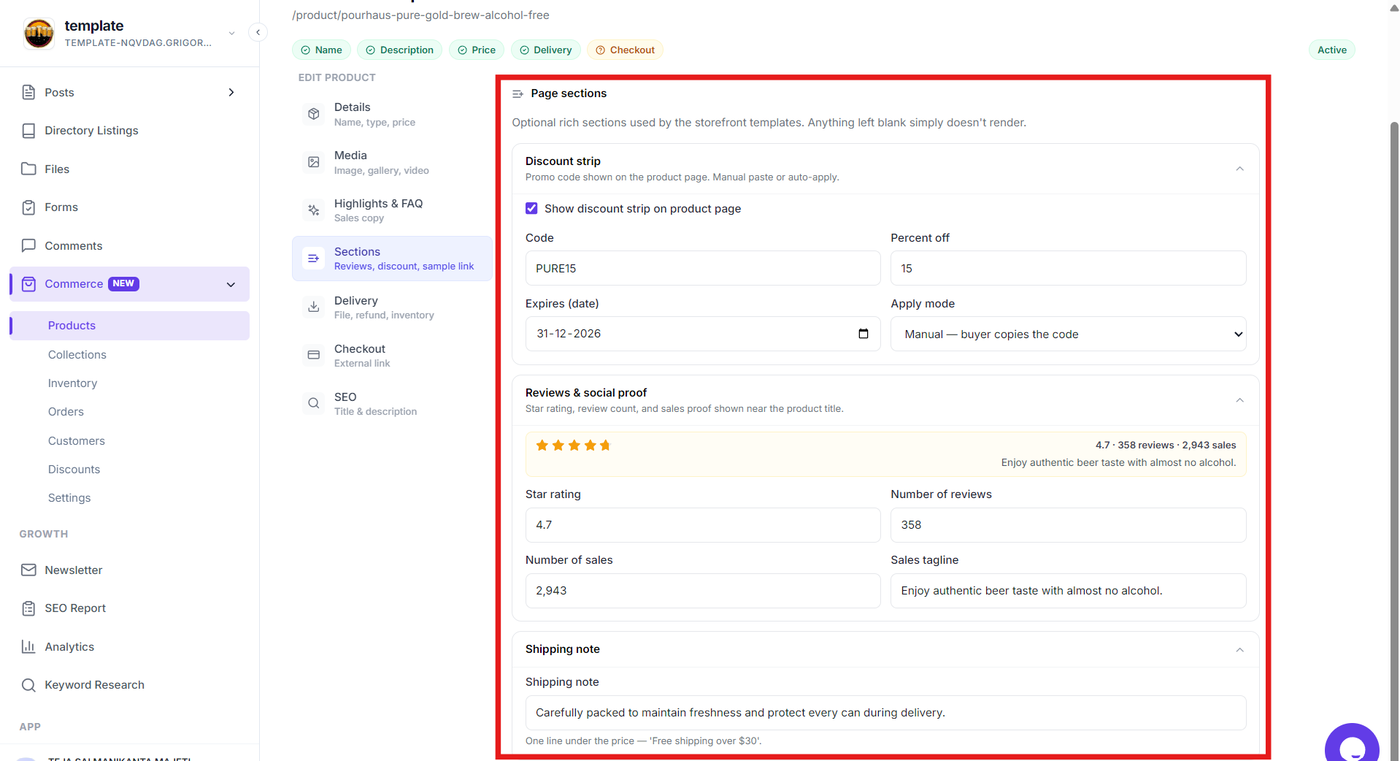
Use the available section settings to configure features such as:
Reviews — Manage customer review-related content.
Discount — Configure discount-related information for the product.
Sample link — Add a link that allows customers to access a product sample.
Choose the sections that are relevant to your product and configure the required information.
Save Your Changes
Review the section settings and click Save product to apply the changes.
Your configured sections will be available on the product page for customers.