

When sending newsletters to an international subscriber base across multiple countries, timing can make the difference between an email landing at the top of an active inbox or being buried overnight. Understanding how Grigora handles timezones and queue workers ensures your campaigns arrive when readers are most attentive.
This guide explains how timezones are evaluated in Grigora scheduling, how the background delivery queue works, and best practices for global email timing.
How Timezones Work in Grigora Scheduling
When you schedule a campaign in Step 4 of the Campaign Builder:
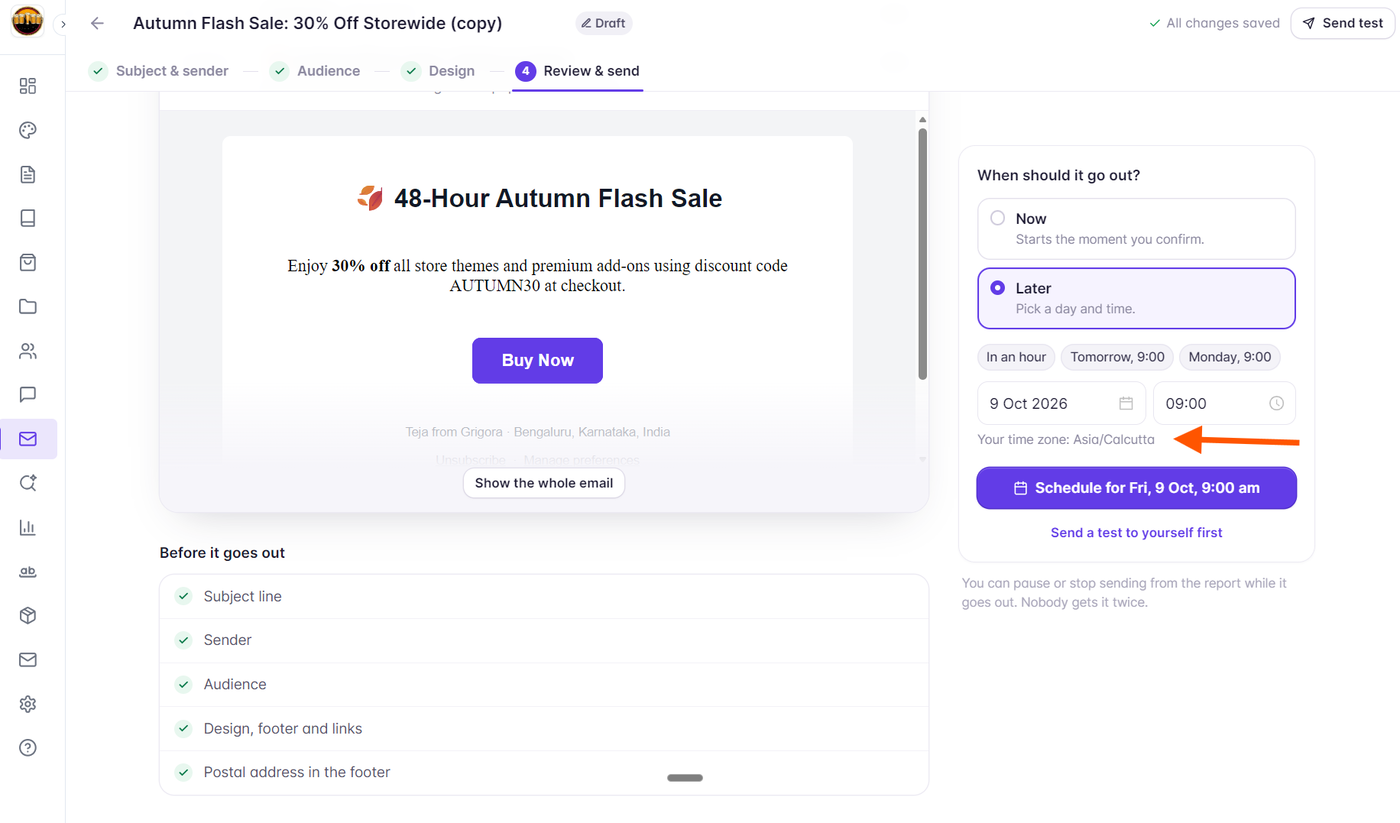
The date and time you select are calculated based on your browser and account’s active timezone (displayed clearly under the time picker as e.g.
GMT+05:30orUTC-05:00).Grigora converts your scheduled slot into a standardized UTC timestamp stored on the campaign record (
scheduled_at).When the scheduled UTC timestamp arrives, Grigora’s background queue worker claims the campaign, performs pre-send checks, and begins dispatches to all recipients in your selected audience.
Absolute Time Broadcasts
Currently, Grigora operates on an Absolute Time Dispatch model:
All recipients in the targeted audience begin receiving the campaign simultaneously once the scheduled timestamp is reached.
This is ideal for live webinars, breaking product launches, ticket sales, and time-sensitive flash sales where all subscribers need access at the exact same moment.
Strategies for Multi-Timezone Audiences
If your newsletter audience spans North America, Europe, Asia, and Australasia, you can optimize delivery using audience segmentation:
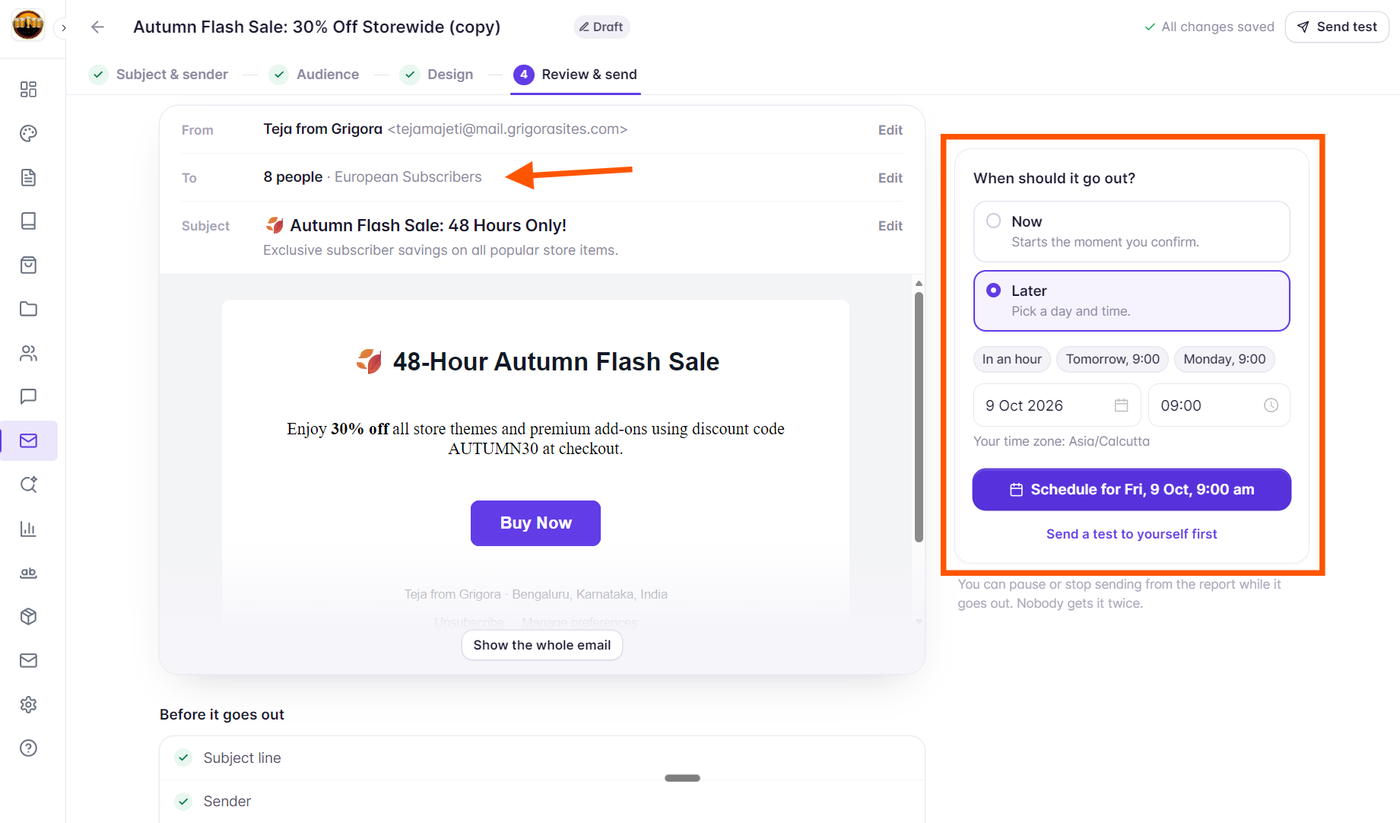
Segment by Country: Use Grigora’s dynamic segmentation to create regional segments (e.g., "North America Subscribers" where Country equals US/CA, and "Europe Subscribers" where Country equals UK/DE/FR).
Schedule Dedicated Regional Campaigns:
Duplicate your primary campaign draft.
Assign the Europe segment to Campaign 1 and schedule it for 9:00 AM London time.
Assign the North America segment to Campaign 2 and schedule it for 9:00 AM New York time.
This ensures each geographic cohort receives your email during their local morning inbox review.
Recommended Sending Windows
Industry Benchmarks for High Engagement:
Best Days: Tuesday, Wednesday, and Thursday typically deliver the highest open and click rates for B2B and informational newsletters.
Best Times: Mid-morning (between 9:30 AM and 11:00 AM) and early afternoon (between 1:30 PM and 2:30 PM) in your target audience’s primary timezone.
Avoid: Late Friday afternoons and weekend evenings unless your content specifically caters to weekend lifestyle or leisure topics.