

Providing a smooth, transparent unsubscribe experience is both a legal requirement under international privacy laws (CAN-SPAM, GDPR, Australian Spam Act) and a cornerstone of maintaining a healthy sender reputation. Grigora automates the entire unsubscribe lifecycle, ensuring that subscribers who opt out are immediately suppressed from future broadcasts.
This guide explains what subscribers experience when unsubscribing, how Grigora handles opt-out requests, and how consent history is maintained.
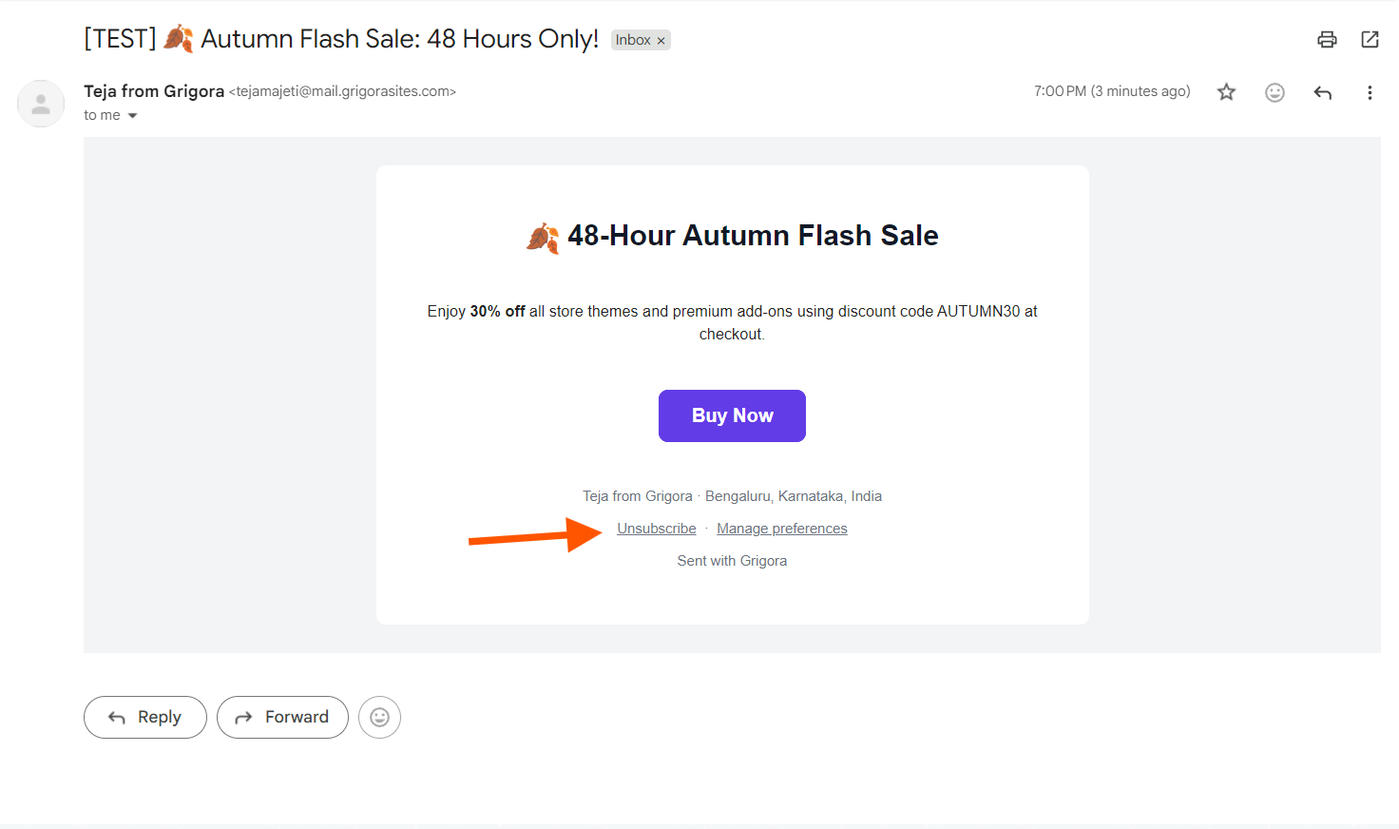
The Unsubscribe Link in Email Footers
Every marketing email sent from Grigora includes a compliant footer containing the dynamic {{unsubscribe_url}} merge tag:
This tag generates a unique, cryptographically signed URL specific to that recipient and project.
Subscribers do not need to log in or enter passwords to unsubscribe.
Grigora also includes standard
List-Unsubscribeemail headers, enabling 1-click unsubscribe buttons inside email clients like Gmail and Apple Mail.
The Subscriber Unsubscribe Landing Page
When a subscriber clicks the unsubscribe link in their email:
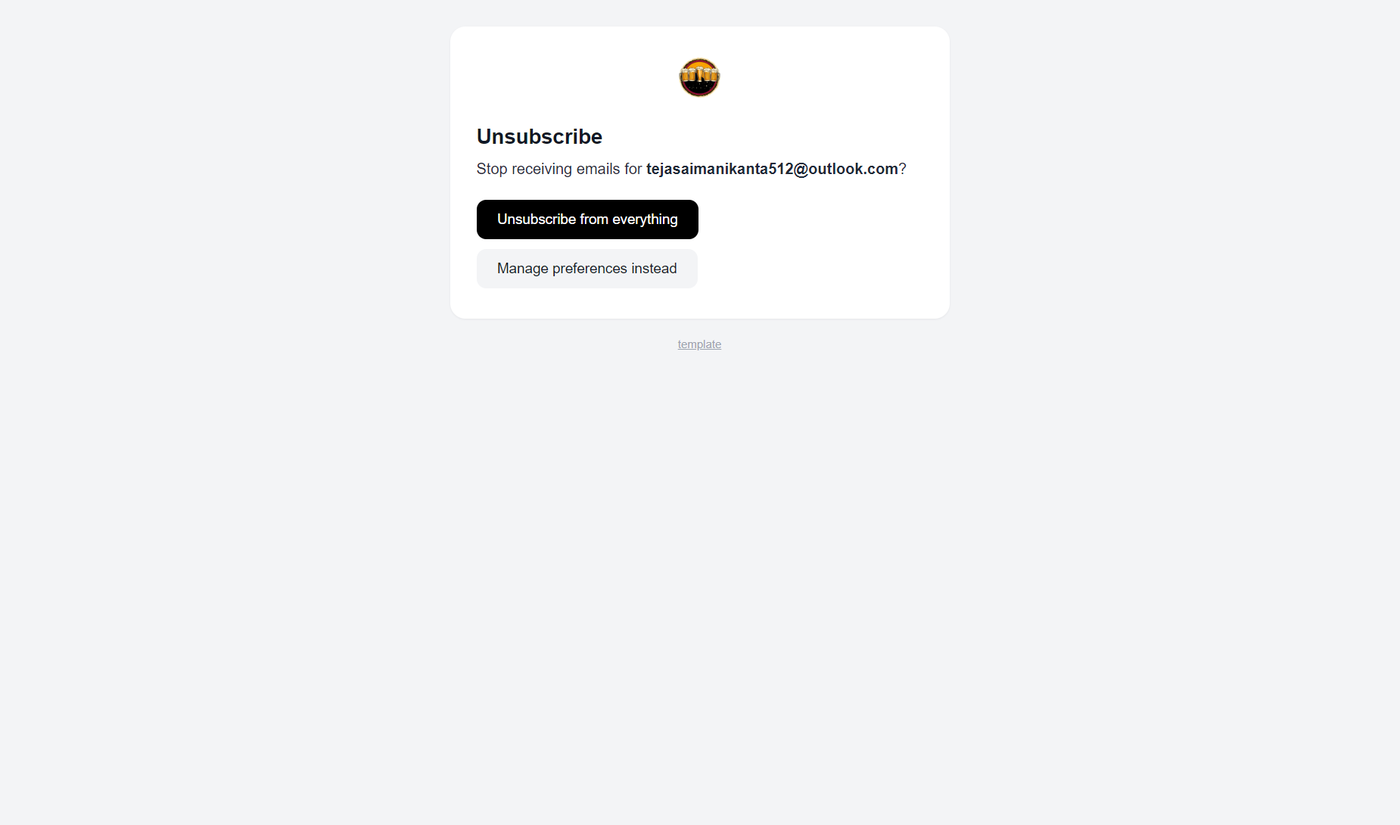
They are directed to your project’s dedicated unsubscribe page:
https://yourdomain.com/newsletter/unsubscribe?project=...&subscriber=....The page displays a clean, branded confirmation card asking if they wish to unsubscribe.
Clicking the Unsubscribe button processes the request immediately.
The screen updates to show a positive confirmation state: "Successfully Unsubscribed — You will no longer receive marketing emails from us."
What Happens in the Background?
When a recipient unsubscribes, Grigora performs automated actions across your audience database:
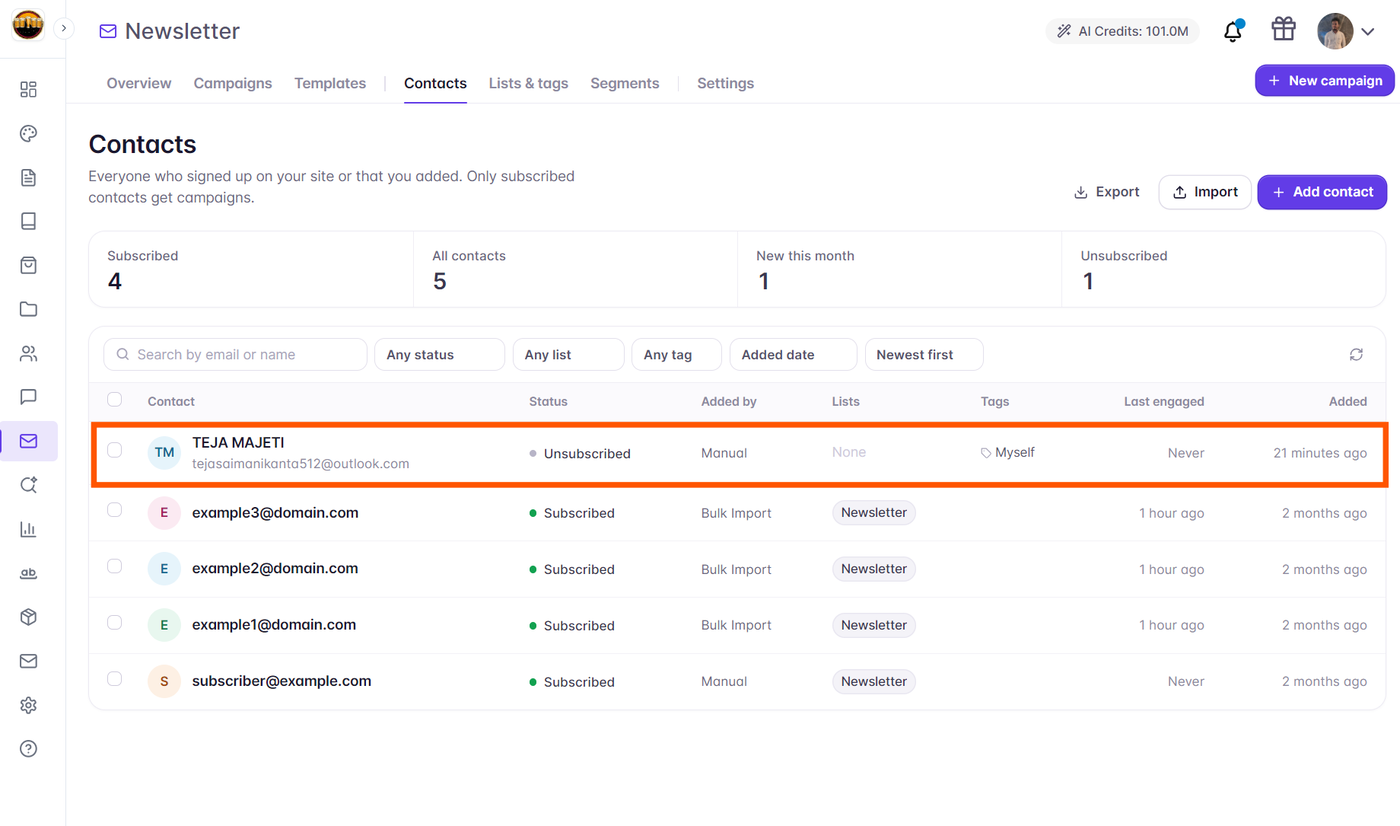
Contact Status Update: The contact’s status is immediately changed from
subscribedtounsubscribed.Suppression List Addition: The recipient’s email address is instantly added to your project’s Suppression List with the reason
unsubscribe_all.Consent Audit Trail: The timestamp and method of opt-out are recorded in the contact’s profile consent history for compliance records.
Future Campaign Protection: Even if this contact remains listed inside an older static list, Grigora’s pre-send filters will automatically skip them on all future dispatches.
Subscriber Preferences vs. Global Unsubscribe
Subscribers can also be offered preference management via the {{manage_preferences_url}} tag:
Allows readers to opt out of specific newsletter topics (e.g., unsubscribe from "Daily Deals" while remaining subscribed to "Weekly Product Updates").
Reduces overall churn by giving readers control over email frequency instead of losing them completely.