

Make your product pages more useful by adding key product highlights and answers to common customer questions. Grigora Commerce lets you manage both directly from the product editor.
Open the Highlights & FAQ Section
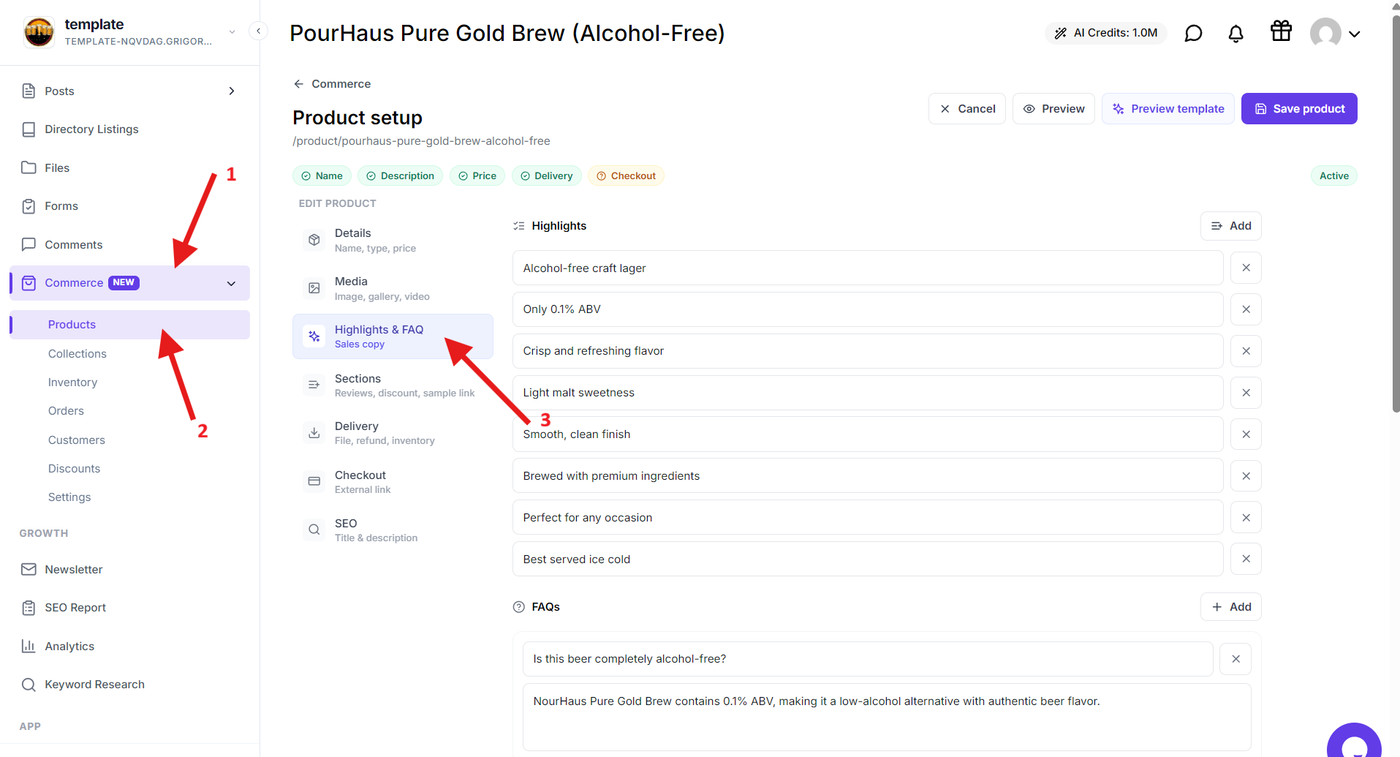
Open Commerce → Products and select the product you want to edit.
From the product editor, select Highlights & FAQ.
Add Product Highlights
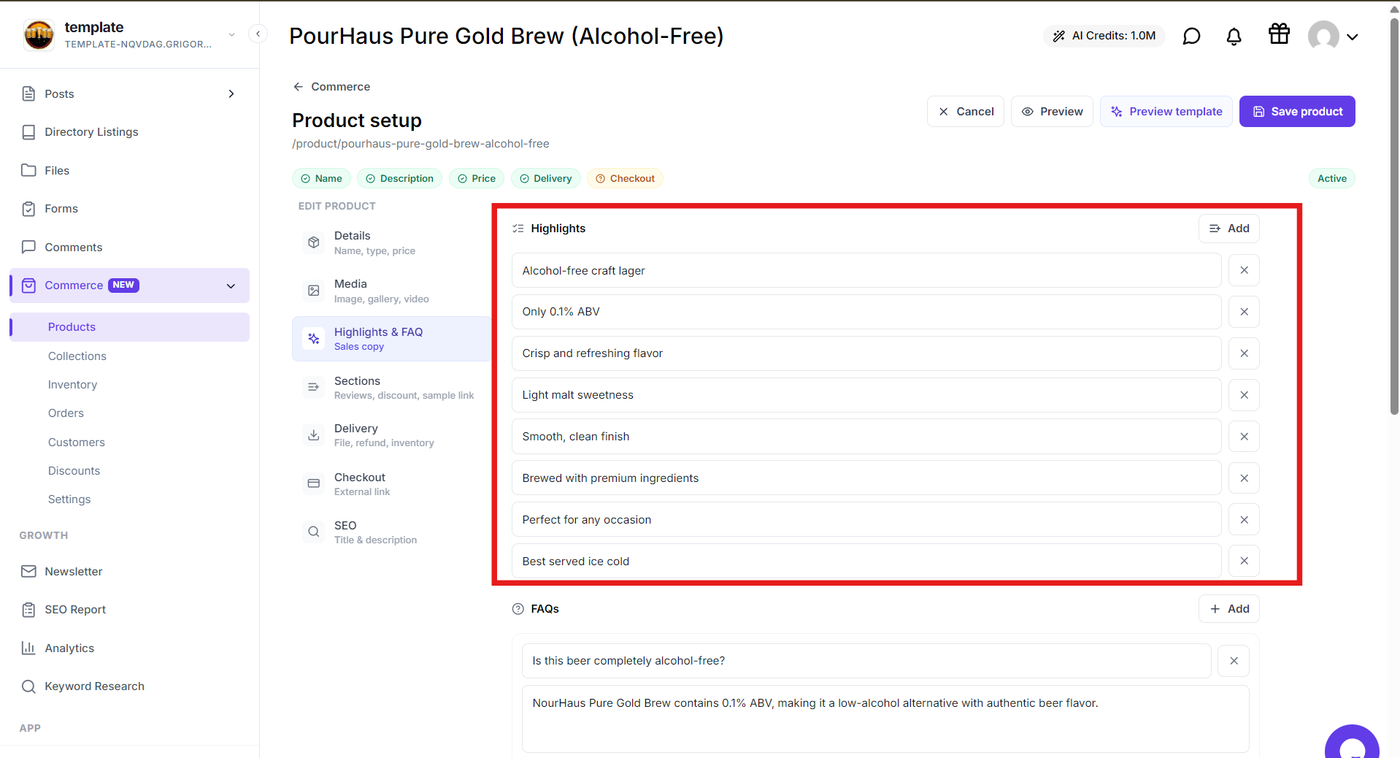
Use the Highlights section to add short points that communicate the most important features, benefits, or details of your product.
Add concise highlights that customers can quickly scan before making a purchase.
Add Frequently Asked Questions
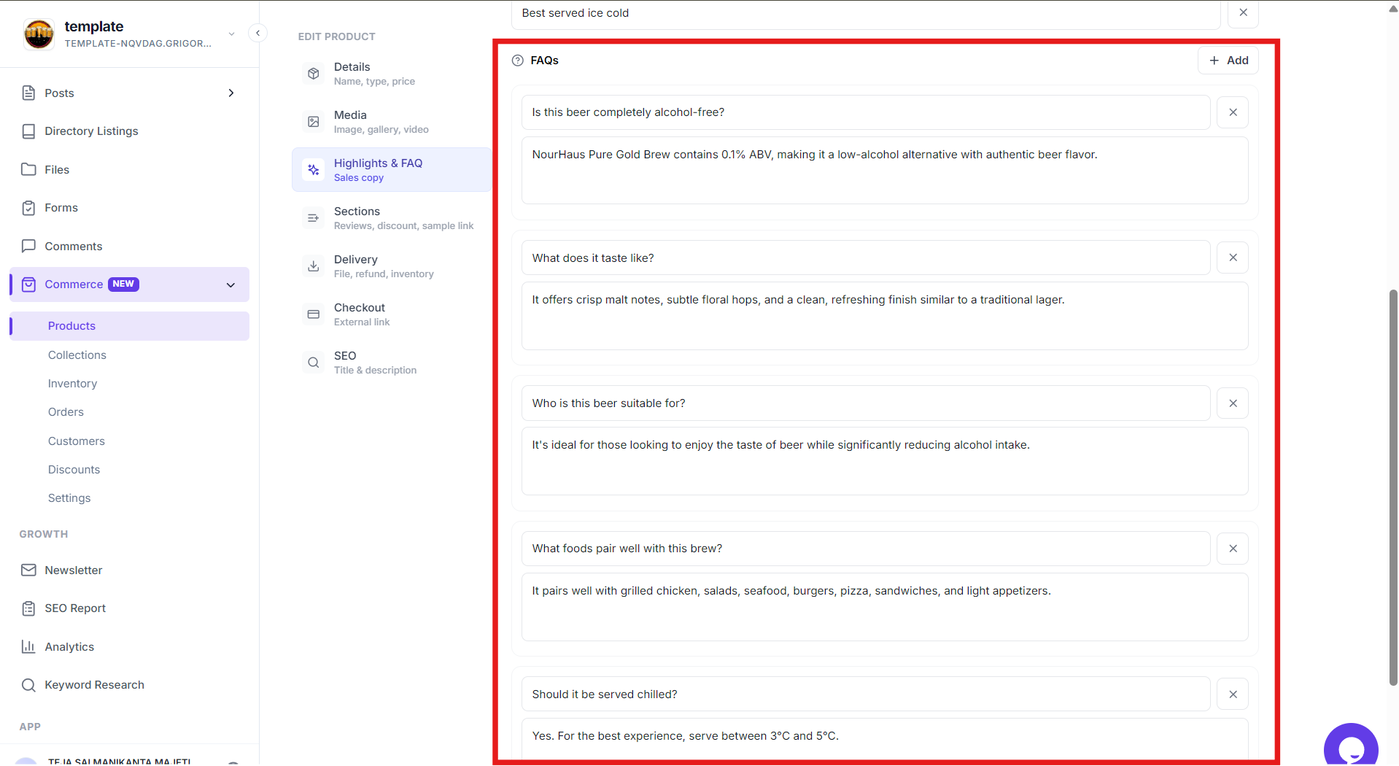
Use the FAQ section to answer common questions customers may have about the product.
Add each question along with its answer, focusing on useful information such as product usage, delivery, access, or other purchase-related details.
Save Your Product
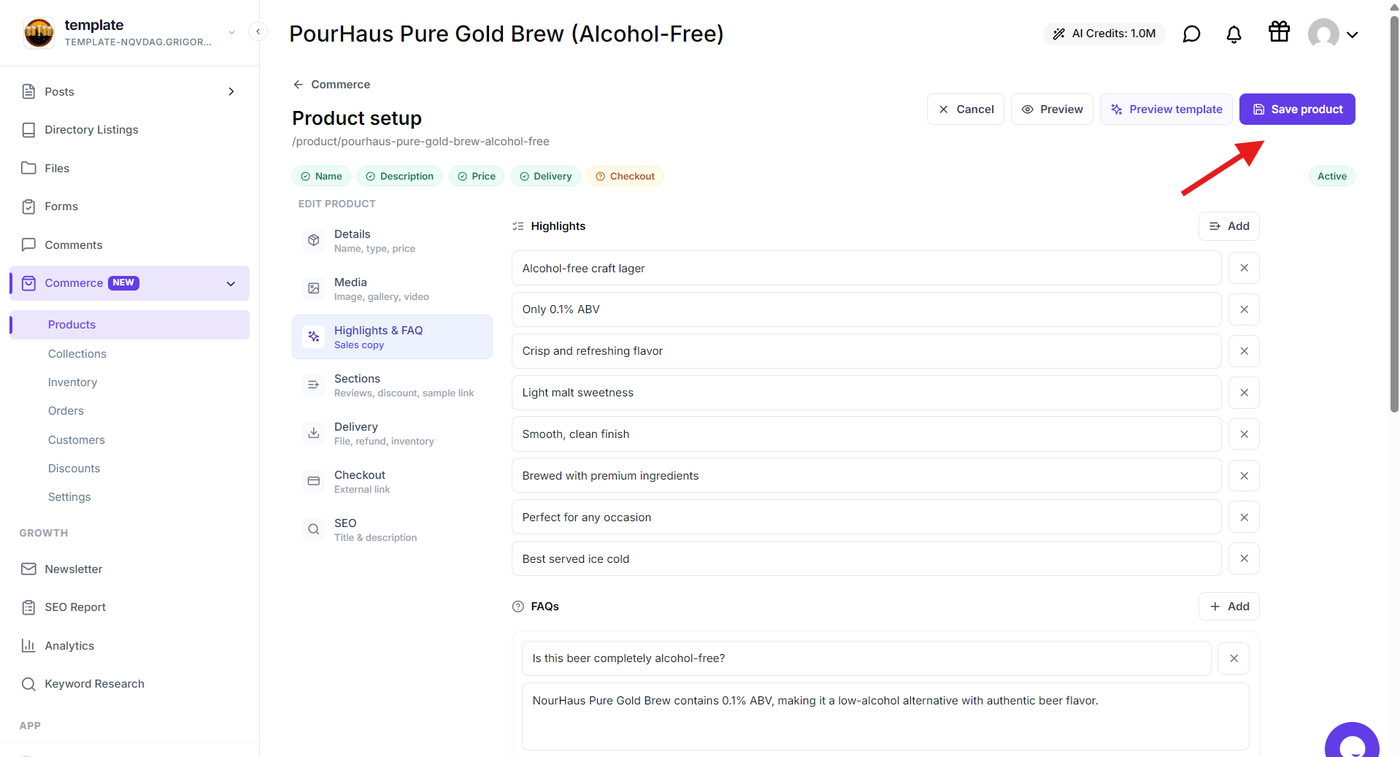
Review the highlights and FAQs, then select Save product to apply the changes.
Your added information will be displayed on the product page and help customers understand the product before purchasing.