

Well-structured emails balance content density with visual breathing room. In Grigora, utility blocks like Dividers and Spacers help separate thematic sections, while the HTML block provides advanced flexibility for custom code embeds.
This guide explains how to use dividers for sectioning, control whitespace with spacers, and safely insert custom HTML.
Using the Divider Block
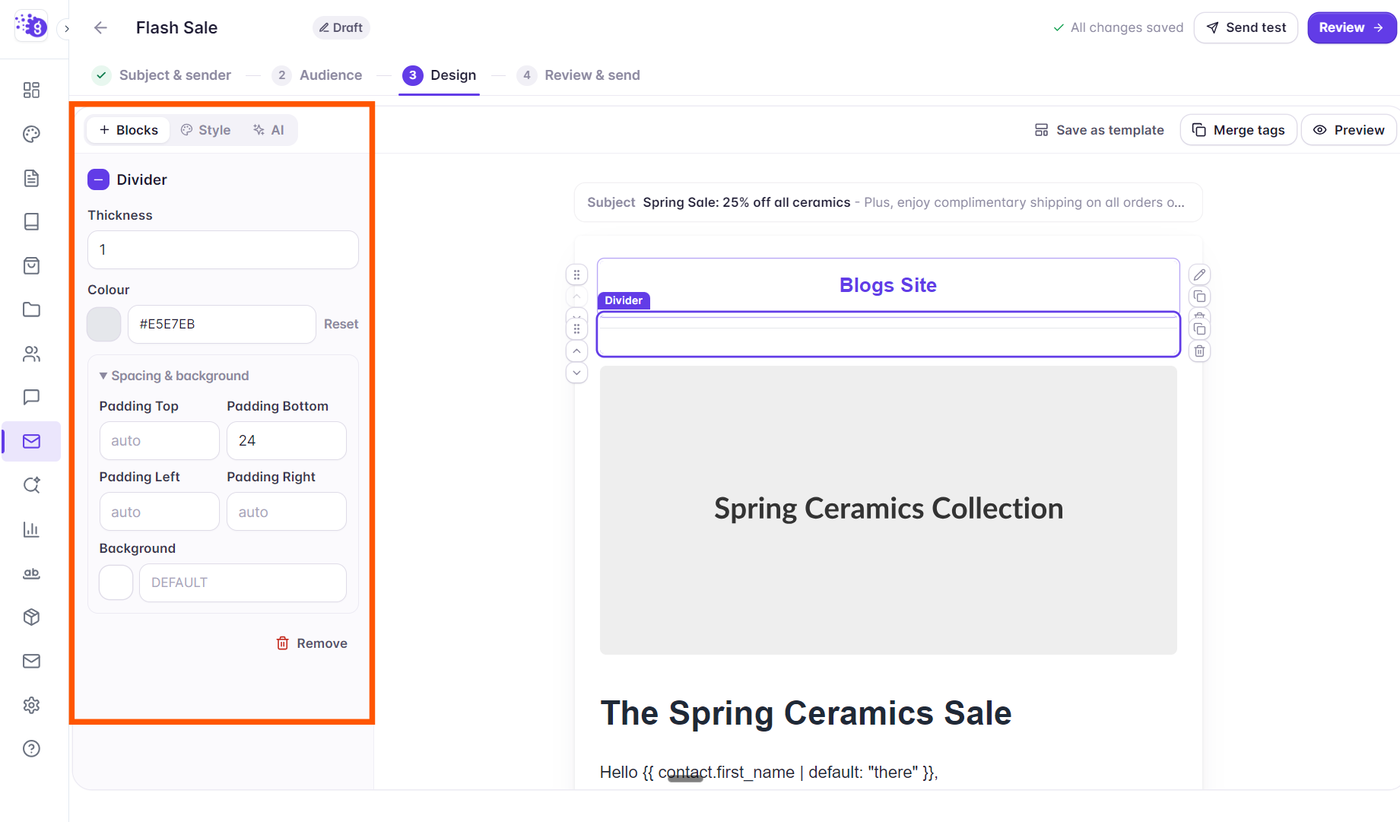
The Divider block inserts a subtle horizontal rule between sections, separating headlines, articles, or product cards:
Drag the Divider block from the palette and position it between two content sections.
Click the divider to inspect its styling controls in the left side panel:
Line Style: Select Solid, Dashed, or Dotted.
Thickness: Set line height from 1px to 4px.
Width: Choose full container width (100%) or a centered shorter accent line (e.g., 40% or 60%).
Color: Pick a subtle border color (e.g., light gray
#e8e6f0) to maintain visual hierarchy.Alignment: Left, Center, or Right.
Controlling Whitespace with the Spacer Block
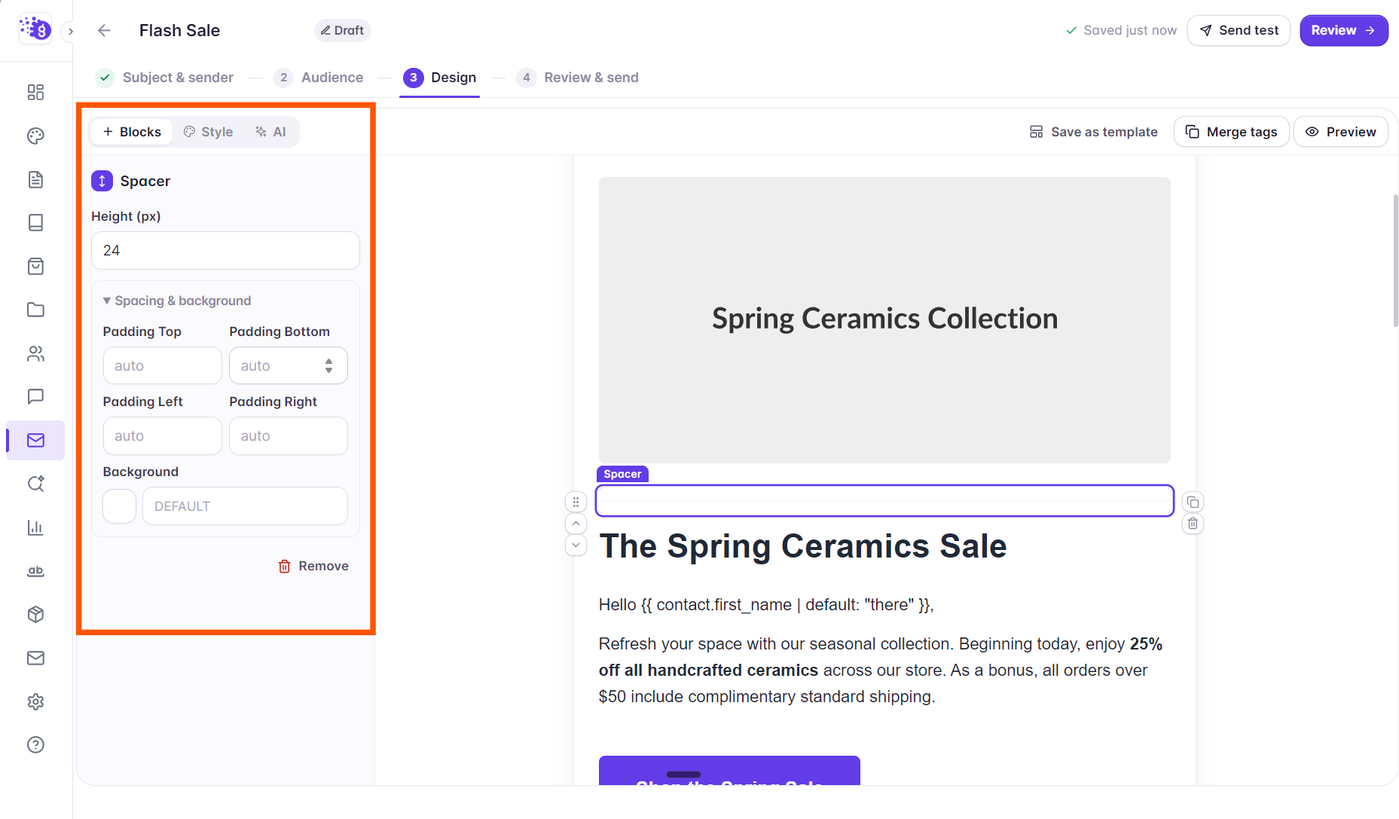
Rather than adding multiple empty line breaks, the Spacer block gives you exact pixel control over vertical padding:
Drag the Spacer block anywhere between blocks or inside a column.
In the left side panel, adjust the height slider or type an exact pixel value (e.g.,
16px,24px,40px).Spacers adapt cleanly across desktop and mobile devices without causing unexpected layout collapse.
Adding Custom HTML Blocks
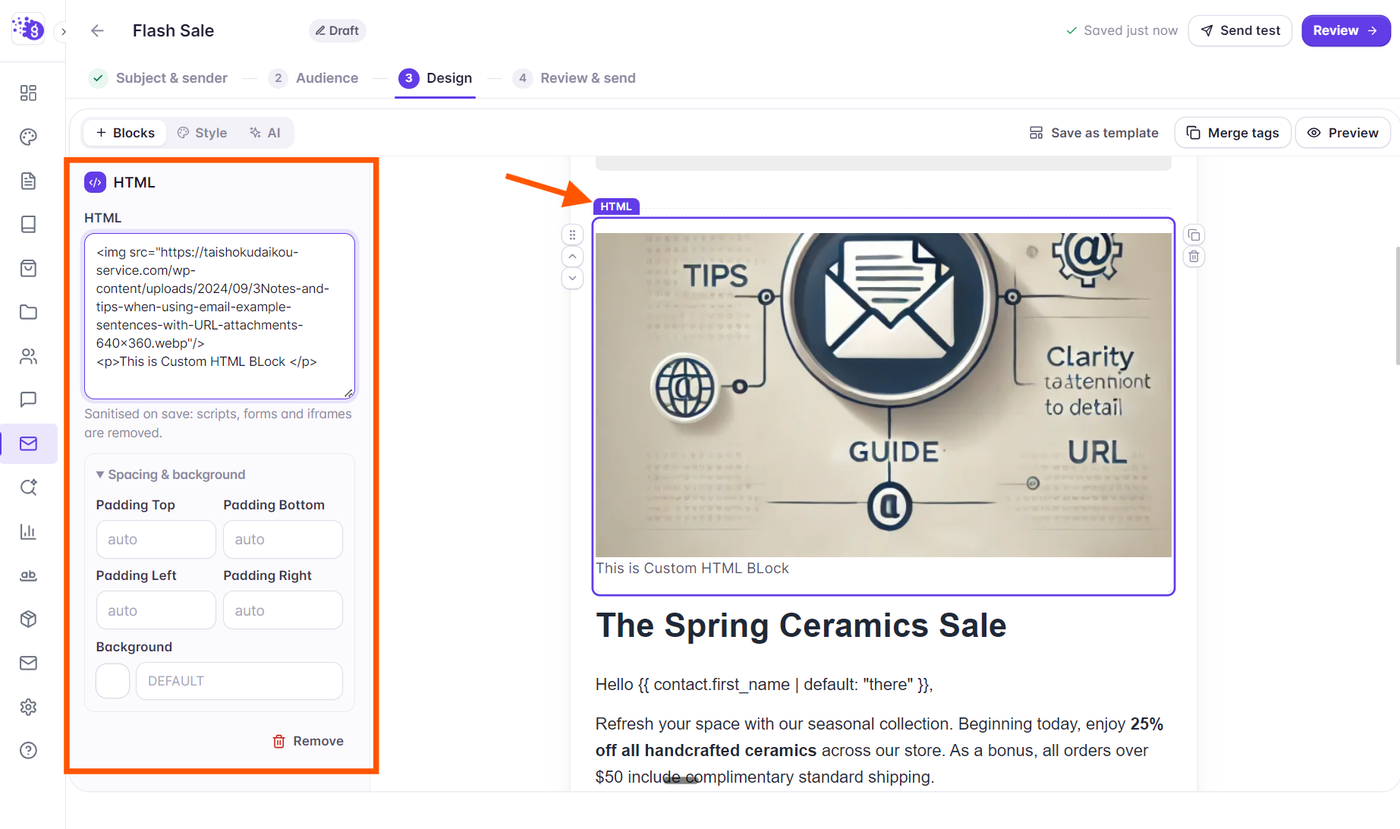
For specialized email designs—such as custom countdown timers, data comparison tables, or interactive email components—use the HTML block:
Drag the HTML block from the palette onto the canvas.
Click the block to open the code editor in the left side panel.
Paste your custom HTML and inline CSS code.
Grigora features built-in sanitization to ensure all tags are compliant with email client security standards, automatically stripping hazardous scripts while preserving email-safe layout markup.
Note on Email Client HTML: Standard web elements like
<script>,<iframe>, and external stylesheets are blocked by mailbox providers like Gmail and Outlook. Ensure any custom HTML relies on inline styles and table-safe markup.