

Migrating from Wix to Grigora lets you bring your existing Wix content into Grigora without manually recreating everything. Grigora connects to your Wix account using a Wix API Key and Account ID, then uses the connection to migrate your supported content.
Get Your Wix API Credentials
Step 1: Generate a Wix API key and copy your Account ID
Log in to your Wix account and open Account Settings → API Keys.
Click Generate API Key to create a new API key. Once the key is generated, copy the Token shown under the generated key.
On the same page, locate the Account ID section and click Copy ID to copy your Wix Account ID.
Keep both the API Key and Account ID ready for the migration.
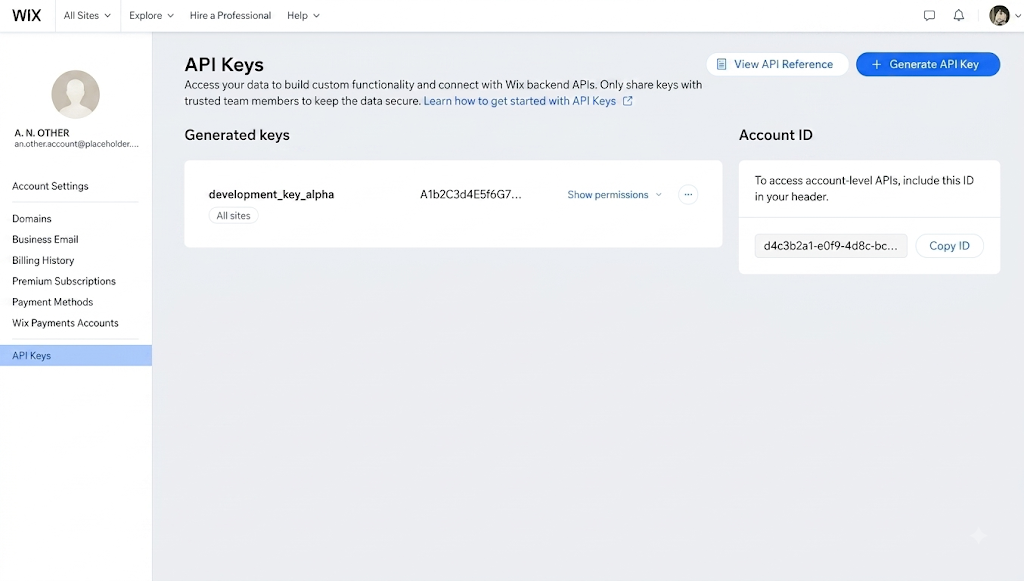
Note: Make sure the generated API key has the required permissions to access the Wix content you want to migrate.
Start the Wix Migration in Grigora
Step 2: Open Migration Settings
Log in to your Grigora account and select the project where you want to migrate your Wix content.
Go to Settings and open Migration.
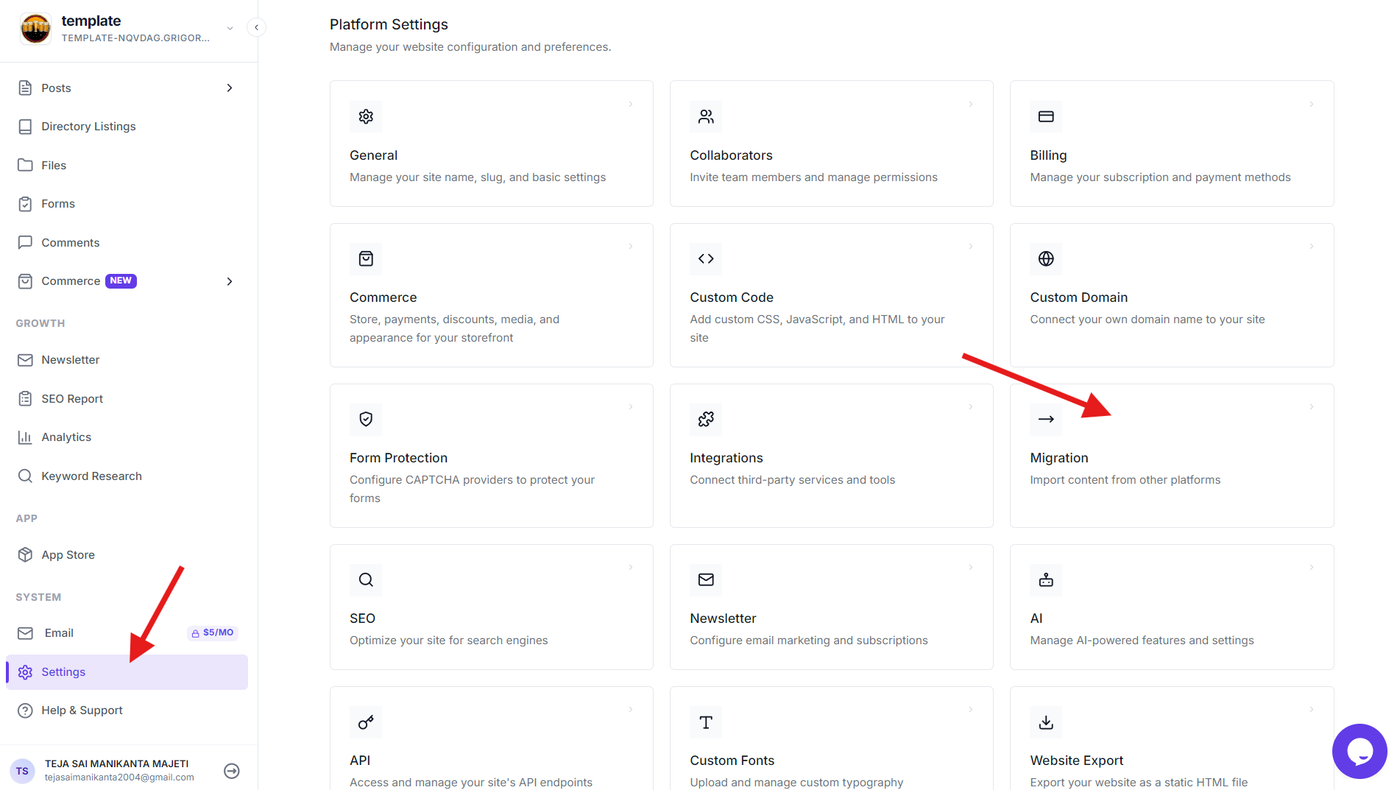
Step 3: Select Wix as the migration source
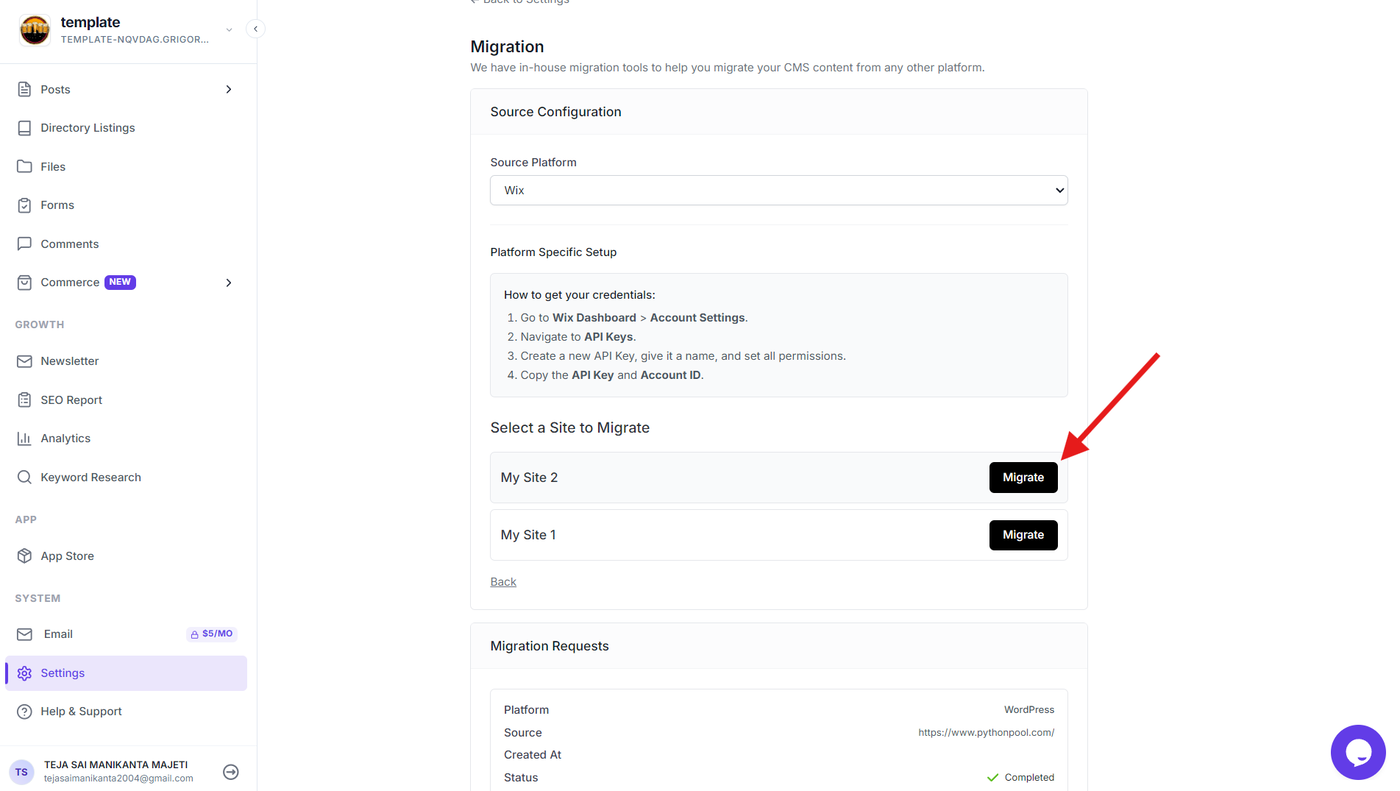
Select Wix from the available migration platforms.
Enter your Wix API Key and Wix Account ID in their respective fields.
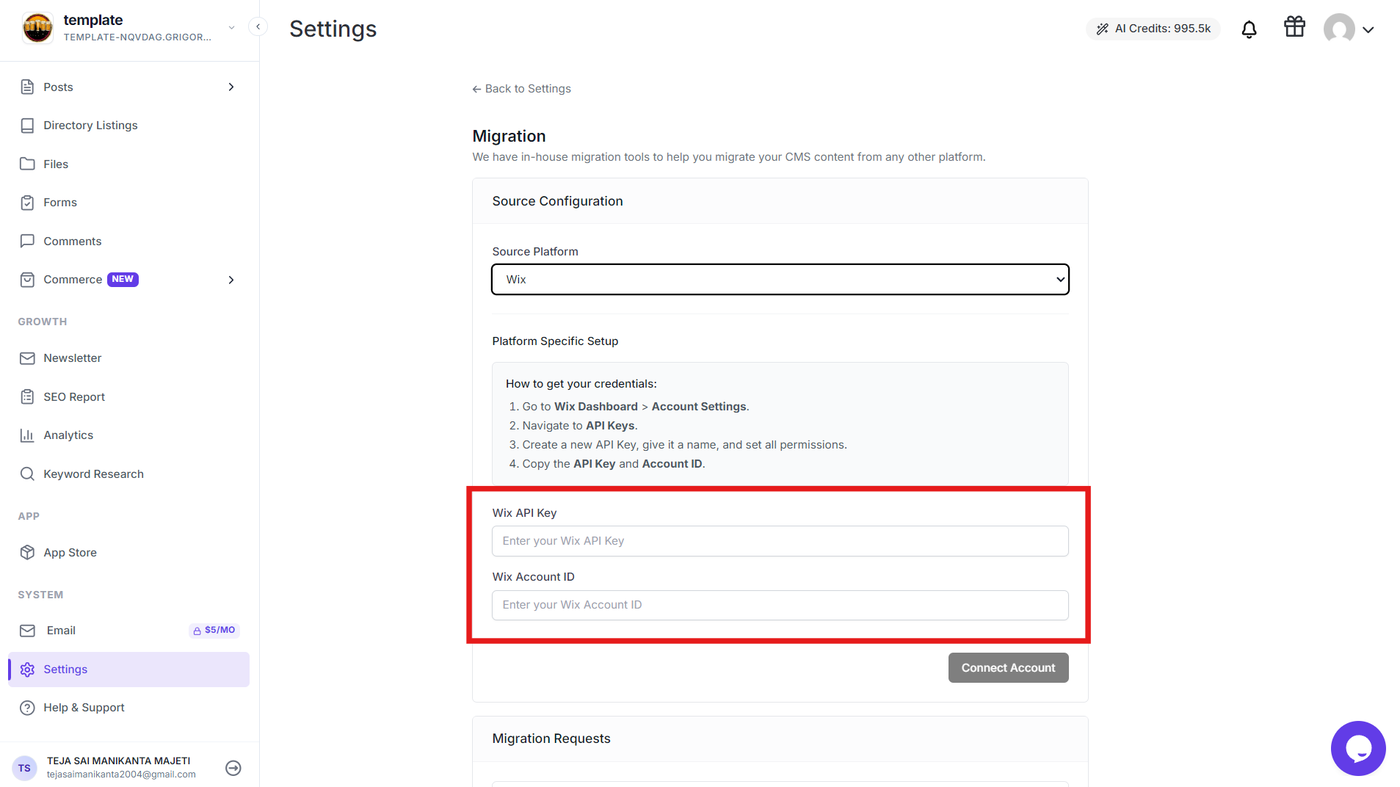
Step 4: Select Website For Migration
Choose the Site for Migration from the available list.
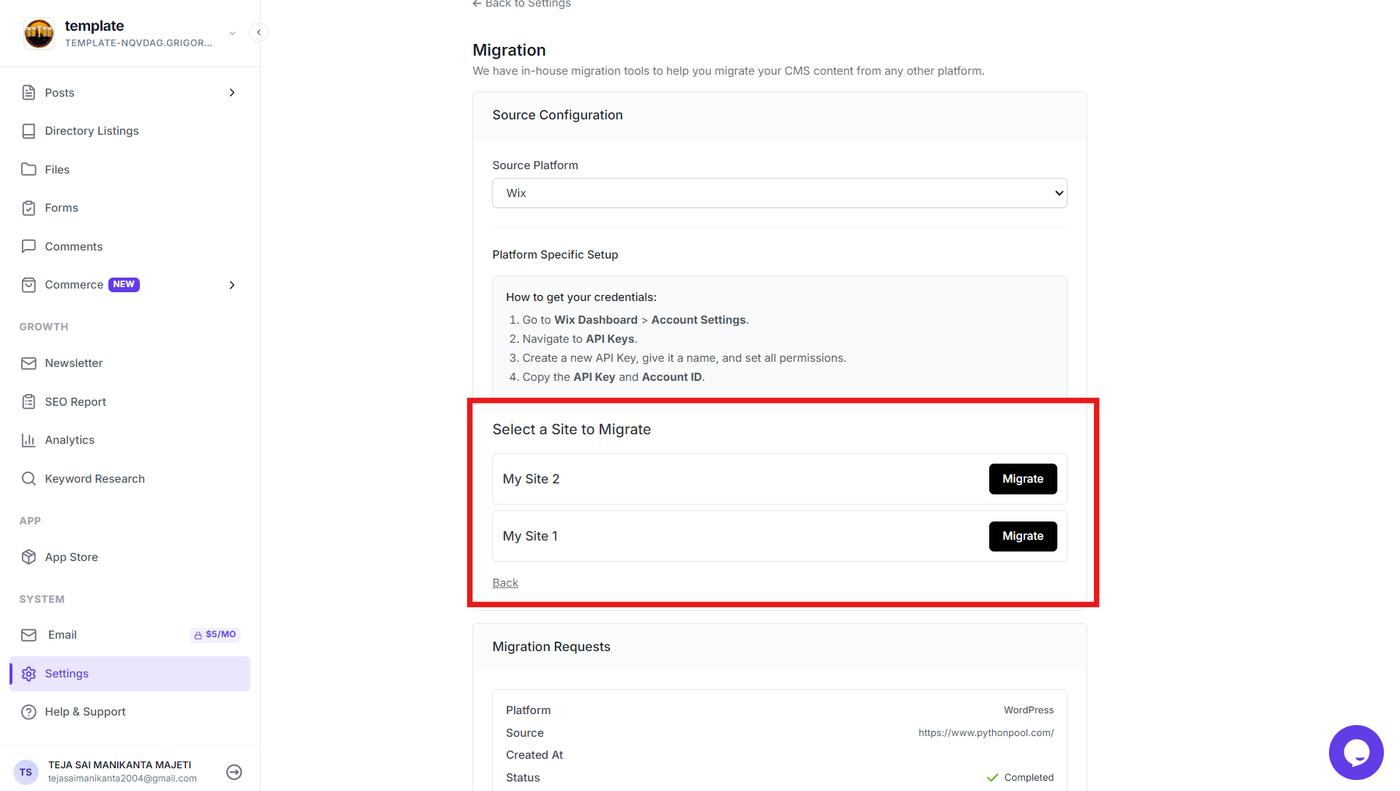
Step 5: Start the migration
Select the Wix site you want to migrate and click Migrate next to it. Grigora will then connect to your Wix account using the provided credentials and import the supported content from the selected site into your Grigora project.
Verify the Migrated Content
Step 5: Review the migrated content
Once the migration is complete, open the relevant sections in Grigora and verify that your Wix content has been imported correctly.
Check the migrated:
Blog posts and pages
Categories and tags
Images and other media
Content fields and metadata
Publication information
Review the imported content and make any necessary adjustments before publishing your Grigora website.
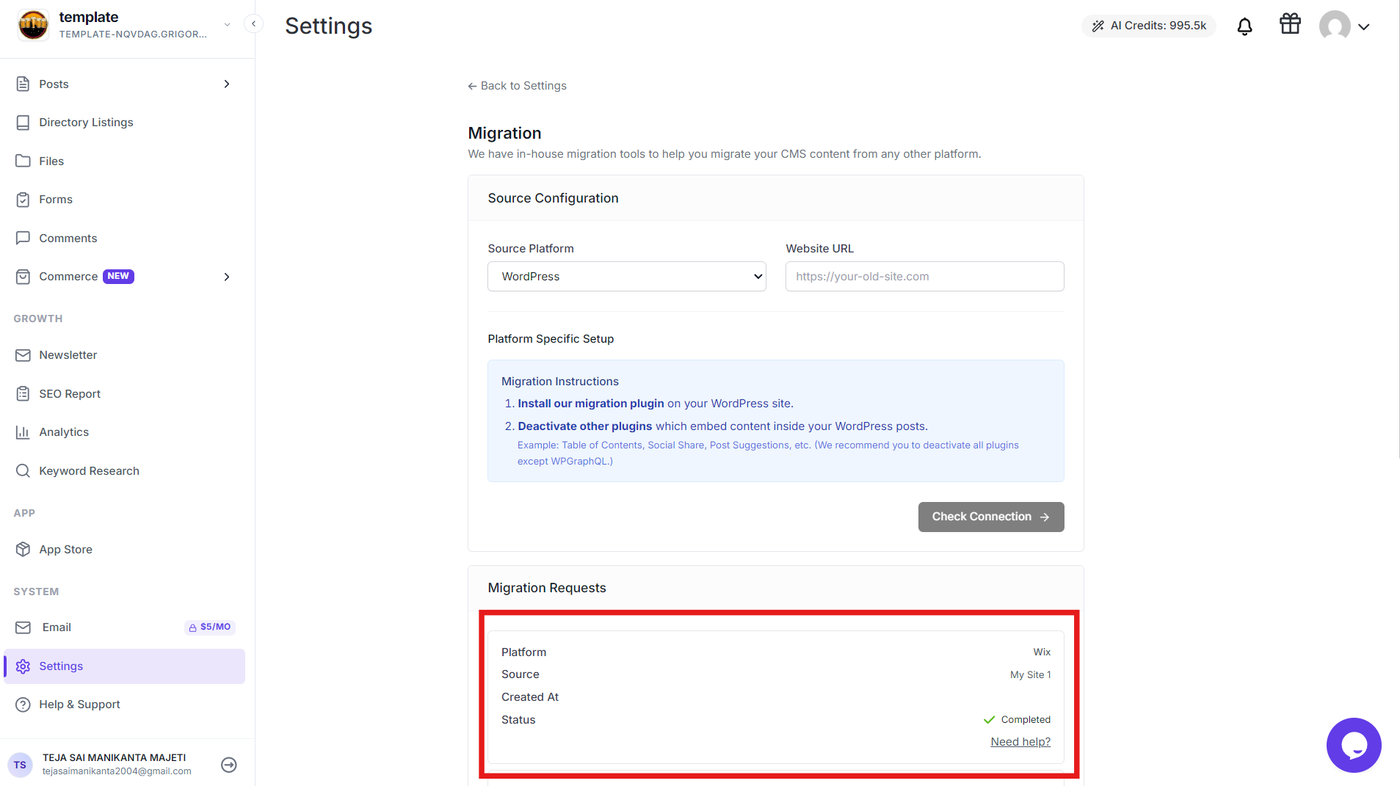
Tip: Keep your Wix website available until you have finished reviewing the migration and confirmed that all required content has been successfully transferred.